
Show Project Milestones on a Timetable
Record authoritative project milestones, then present them with project phases in a formal Timetable Gantt view.
Use Milestone records for controlled project events and a Timetable presentation timeline for the visual programme. Review the timetable whenever an authoritative milestone date changes.
Related: Project Milestones and Presentation Timelines, Timetable Records and Calendar Exceptions.
Review the Project milestones
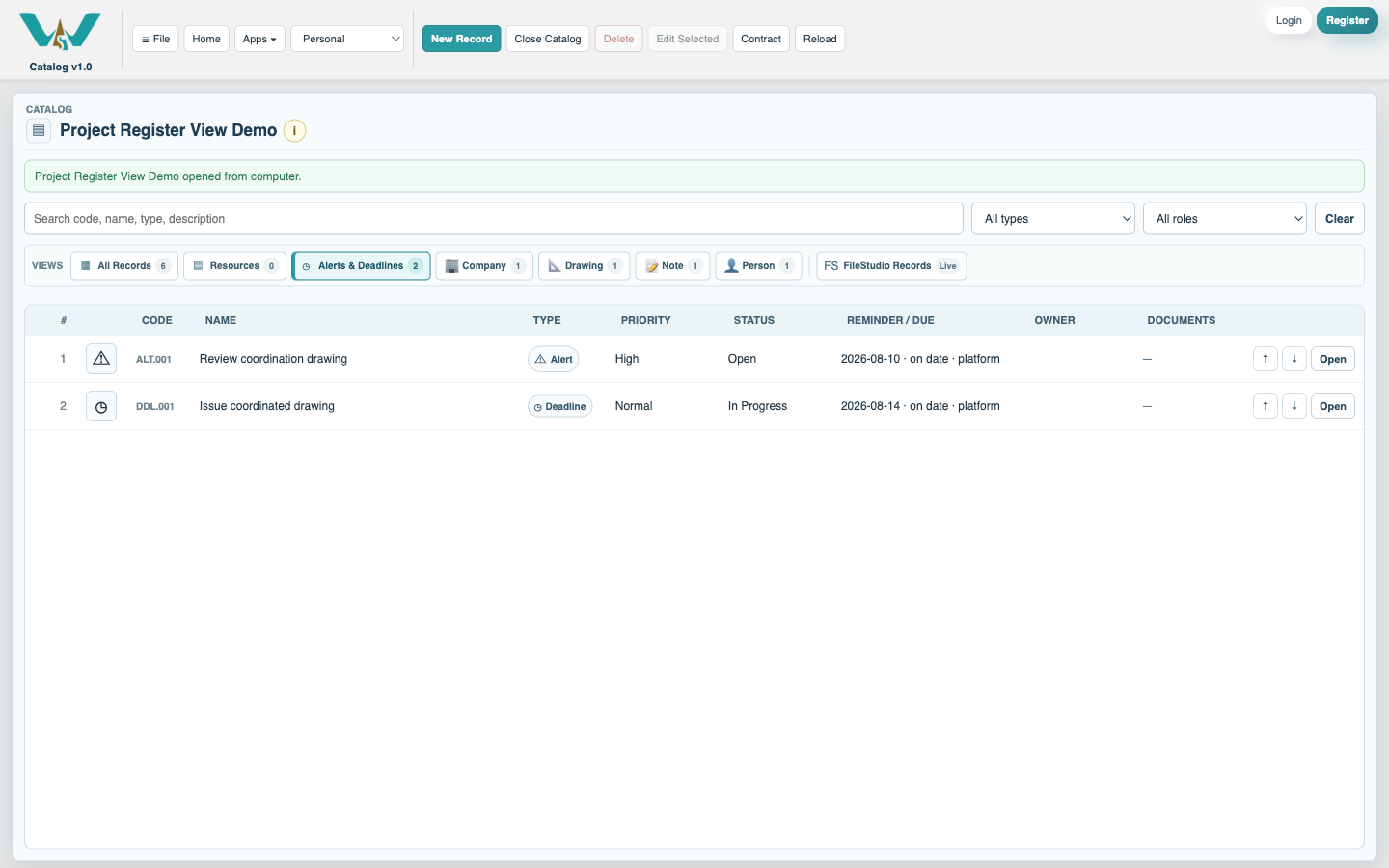
In Planning, create or review each Milestone. Set its Purpose, Project, date, planning status, owner, and dependency information.
Create the presentation Timetable
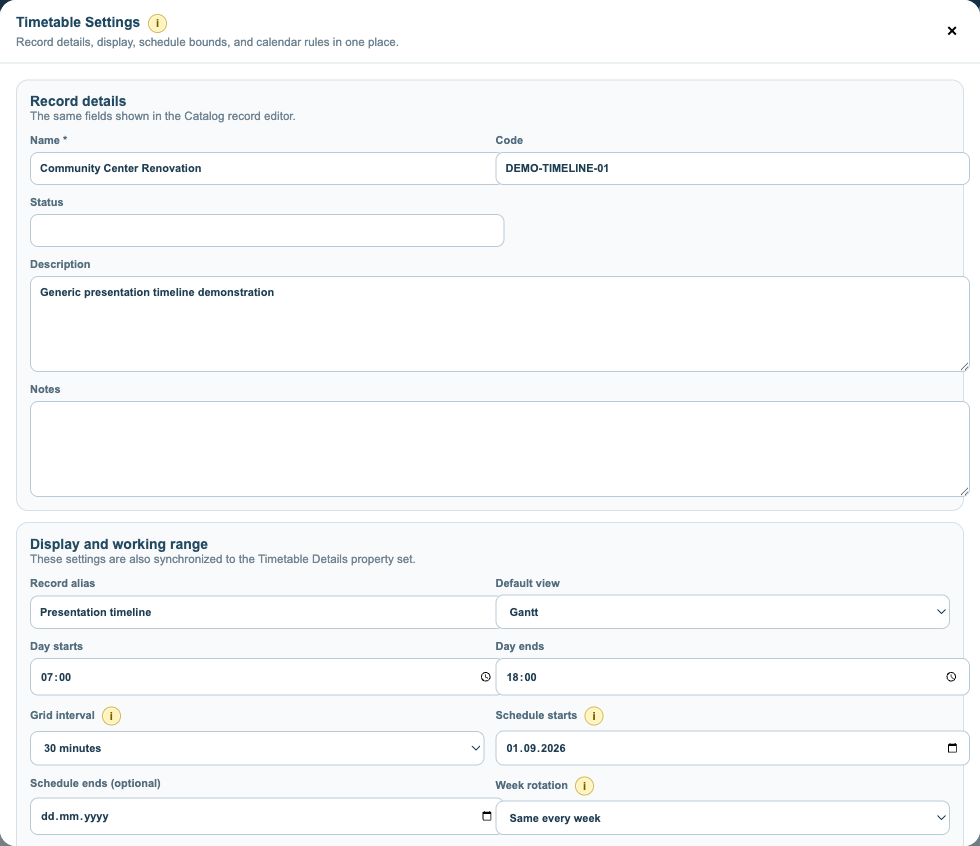
Create a Timetable for the Project. Choose Gantt as the default view and set the programme start and end dates.
Choose the timeline layout
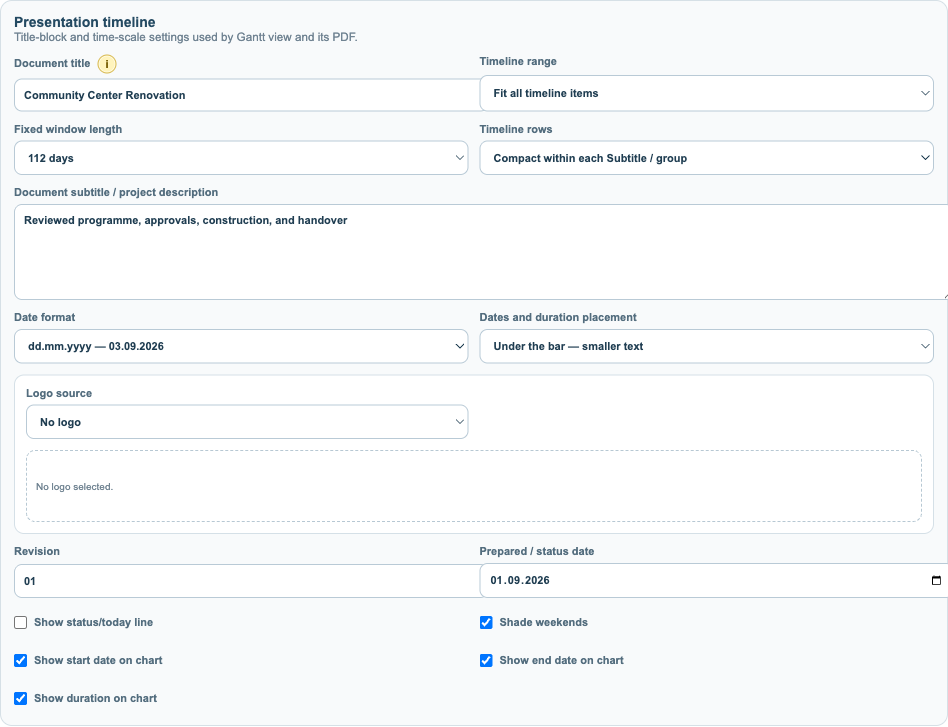
Set the presentation range, row spacing, date scale, labels, and phase or milestone display before adding the reviewed programme entries.
Place phases and milestone dates
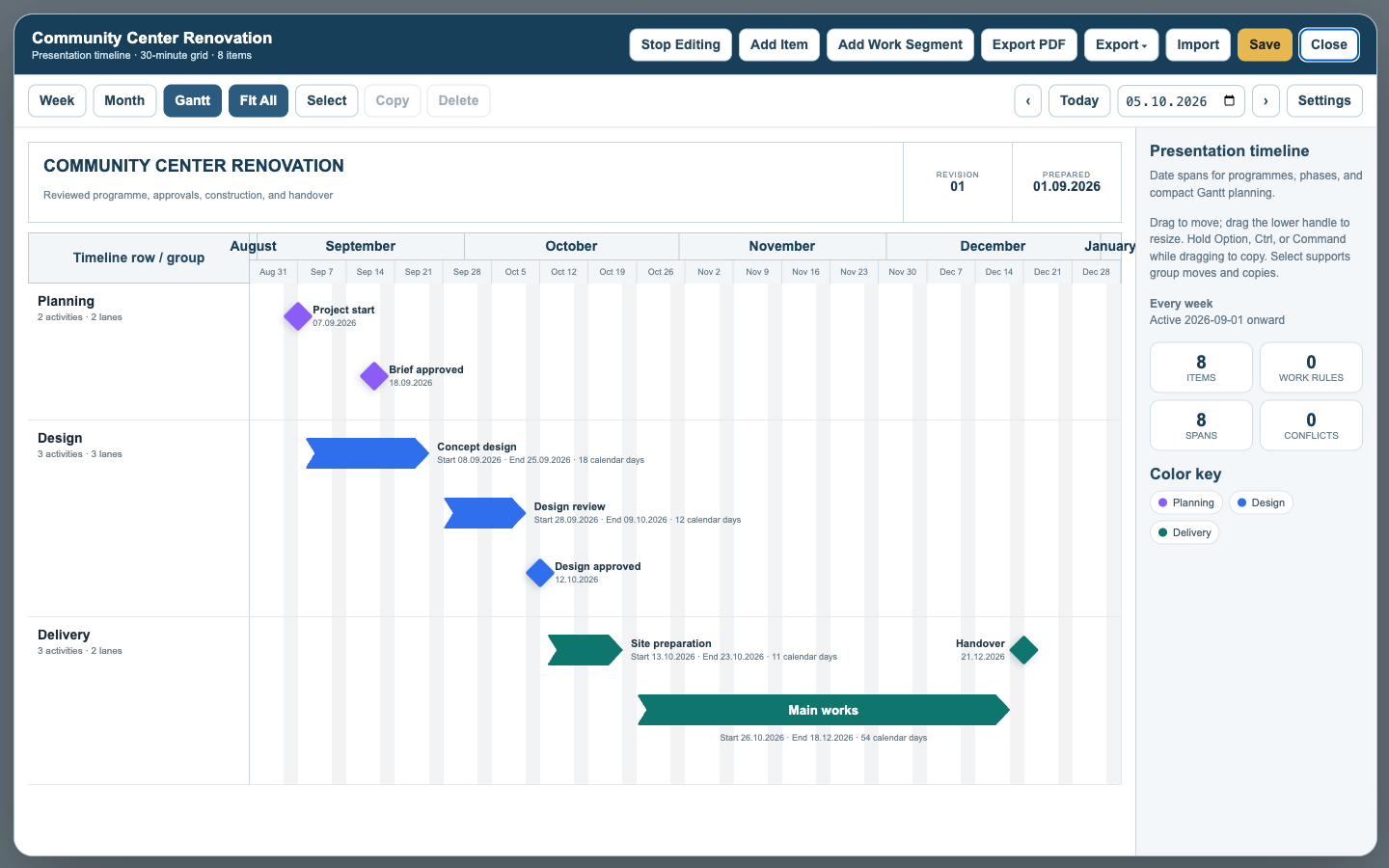
Add reviewed phases as bars or arrows and milestones as diamonds. Use each authoritative Milestone record date for its one-date entry.
Check the compact programme
Use Fit All and the compact group layout to confirm sequence, labels, milestones, and available space before publication.
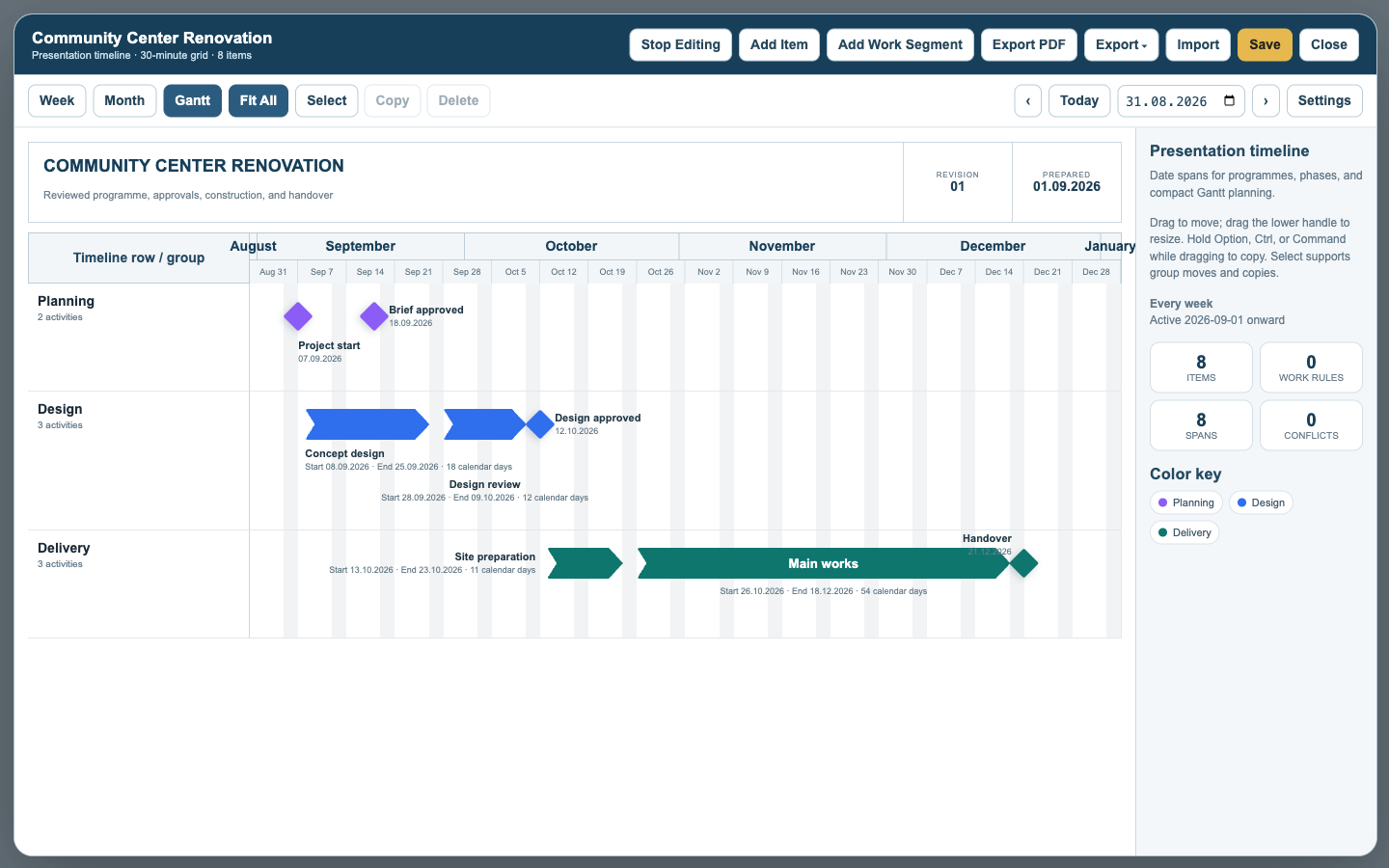
Save and publish
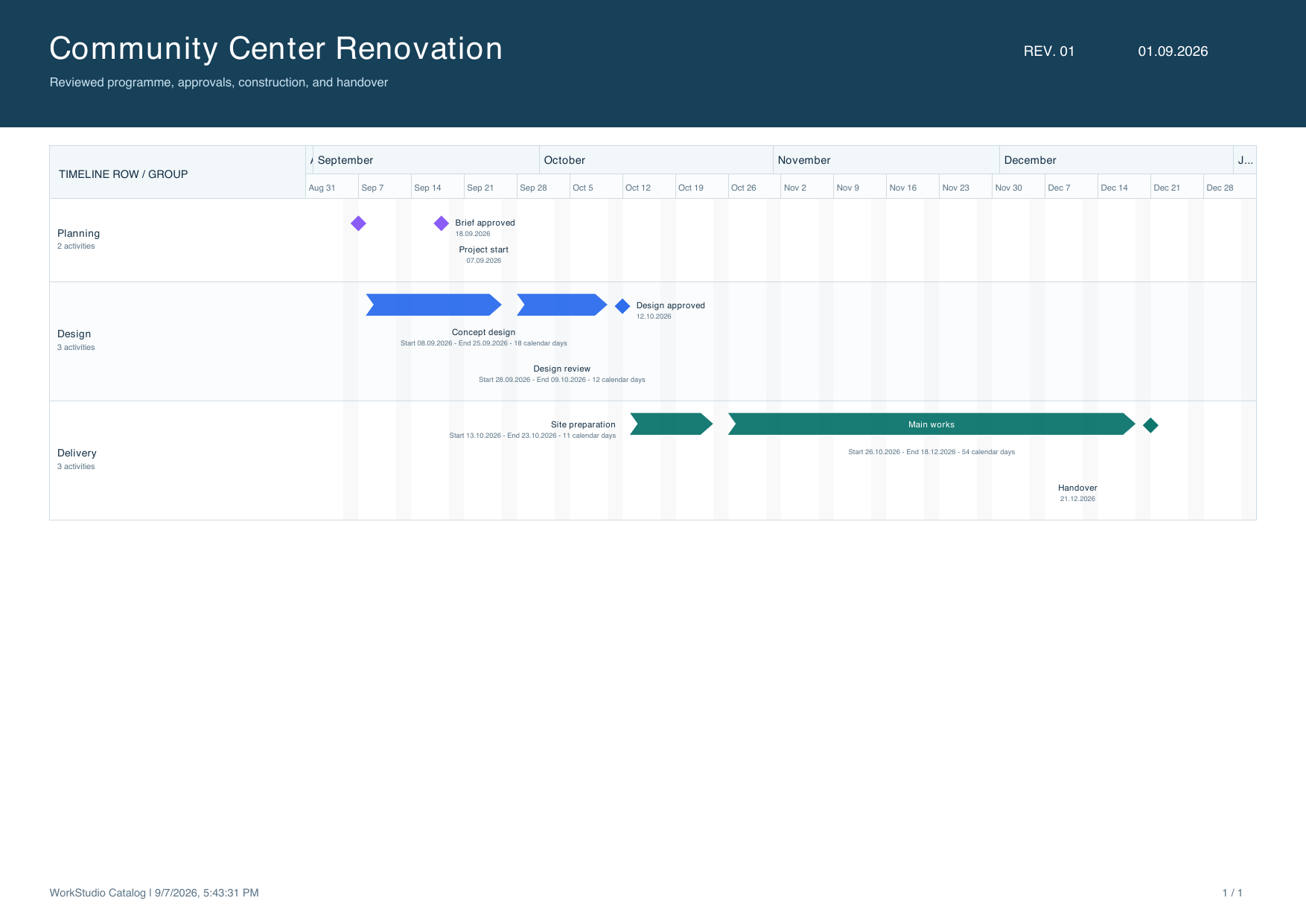
Save the Timetable and its revision, then save the Records collection. Export PDF or styled Excel for the reviewed presentation.
Enable JavaScript to use reading progress and usefulness ratings.