
Project Milestones and Presentation Timelines
Record contractual or project milestones, then present dated results alongside phases in a formal Timetable Gantt view.
A Milestone is a dated, zero-duration planning result. Its Purpose can identify Project Start, Contract Signature, Kick-off Meeting, Notice to Proceed, Project Completion, or a custom event. A Milestone uses a completion state rather than percentage progress.
Milestone records can link to a Project or Main Contract, owners, reminders, predecessors, and successors. They also appear with Tasks, Alerts, and Deadlines in the Planning view.
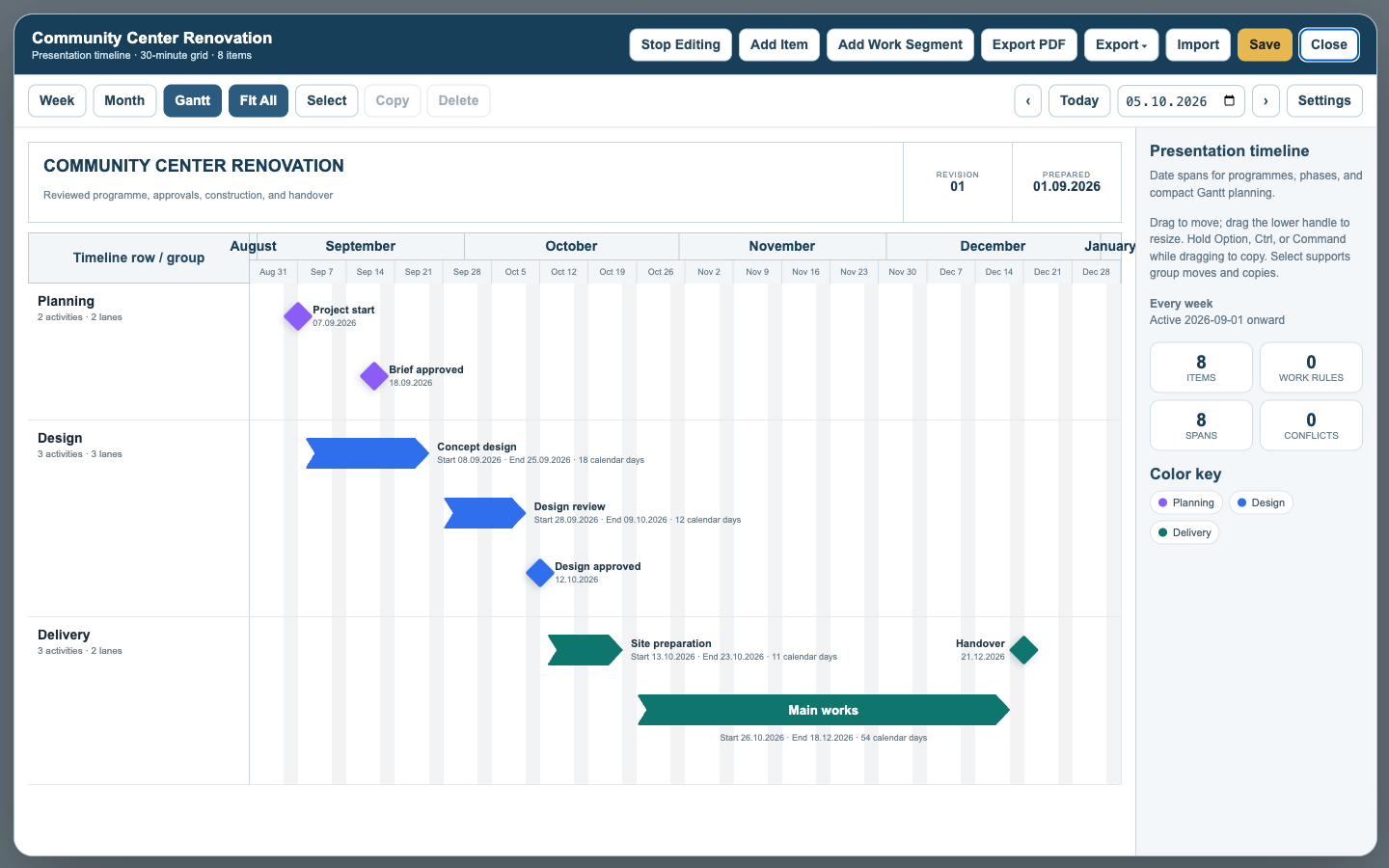
When a formal programme is needed, create a Timetable, use its presentation timeline mode, and add the reviewed project phases and milestone dates as timeline entries. Milestones use diamonds; phases use bars or arrows. Timetable Settings controls title, subtitle, revision, logo, date metadata, labels, and PDF output.
The Records Milestone remains the authoritative project event; review timetable entries when milestone dates change. Tutorial: Show Project Milestones on a Timetable.
Milestones in a presentation timeline
Phase spans and one-date milestones can share a formal Gantt presentation.
Enable JavaScript to use reading progress and usefulness ratings.