
Start Your Family History Collection
Keep people, relationships, places, photographs and evidence in one connected Records collection.
Start with people and the sources you already have. Each relative is a Person record. A Family Tree / Genealogy record selects a starting Person and stores chart preferences; it does not replace the underlying people or create relatives automatically.
Check the Personal, Company or Project context before adding information. Use Personal for your own collection. Shared contexts follow their existing access rights. Create a Person with New Record, enter the name, then open Edit and use Identity & Names, Personal & Genealogy, Biography, Relations, and Images & Media as needed. A year or month/year is enough when the exact date is unknown. Keep the original wording in an as-recorded field and describe your source.
Connect relatives using Relations. A shared surname, folder or tagged photograph does not create a family relationship. Use folders and tags to organize research branches, places or unfinished checks. Keep one Person record per individual and add more information to that record as research develops.
Save the Person into the open collection. Save Catalog persists a server-backed collection when you are signed in and have write rights. A collection opened from your computer is a local working copy: export a new .ca copy to retain its changes, or deliberately save it into an authorized online context. Saving chart preferences or editing photo tags alone is not a server save.
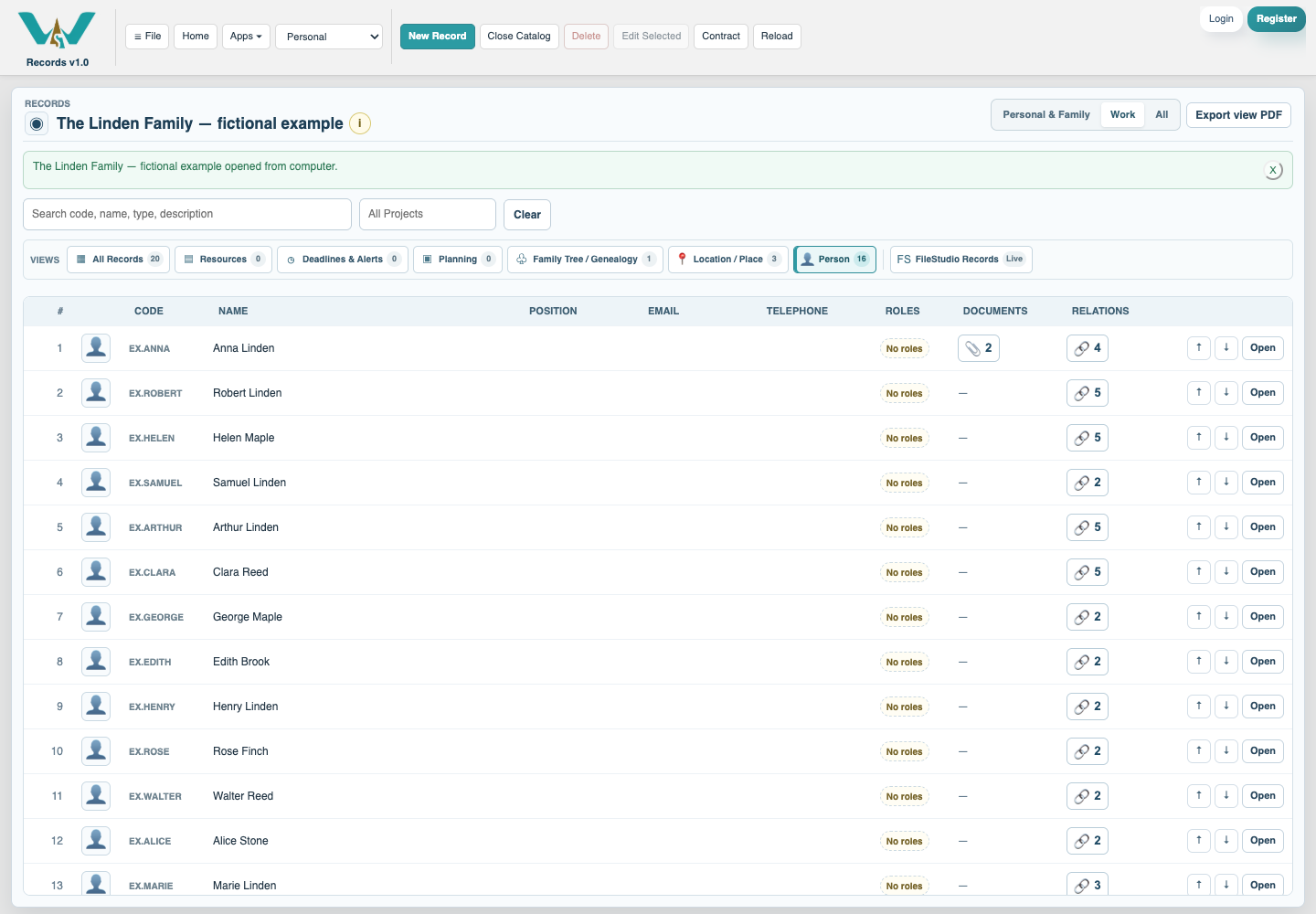
The downloadable Linden example contains 16 fictional people, three places, a family chart, two generated photographs and an invented evidence note. Open it as a separate collection, after saving your current work. It is designed for practice and does not contain real family records.
Continue with Build Your First Family Collection and Choose a Family Chart.
Watch Genealogy and Family Archives — Three Films for the family PDF, face tagging and the complete Person workflow.
One record per relative
The fictional Linden family in the Person view of Records.
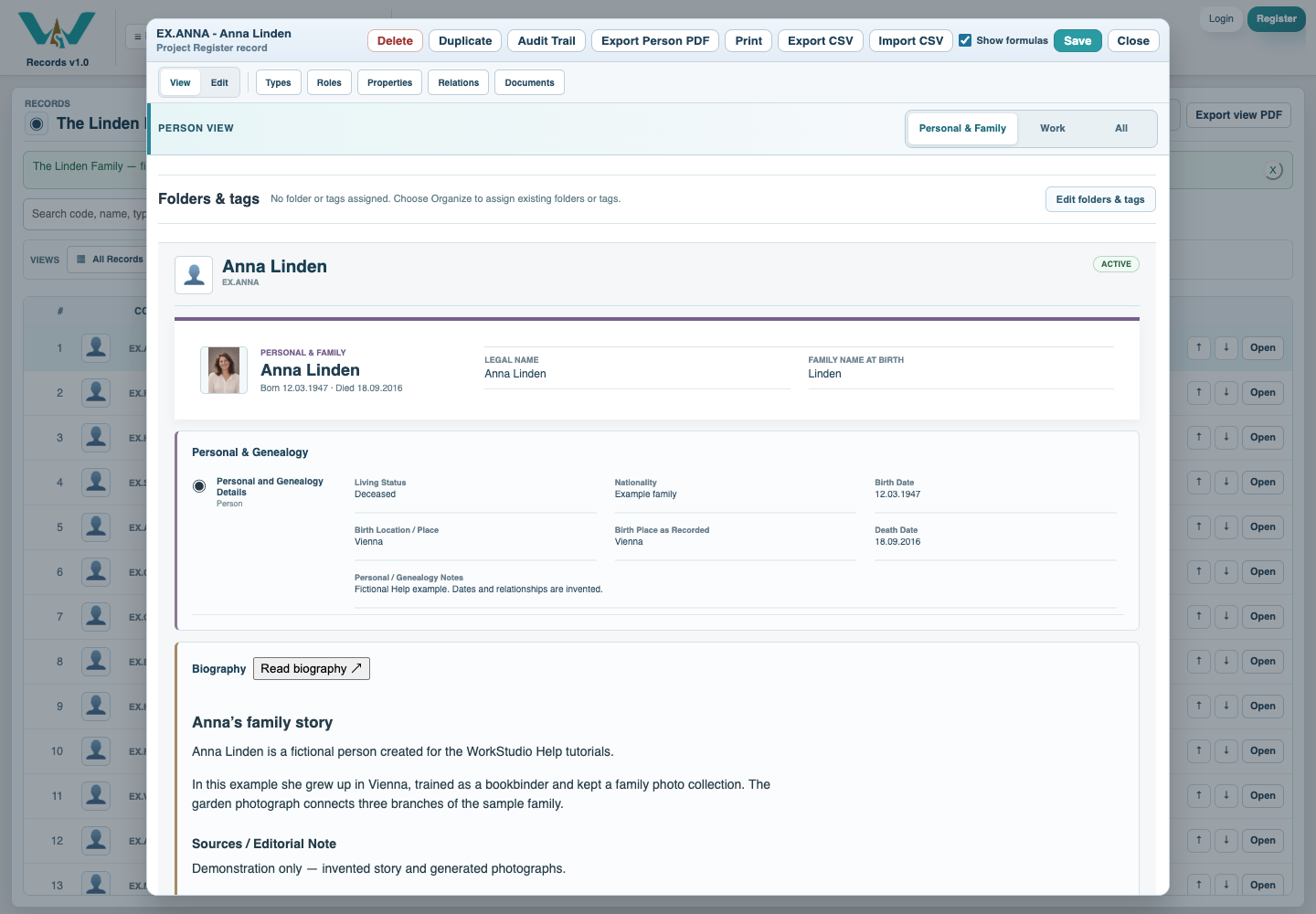
A connected personal profile
Anna Linden’s Personal & Family view with fictional identity, life events and generated portrait.
Enable JavaScript to use reading progress and usefulness ratings.