
Build Your First Family Collection
Create people, connect relatives and open your first family chart.
Use your Personal context, or an authorized shared context. You can practice with the downloadable Linden collection from Start Your Family History Collection. Save any current work before opening a different collection.
All people and stories in these screenshots are fictional. Photographs were generated for these examples. The sample collection opens locally; changes to it do not save to your online collection automatically.
Start with a separate collection
Open Records and check the context. For practice, open the downloaded Linden .ca file from your computer as a separate collection. Select Person to see the relatives. For your own family, use New Record and choose Person.
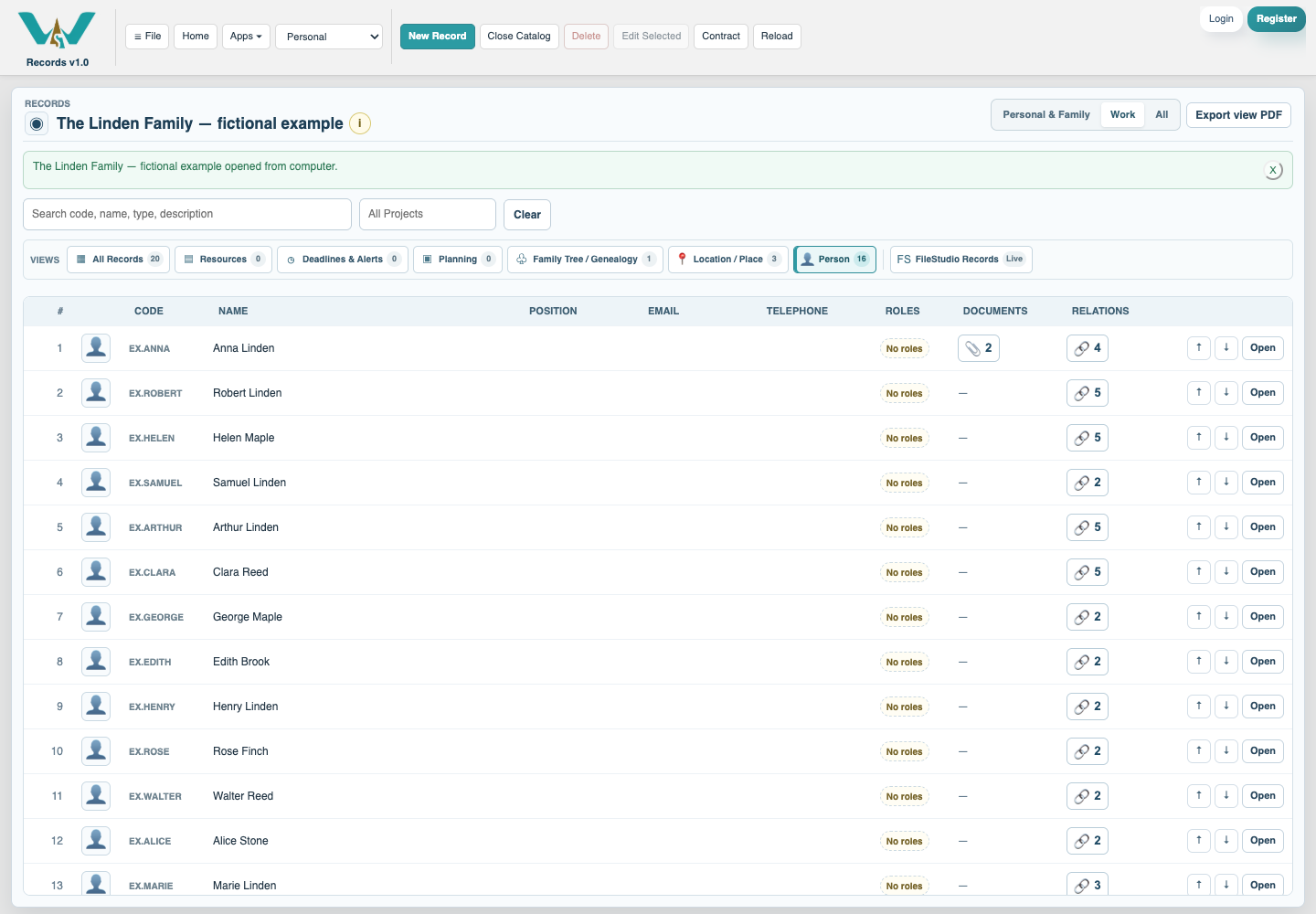
Create each person once
Enter the Name, then use the Person’s focused sections. Identity & Names keeps birth and preferred names; Personal & Genealogy keeps life events and sources. Save each Person before selecting them in relations.
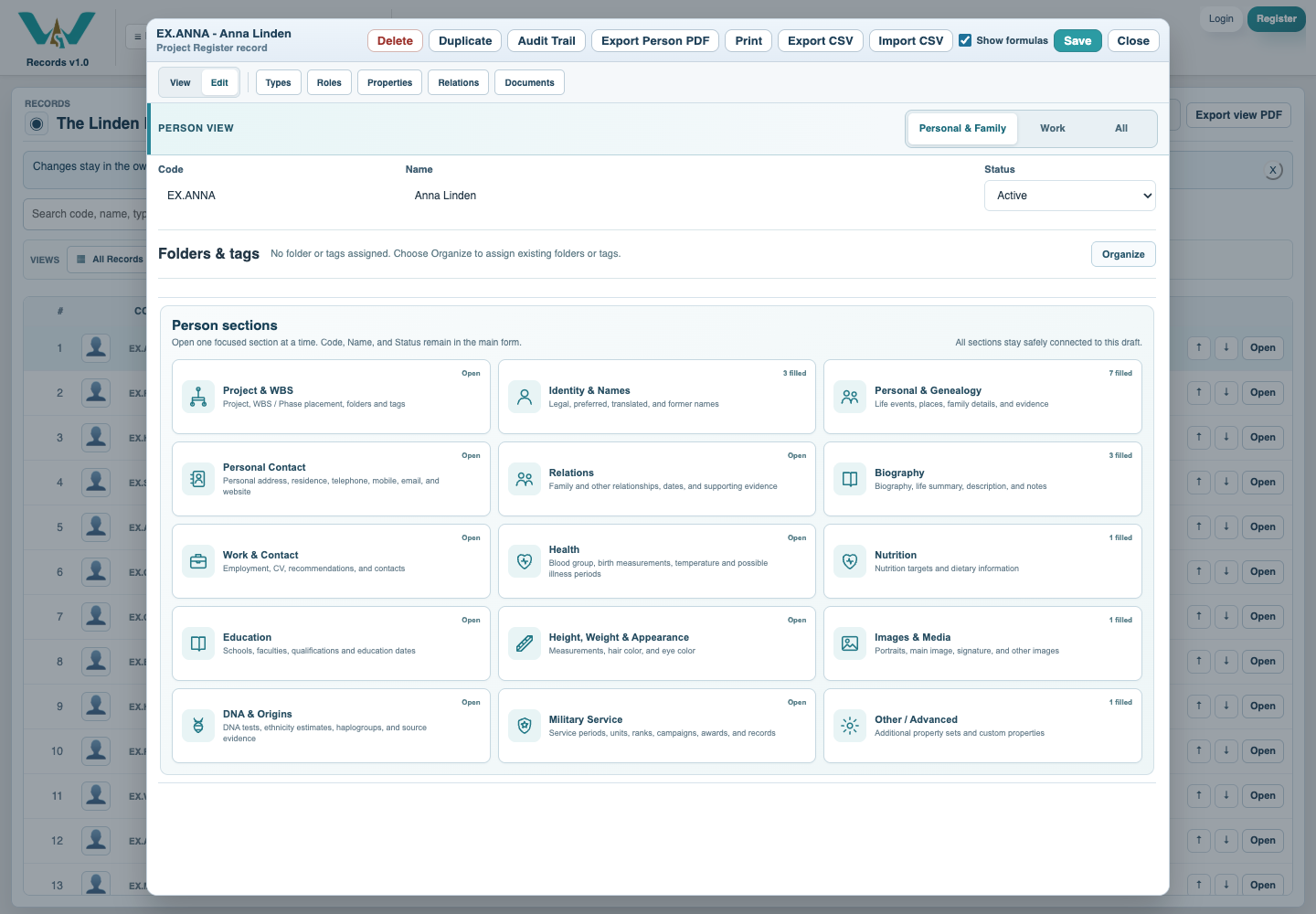
Enter what is known
Enter full or partial birth/death dates and link the known place. Leave unknown values empty. Use the as-recorded fields and notes for original wording and uncertainty; the example dates are invented.
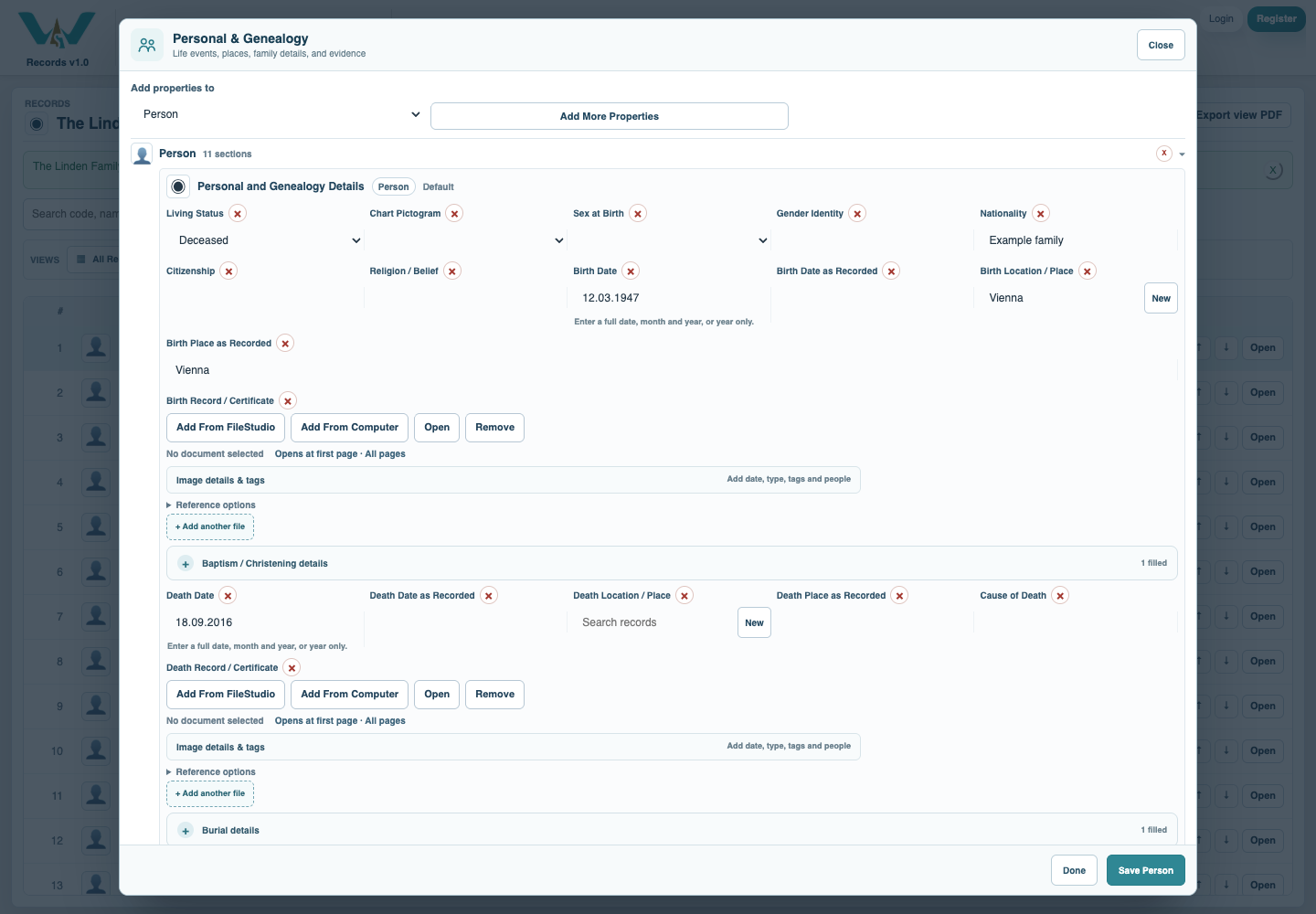
Connect the relatives
On Anna, add Parent relationships to Robert and Helen. Use Spouse / Partner for James. Check the direction from both records, then save the Person. Tags and folders do not make family links.
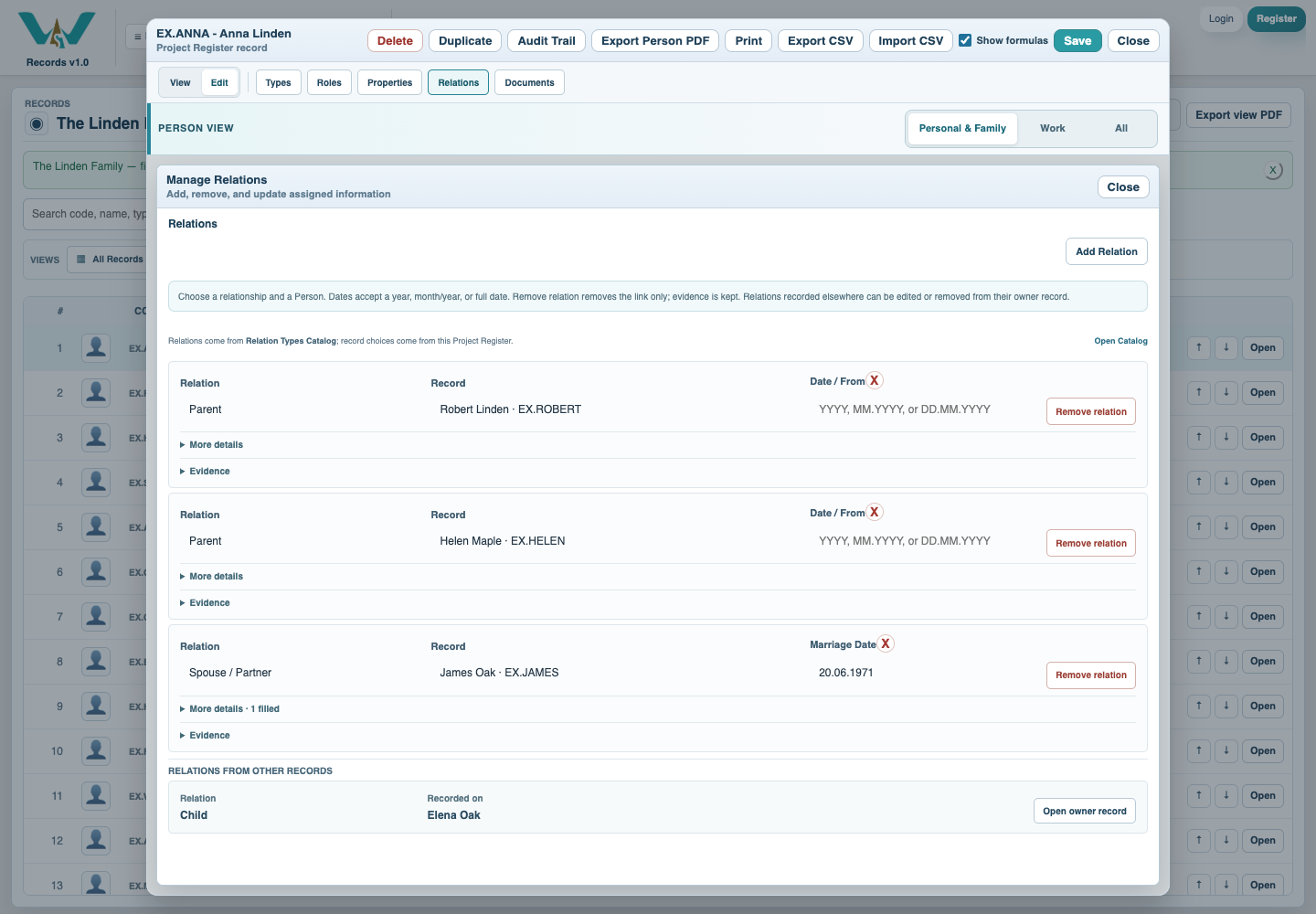
Create a Family Tree record
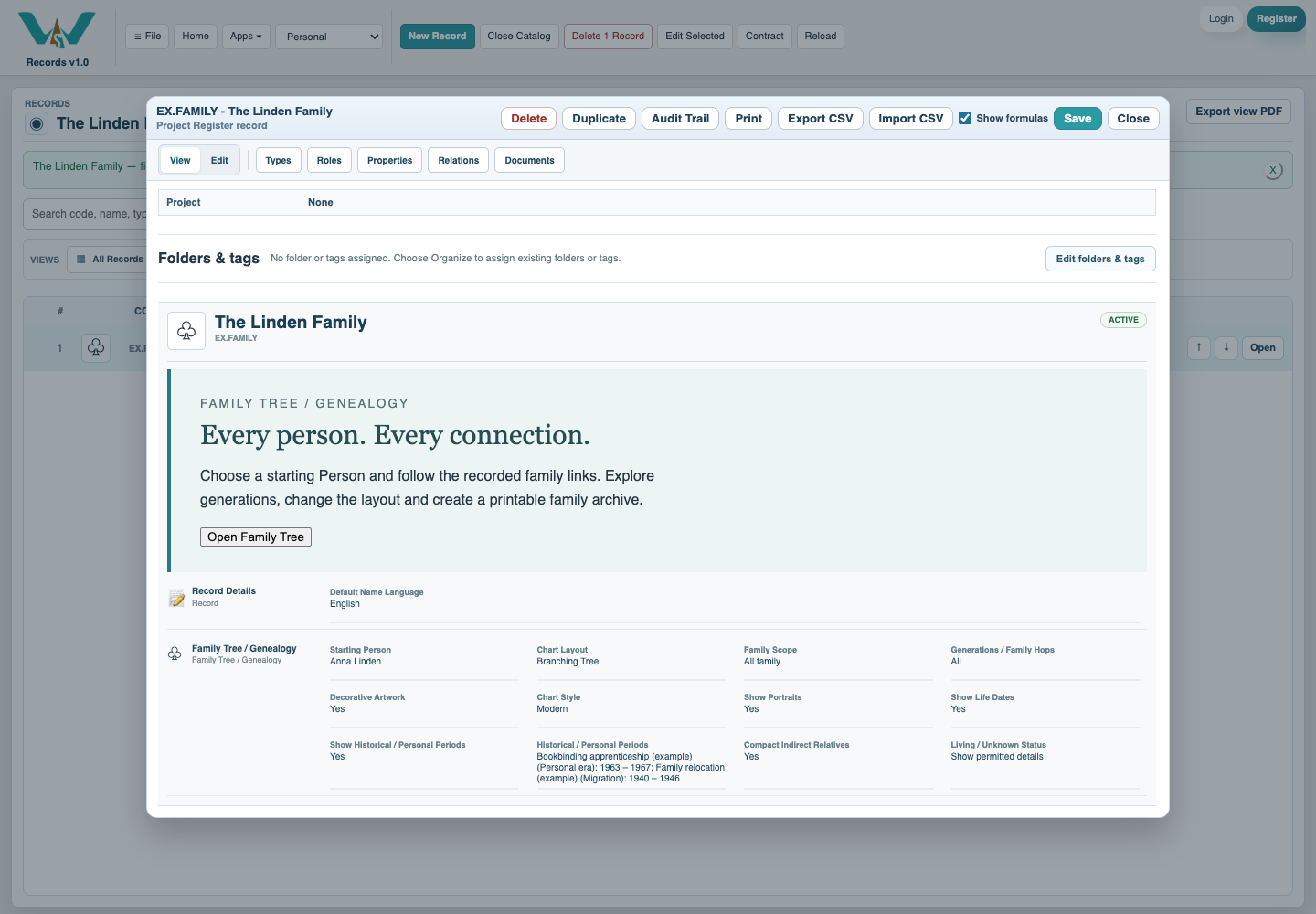
Choose New Record and Family Tree / Genealogy. Name the chart, select its Starting Person and save the record. Open Family Tree to explore those relationships. The sample already contains this record.
Review and retain the result
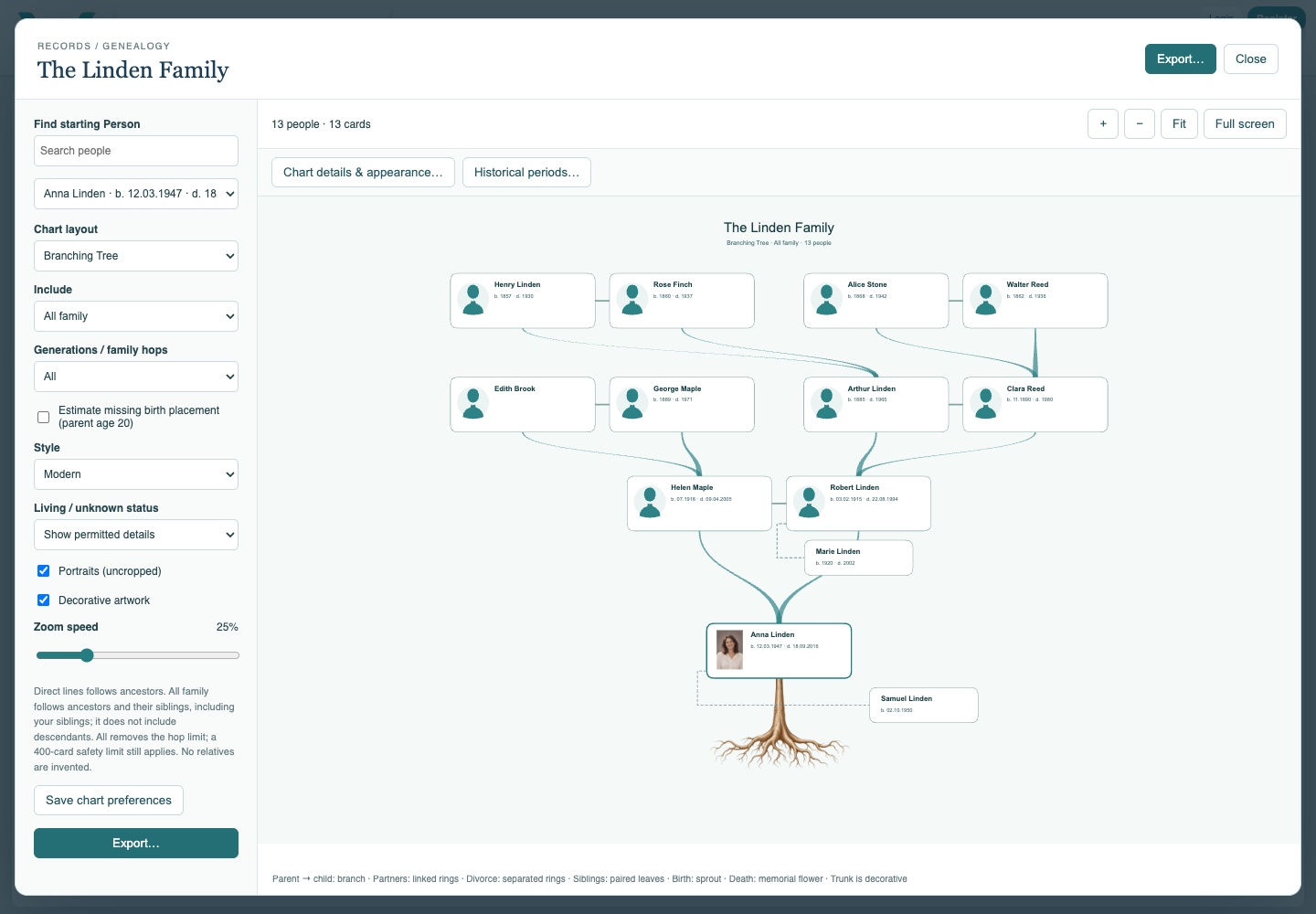
Select Anna, Branching Tree and All family. Check the ancestors and siblings, then Save chart preferences. Save Catalog for an online collection, or export an updated .ca file to retain local practice changes.
Enable JavaScript to use reading progress and usefulness ratings.