
Export and Share a Family Archive
Create a chart PDF, append Person dossiers and evidence, or export SVG and editable WorkFlow charts.
Open the family chart, confirm its starting Person, scope and privacy, then choose Export. Review the intended audience before choosing personal information, images and evidence. Free text and photographs are not automatically anonymized.
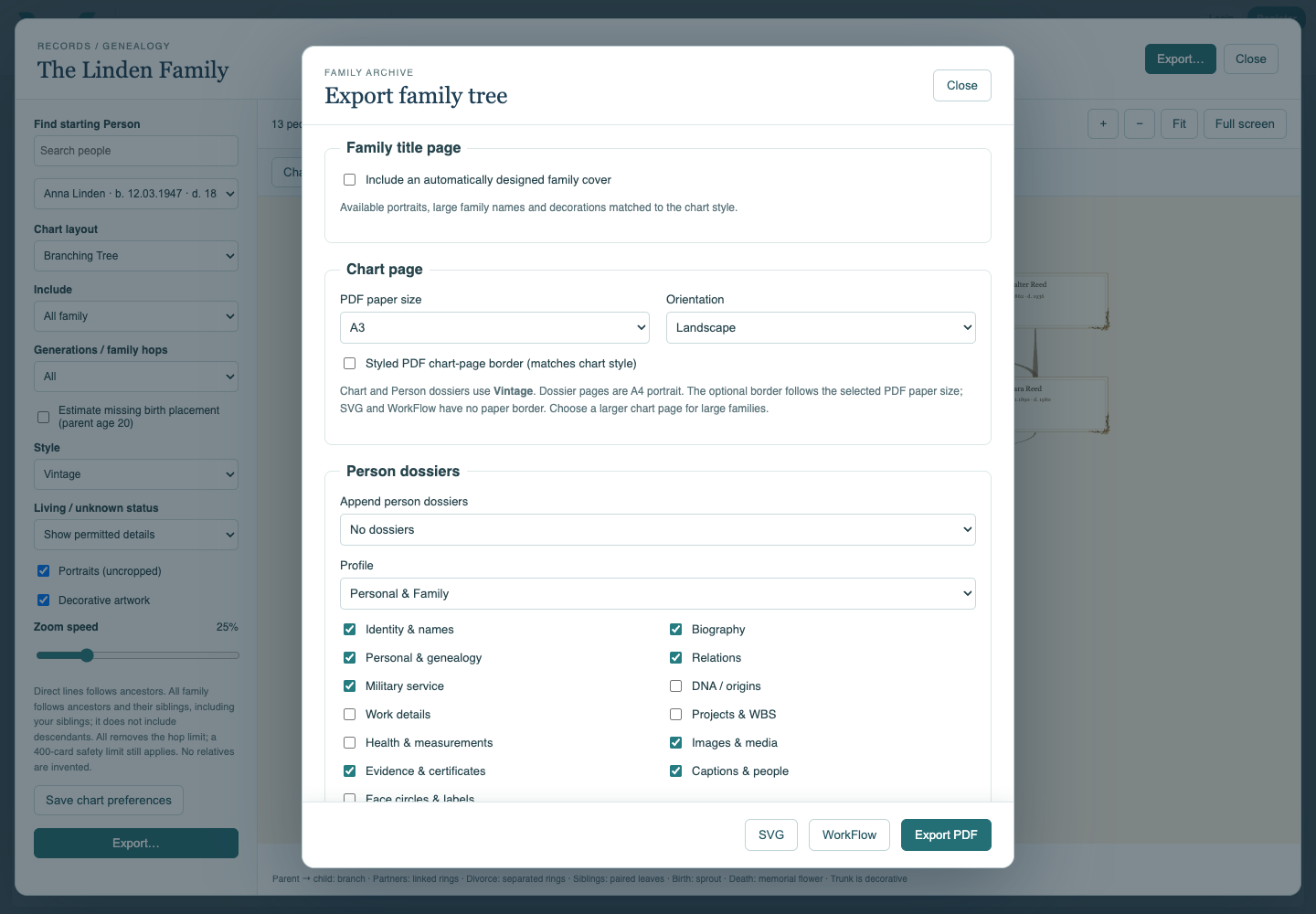
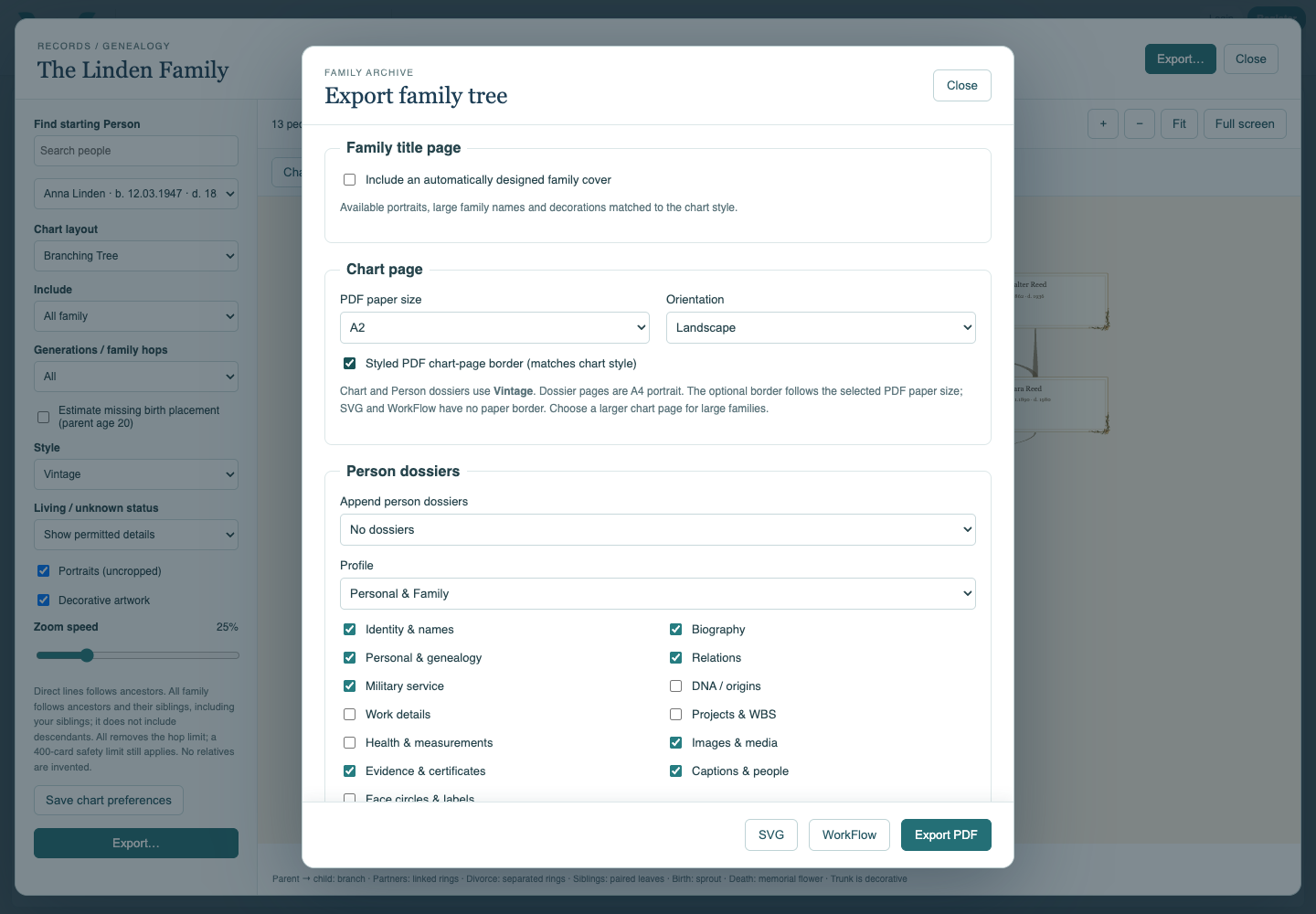
PDF combines a chart page with optional family cover and Person dossiers. Choose the chart’s paper size, orientation and optional styled border. Dossier pages are A4 portrait and follow the chart theme. Larger chart paper or fewer generations helps avoid tiny print.
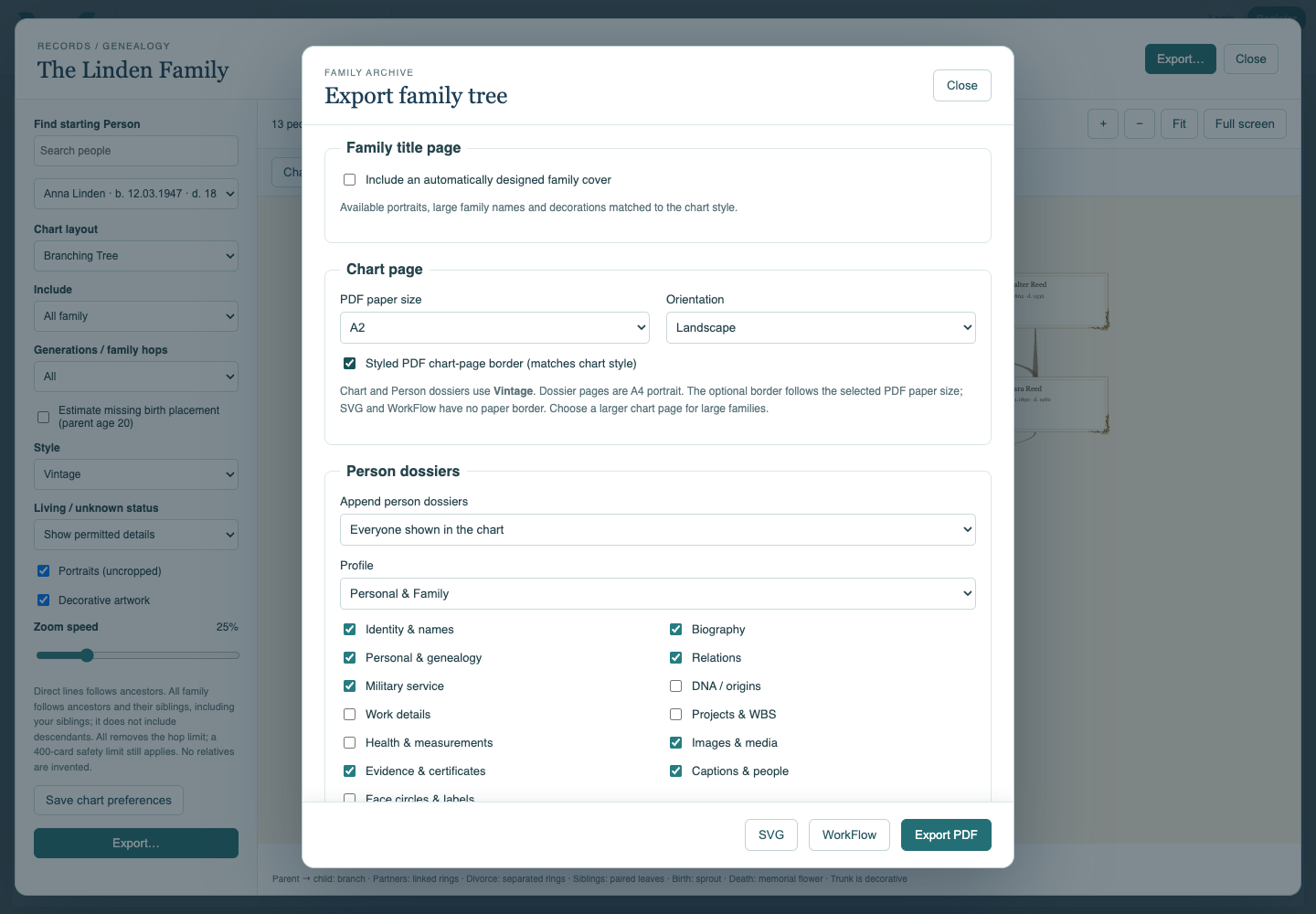
Append person dossiers offers No dossiers, Starting person only, or Everyone shown in the chart. Profile and individual content choices select identity, biography, genealogy, relations, work, health, images and evidence. DNA and private DNA identifiers have separate opt-in controls. Redacted people do not receive dossiers. A relation to an off-chart person does not automatically append that person’s full profile.
Choose image order, images per page, captions and optional face circles. Shared photographs may appear on each relevant person’s pages. Evidence handling offers an index, appended pages, or embedded original files. Supporting PDFs are collected after all Person dossiers; their internal navigation returns to the relevant material. Inspect the final PDF, including evidence pages and links, before sharing.
SVG preserves the chart artwork as a scalable image; it is not a Person dossier archive. WorkFlow contains editable cards and links for Branching Tree and the three chronological layouts. It uses simplified native objects and cropped portraits. Radial and Map export only to PDF or SVG.
Progress appears during export, and cancellation is available. Wait for the download to complete. Exporting does not save edits back to your online collection. For original-file ZIPs, use the Family Documents workflow described separately.
Follow Produce a Printable Family Archive and Download Family Documents.
Watch Genealogy and Family Archives — Three Films for the family PDF, face tagging and the complete Person workflow.
Fictional PDF examples
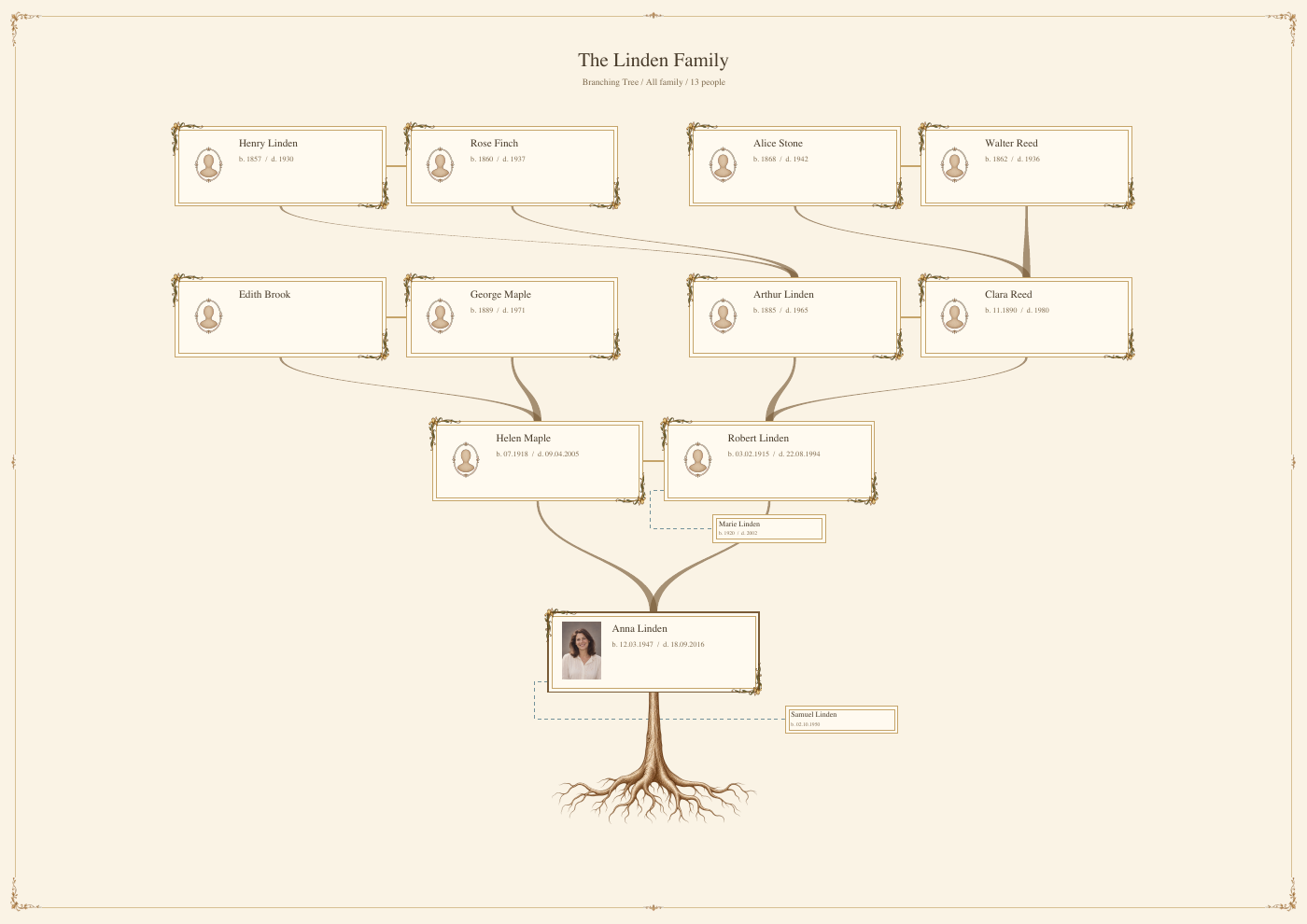
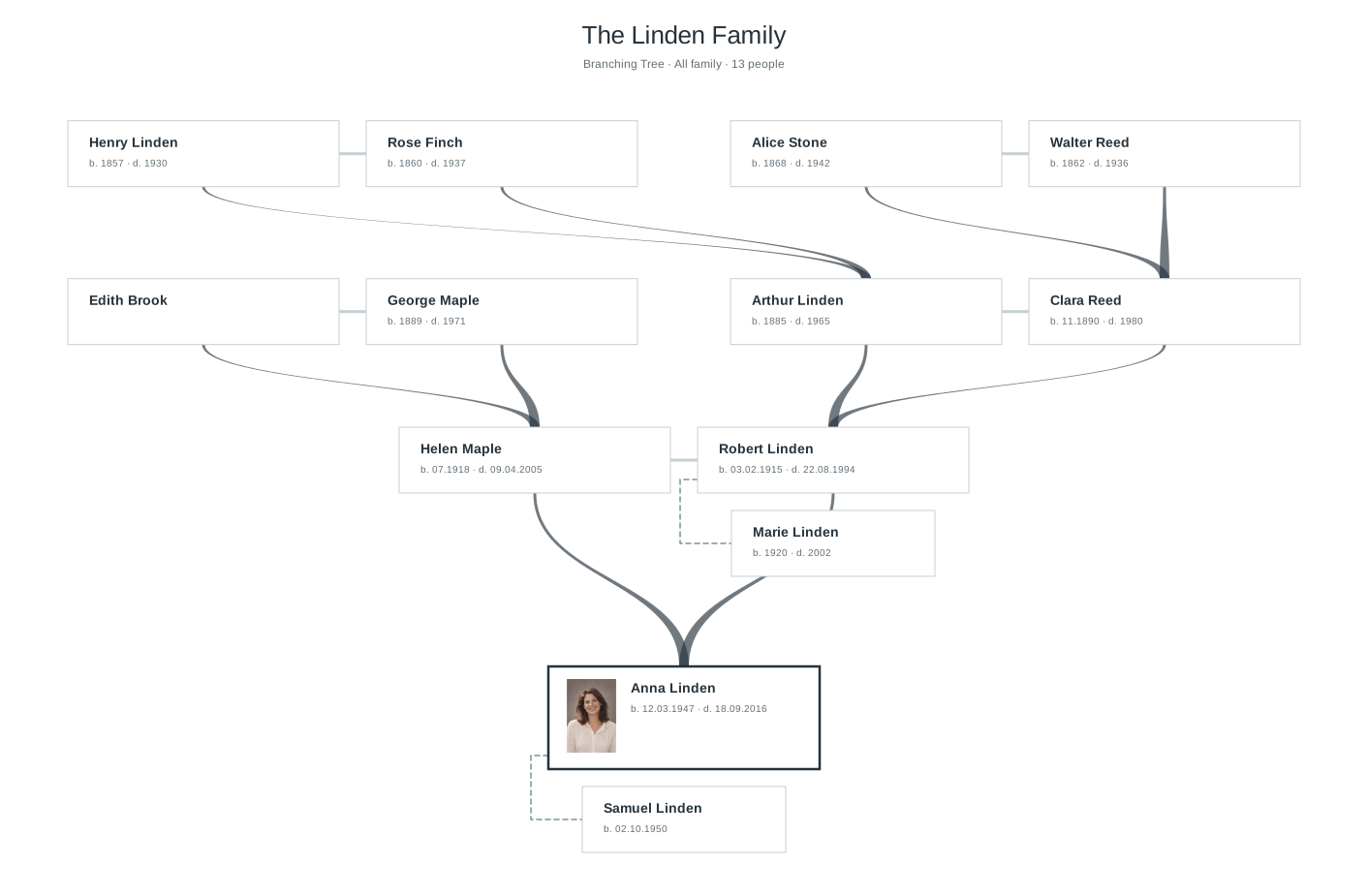
This is a fictional, generated PDF. Some facts may repeat or be implausible; it demonstrates the functionality, not actual real data. The downloadable family archive now contains 85 pages and 13 connected Person dossiers, using one photograph per media page. See the three-film guide for the matching completed practice collection and the separate full Person PDF.
Choose the document
The Family export dialog separates the chart, cover and Person dossier options.
Choose the contents
Dossier scope, content and evidence controls.
Make print readable
Chart paper size, orientation and optional border.
Inspect the result
A page from the actual PDF exported from the fictional Linden collection.
Enable JavaScript to use reading progress and usefulness ratings.