
Produce a Printable Family Archive
Export the chart with dossiers, photographs and supporting evidence.
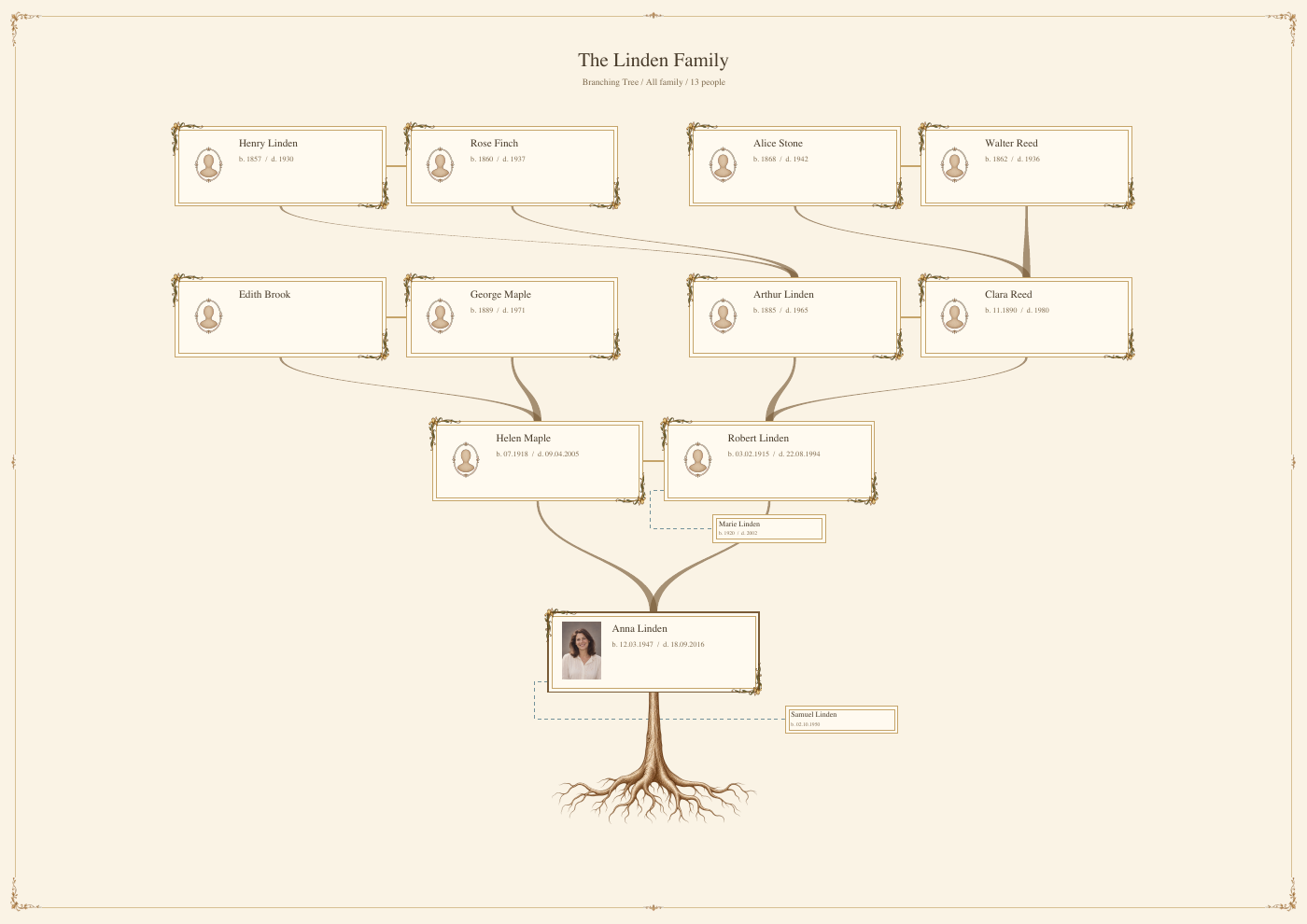
Start with the selected family, a saved chart and reviewed privacy settings. The provided sample PDF is an actual export of fictional data.
All people and stories in these screenshots are fictional. Photographs were generated for these examples. The sample collection opens locally; changes to it do not save to your online collection automatically.
Watch Genealogy and Family Archives — Three Films for the family PDF, face tagging and the complete Person workflow.
Review the chart
Check the starting Person, scope, labels and layout. Select a manageable family and a readable style. Save chart preferences before proceeding.
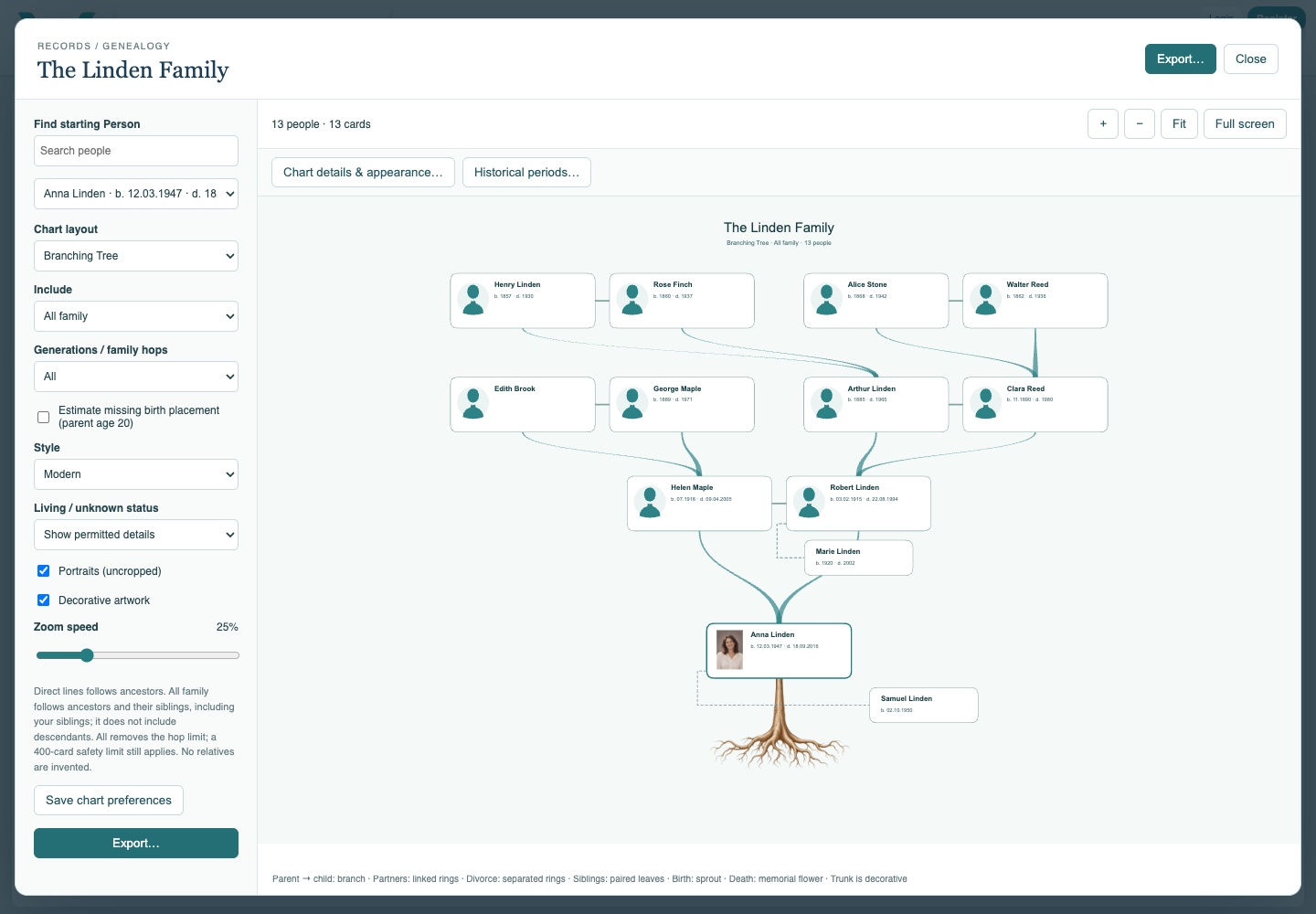
Open Export
Choose Export and review the optional family cover and chart settings. Exporting a document does not save edits to the online collection.
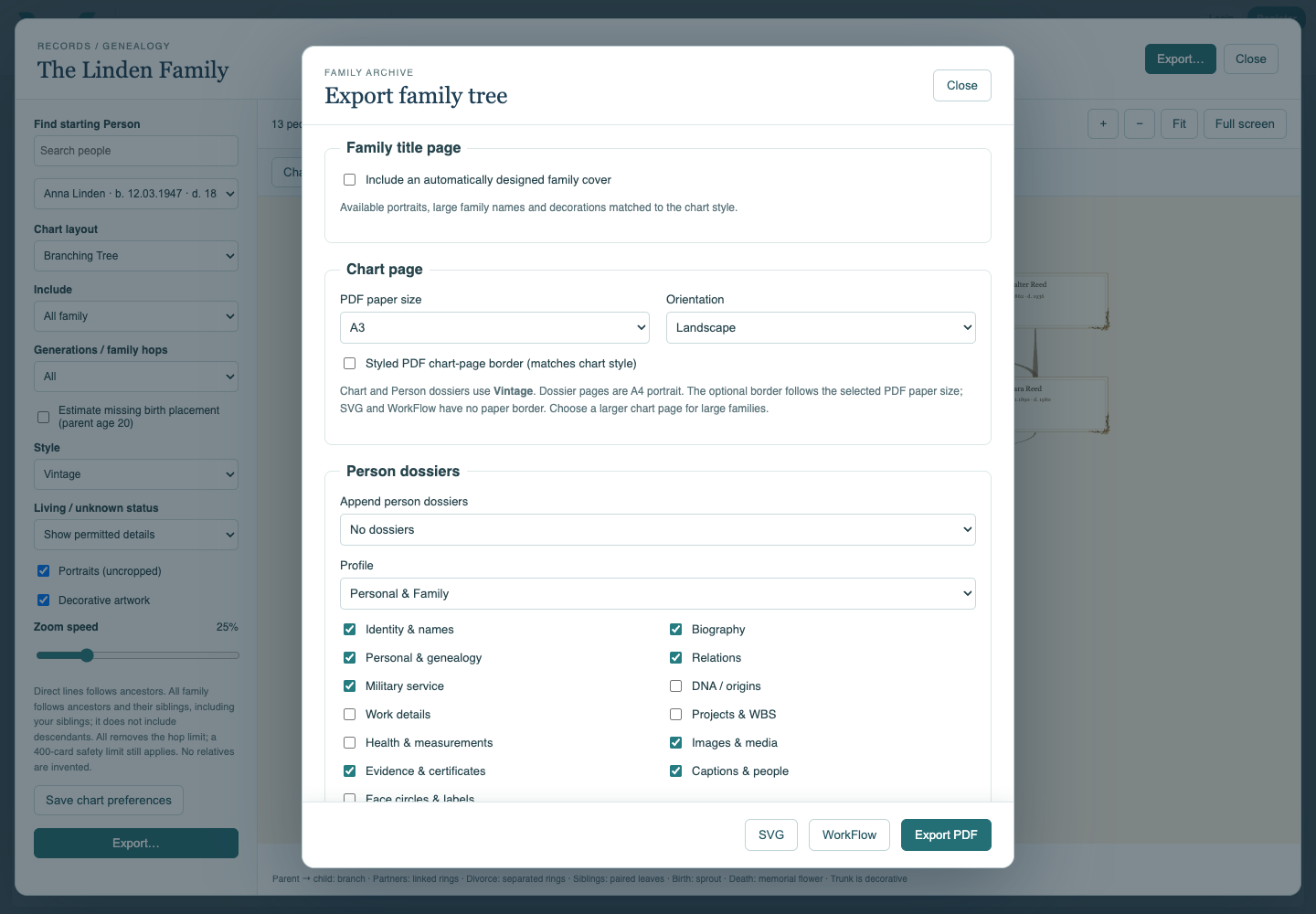
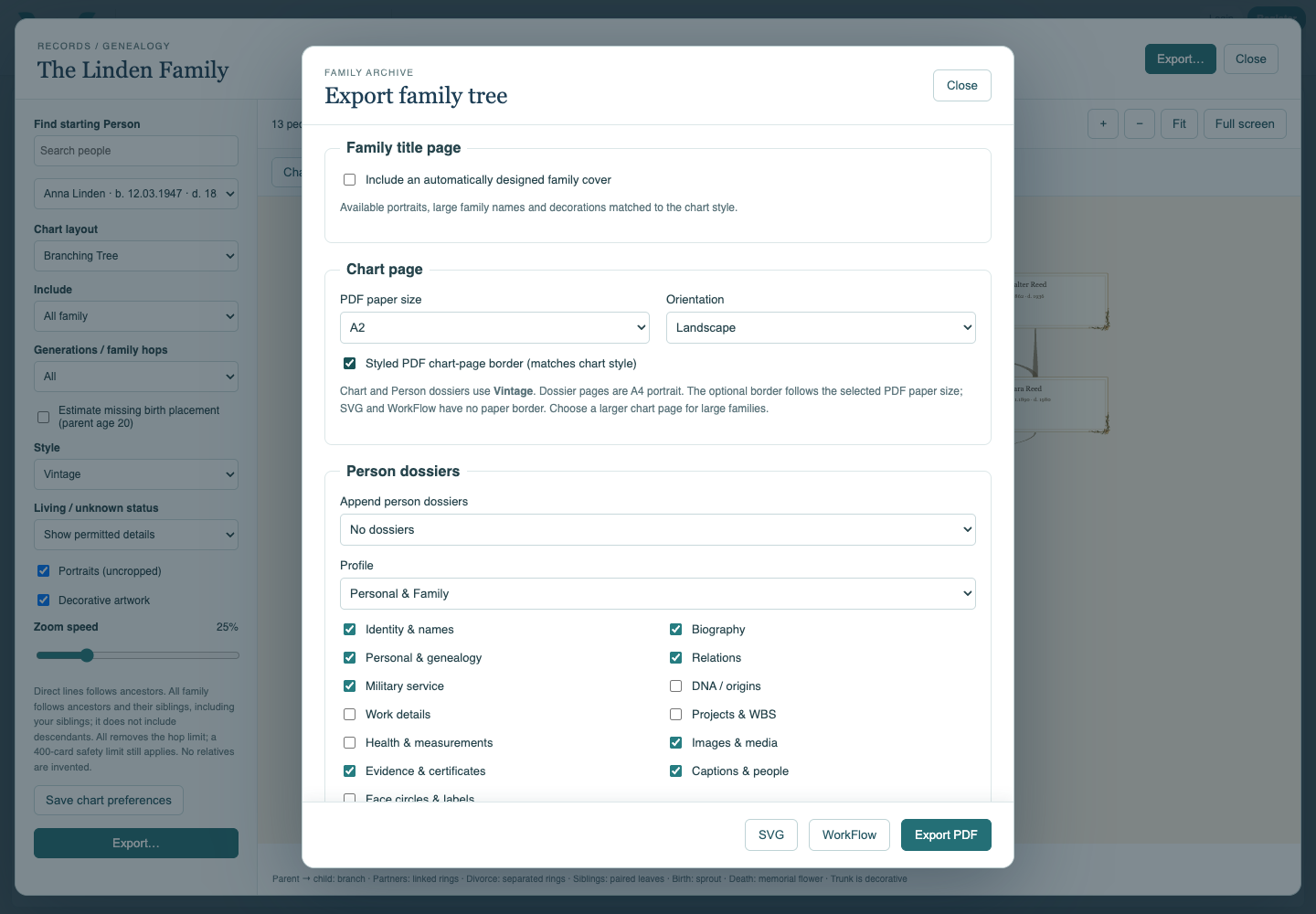
Choose a suitable page
Select chart paper size and orientation. Enable the styled PDF border if wanted. Dossiers use A4 portrait independently of the chart sheet size.
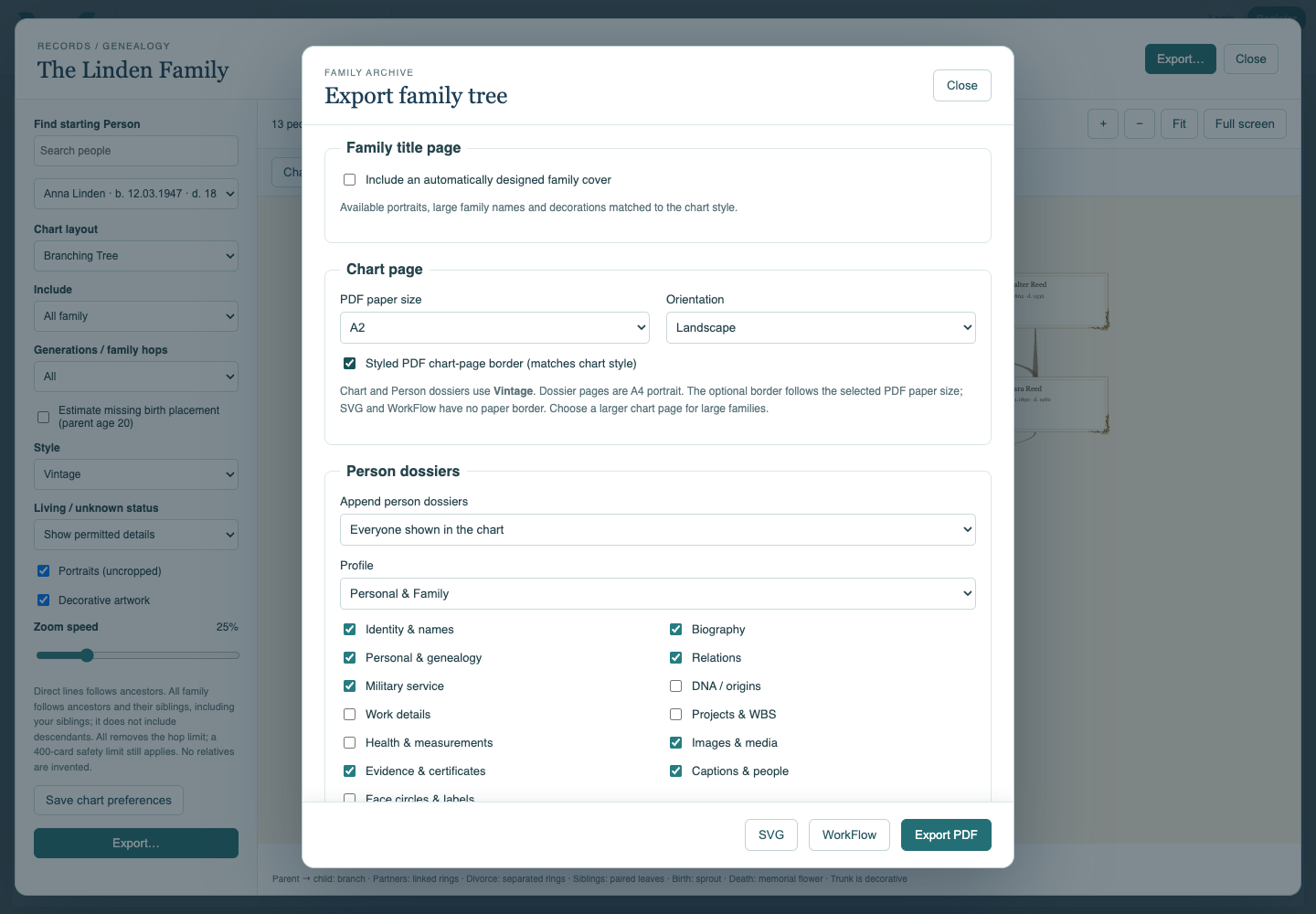
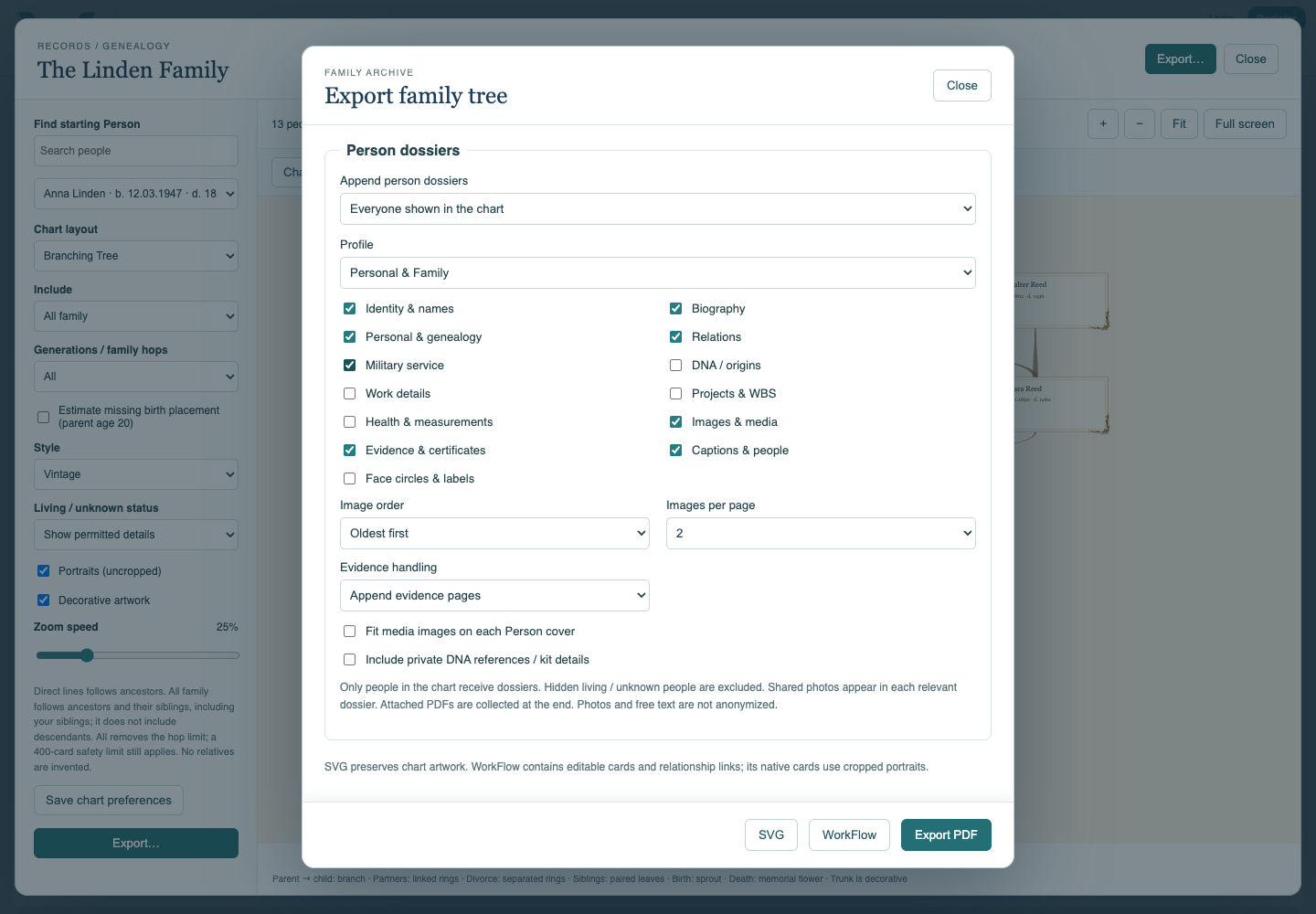
Select the dossiers and contents
Choose Starting person only or Everyone shown in the chart. Select biography, genealogy, relations, images and evidence as needed. Keep optional sensitive content excluded unless intended.
Choose evidence handling and export
Select appended pages, embedded originals or an index. Choose Export PDF and watch progress. Supporting PDFs are collected after the Person dossiers. Wait for the complete download.
Review the actual file
Open the PDF. Check the chart, Person sections, shared photos, appendix and navigation links. Confirm that the intended people and information are present before sharing.
Enable JavaScript to use reading progress and usefulness ratings.