
Build a Company Directory
Create reusable Company and Person records, add practical contact details, and connect them through roles and relations.
Use this directory instead of repeating company and contact information in unrelated text fields.
Related: People, Companies, and Working Relationships, Connect a Record to People, Documents, and Other Records.
Open Companies
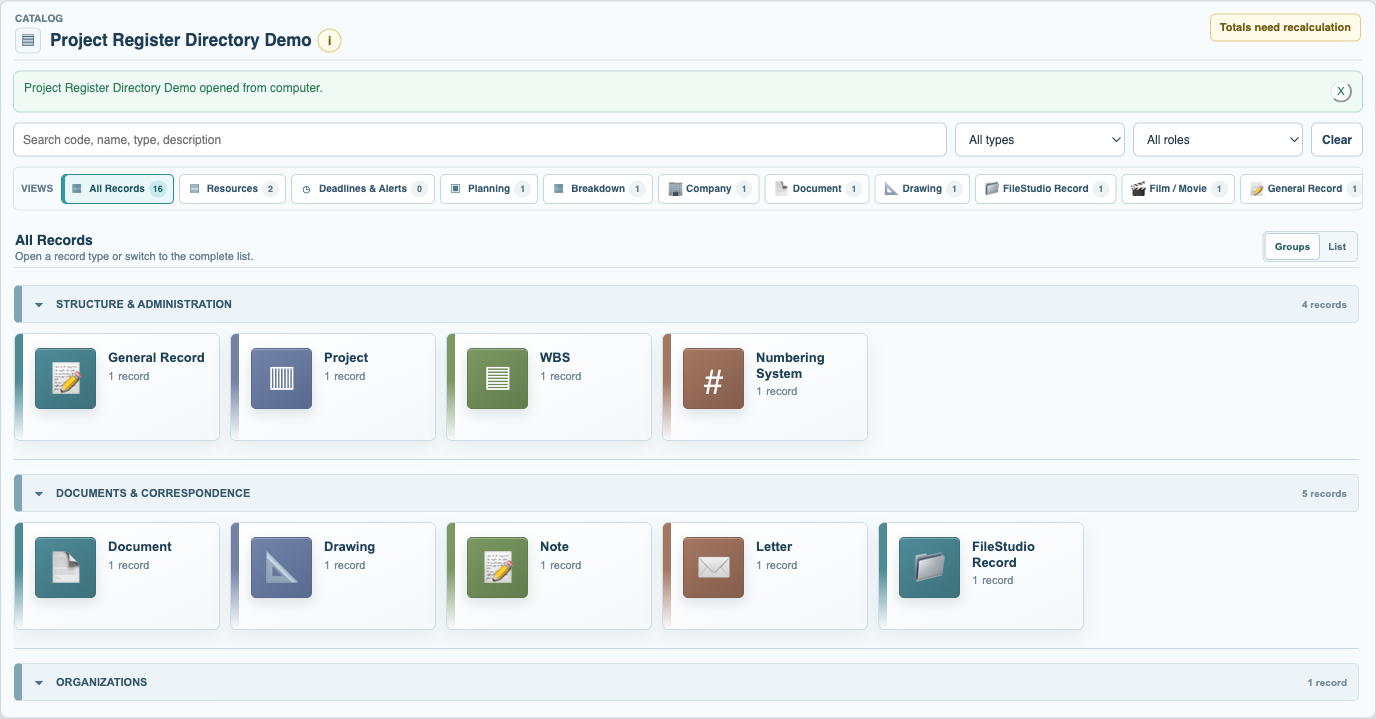
Open Records in the Company or Project context and choose Company from the grouped directory. Select New Record and choose Company.
Complete Organization Details
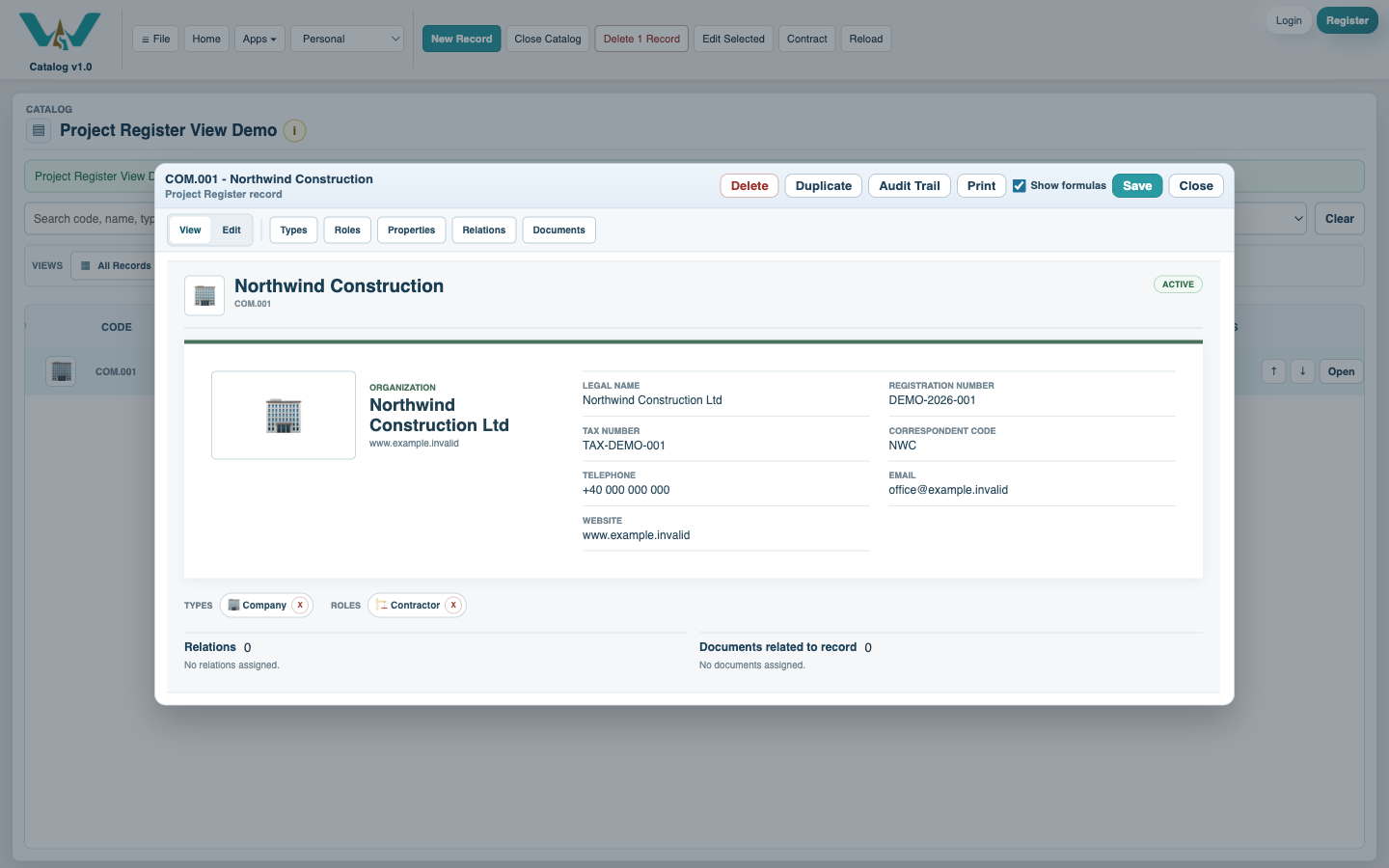
Enter legal name, registration and tax numbers, telephone, email, website, correspondent code, and address where known. Add the Company logo when appropriate.
Add contact people
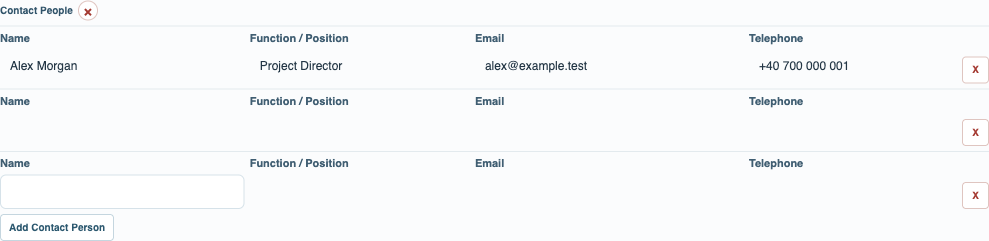
Add each contact's name, position, email, and telephone. Use separate Person records when the individual needs roles, documents, or relationships of their own.
Assign roles and relations
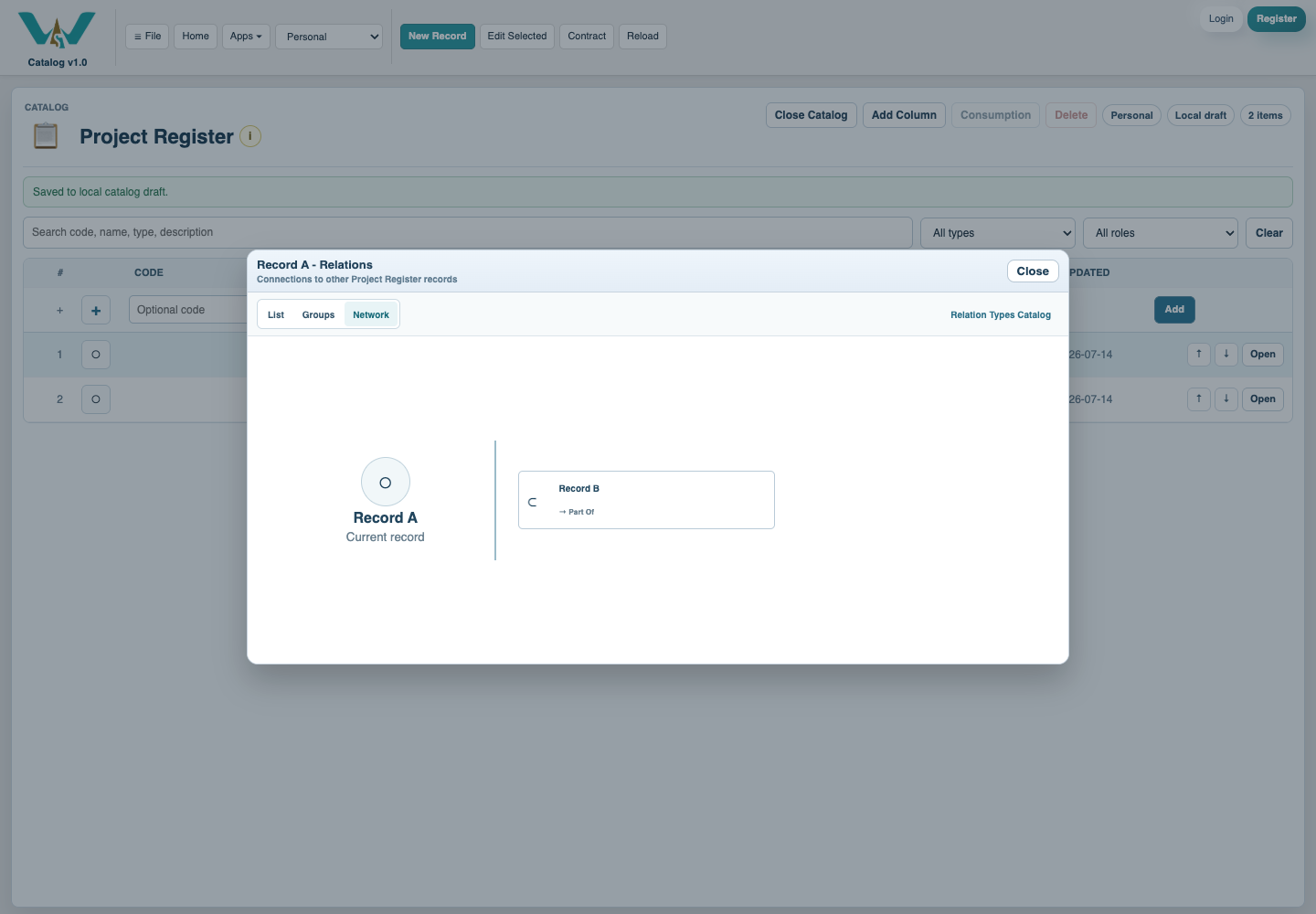
Add contextual Roles such as Supplier, Contractor, Client, or Correspondent, then connect existing Person records through the correct two-way Relation. Save the records and collection.
Enable JavaScript to use reading progress and usefulness ratings.