
Review and Approve Incoming Invoices
Open invoice details, review or edit business data, confirm support documents, verify, and approve an incoming invoice.
Use this walkthrough when one incoming invoice needs a full review.
The flow below follows the current separation in the app: details first, then documents, then approval, then trust and trail.
Related: Invoice Manager: Details, Payments, and Support Documents, Invoice Manager: Approval and Trust.
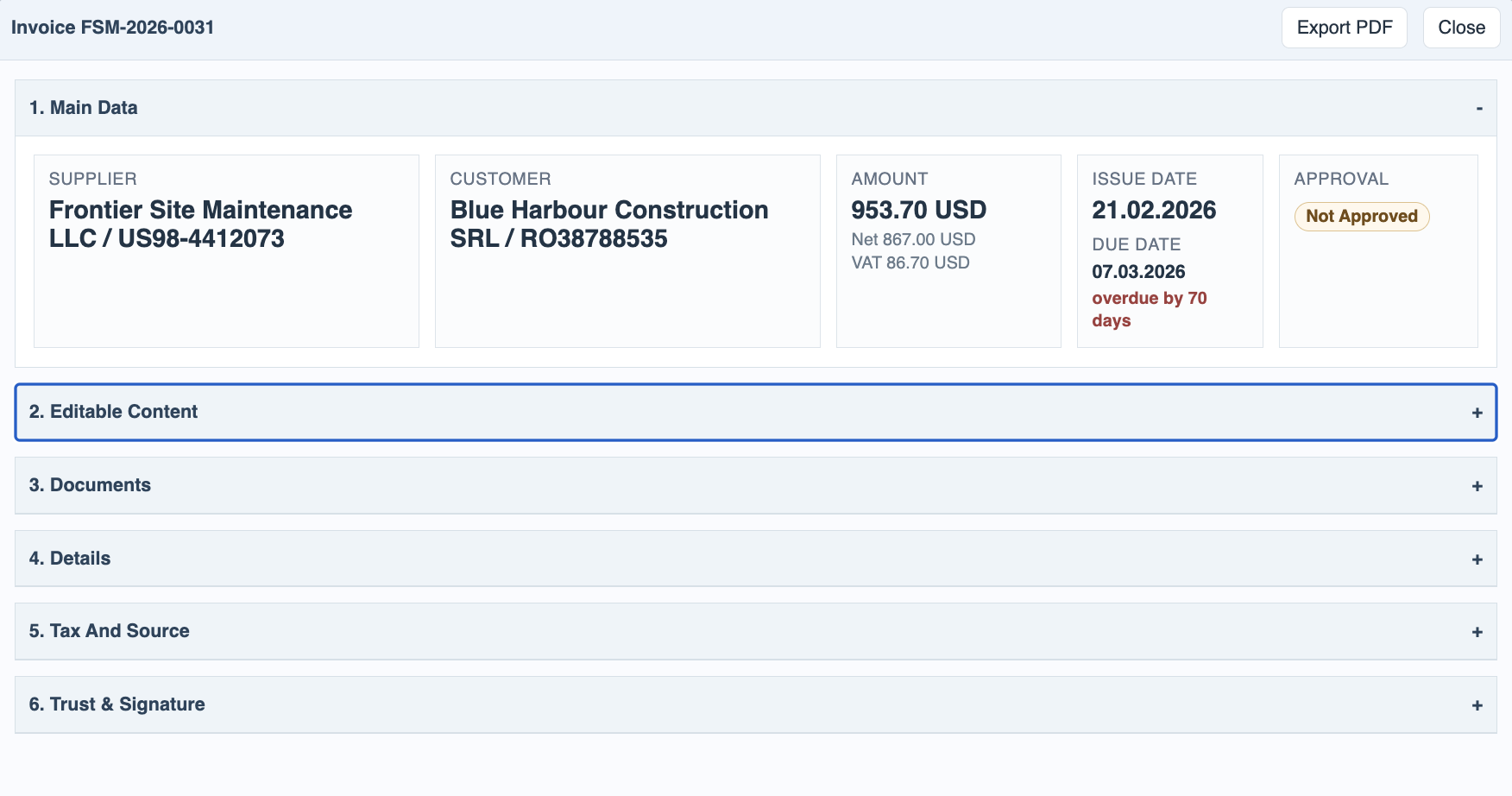
Open invoice details
Open one incoming invoice from the register so the main supplier, customer, dates, amount, and state are visible.
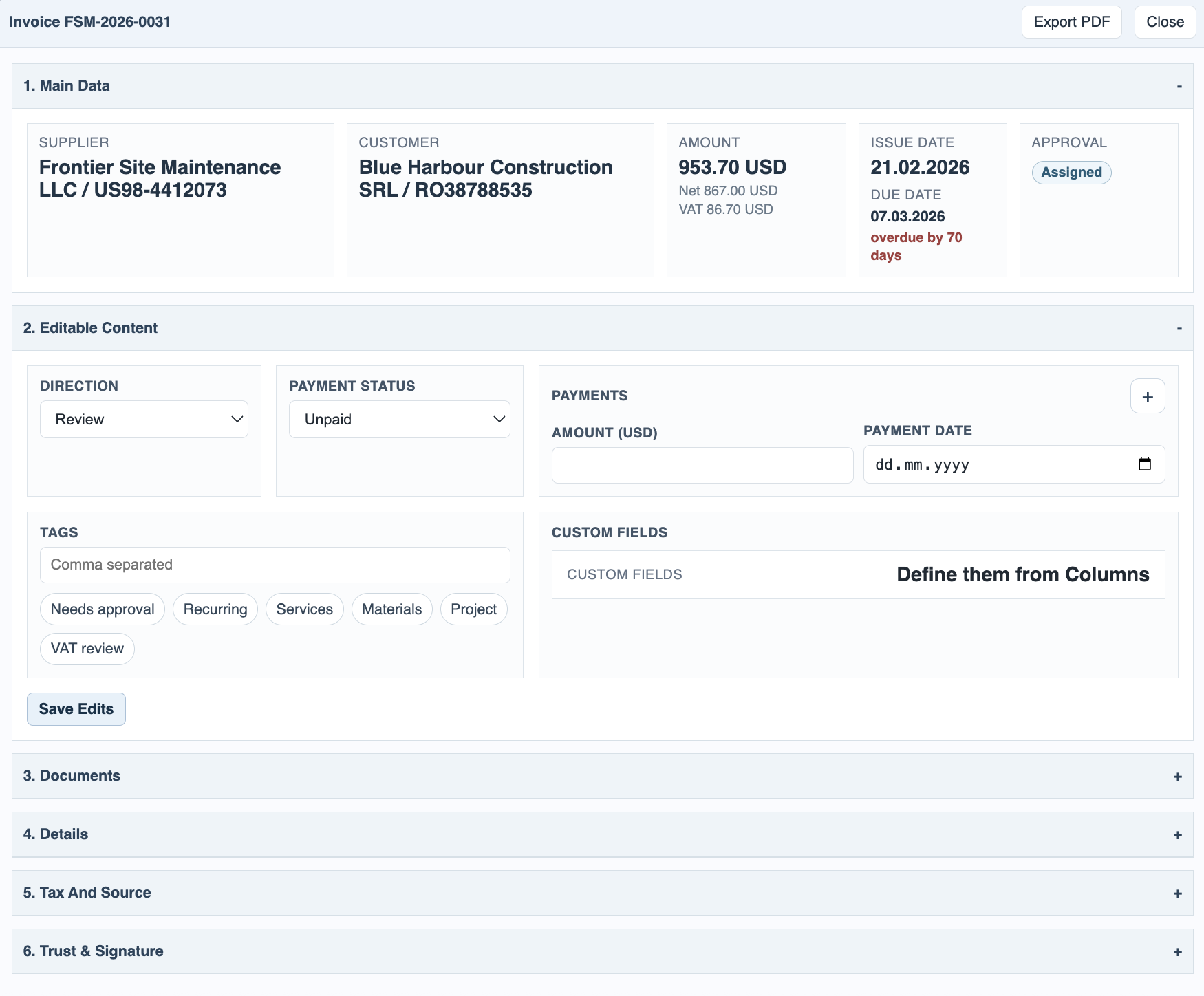
Review editable content
Adjust direction, payment status, split payment rows, tags, notes, or custom fields as needed, then save the edits.
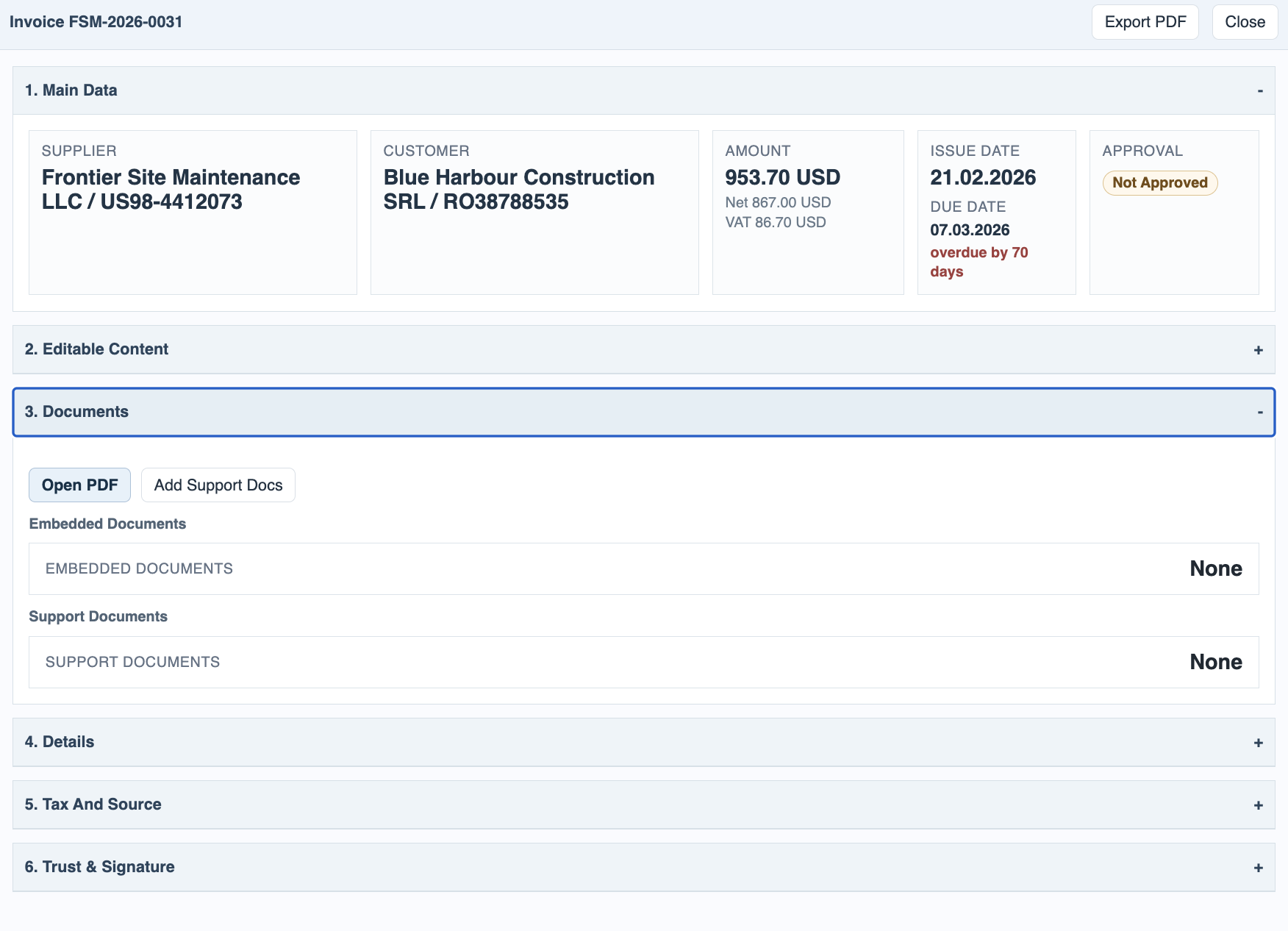
Check the documents
Open Documents to review the invoice PDF, embedded documents, and any support documents attached to the invoice.
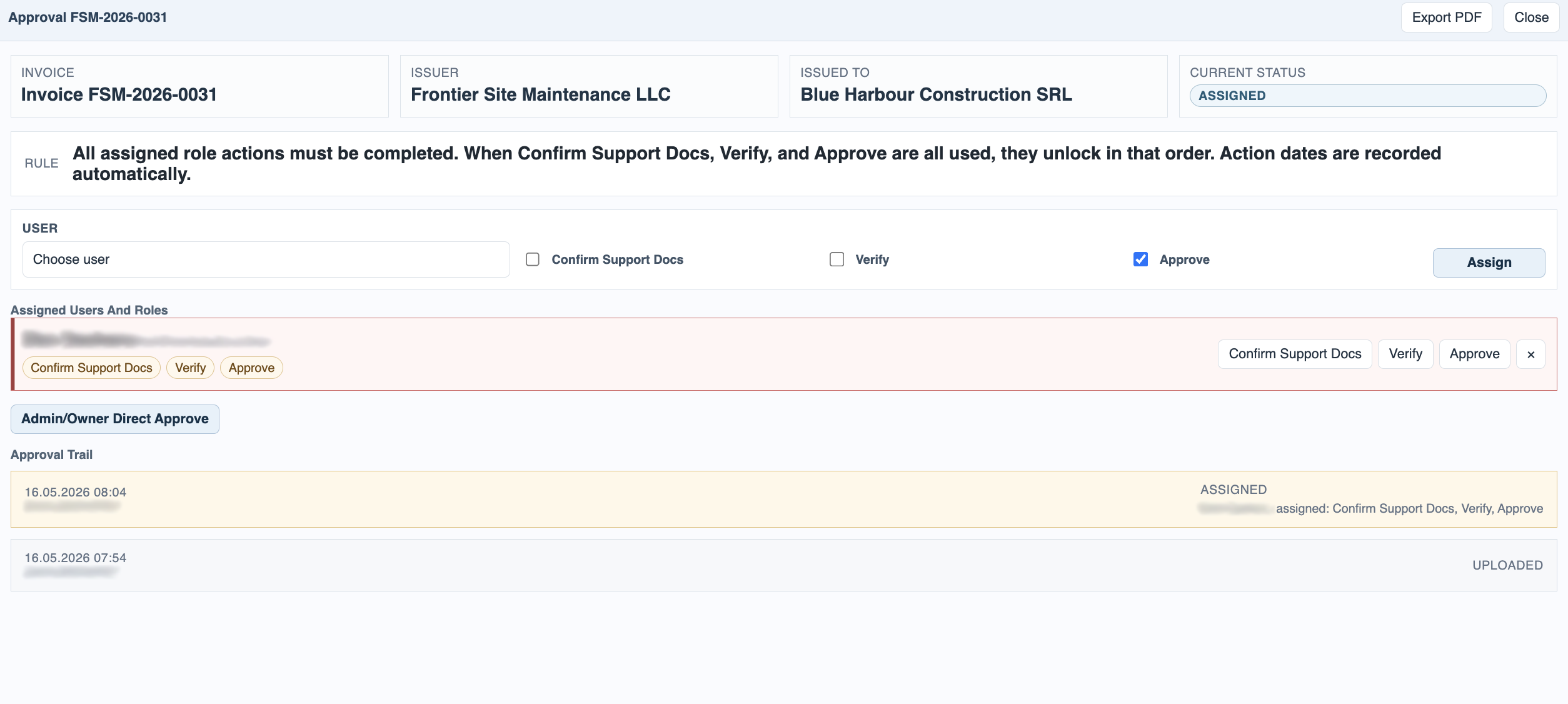
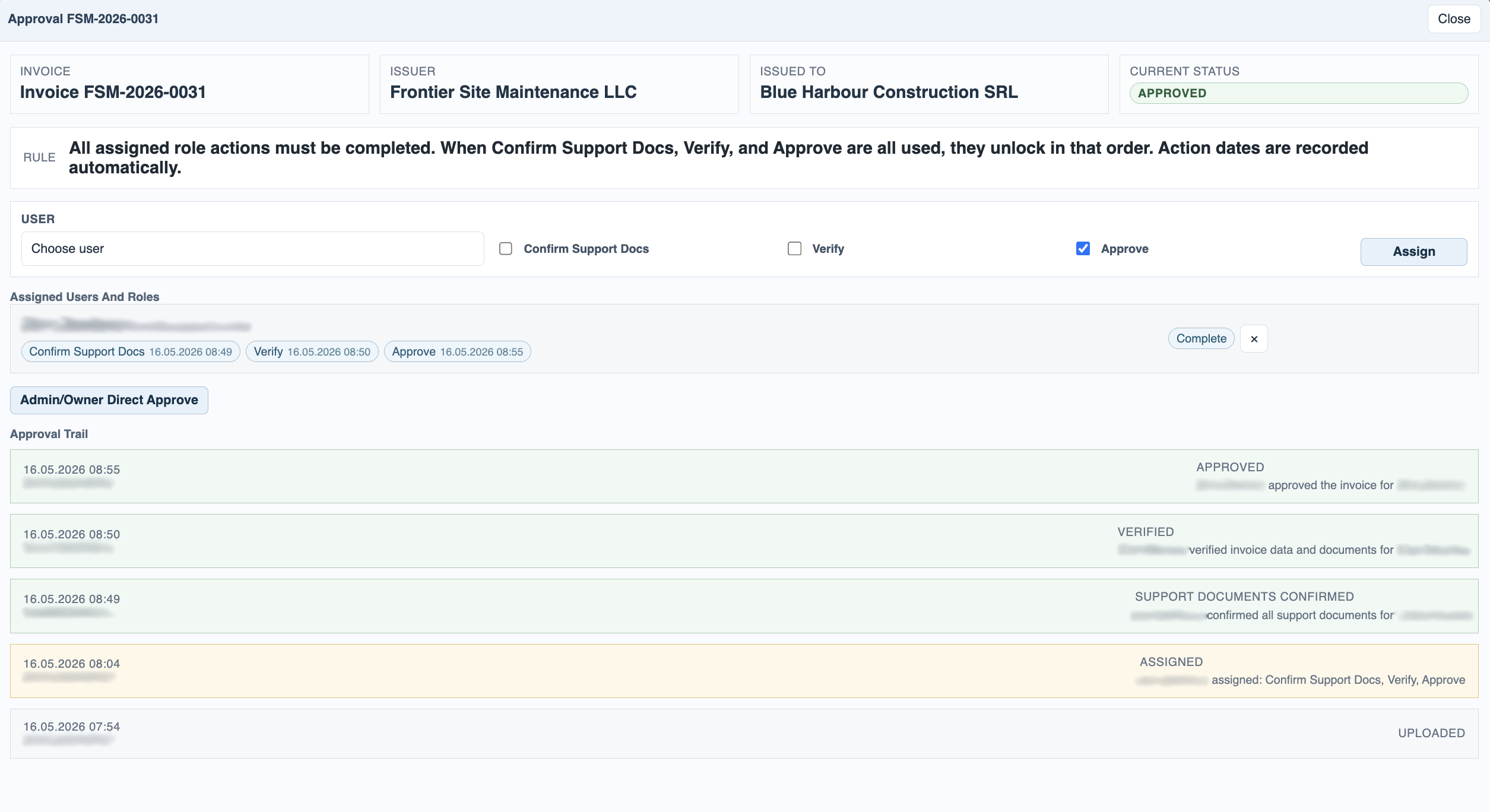
Open the approval window
Use Approval to see who is assigned and which roles are still waiting for action.
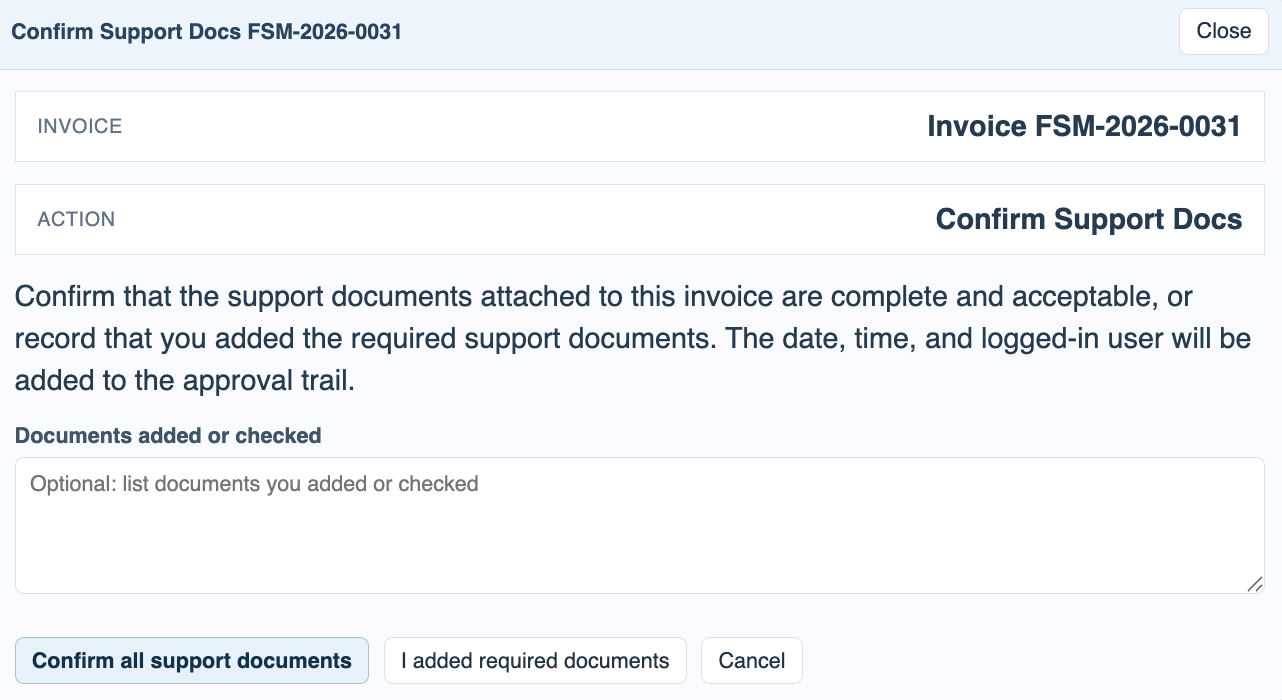
Confirm support documents
If your role is Confirm Support Docs, confirm the attached support files or record what documents you added.
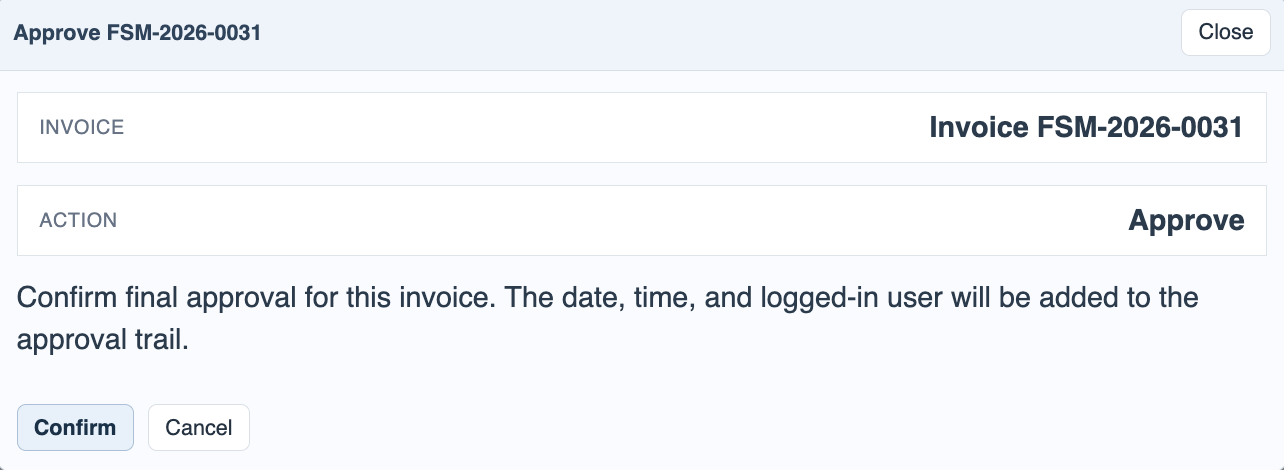
Verify and approve
Verification confirms the invoice data and direction. Approval is the final workflow action for the incoming invoice.
Read the trail and trust evidence
Finish by checking the approval trail and the separate trust section so the workflow state and signature evidence are both visible.
Enable JavaScript to use reading progress and usefulness ratings.