
AI Summary in FileStudio
Explains saved AI summaries, language selection, viewer access, delete behavior, and the AI-generated content caution.
AI Summary is optional saved analysis for a FileStudio main document or annex.
For a main document, request a summary from the AI Autofill + OCR choice modal. For an annex, upload it normally, open Annexes, and choose Create AI Summary on that annex. Annex upload itself does not ask about AI and consumes no AI credits.
Choose the summary language, length, and pages before running AI. Adaptive increases the requested detail for longer or information-dense documents, while Short, Medium, and Long provide explicit alternatives and adjust the estimated credits. Sending all pages is usually the best default because the first page may not contain the full context. When a PDF already has readable embedded text, FileStudio can use that text without rendering page images, which usually shortens processing without removing document content. Scanned PDFs still require page rendering and AI OCR.
While an annex summary is being created, FileStudio shows the current stage, elapsed seconds, and a warning to keep the window open. After the server confirms storage, Create AI Summary becomes Summary.
Summaries focus on document content and do not mention how many pages were uploaded, describe OCR and AI processing, or display model confidence labels. Confidence belongs to FileStudio's internal extraction result and is not part of the document summary. Information-dense summaries use a short overview followed by relevant plain-text sections and hyphen bullets, such as Decision, Key findings, Required actions, and Deadlines. Empty sections are omitted.
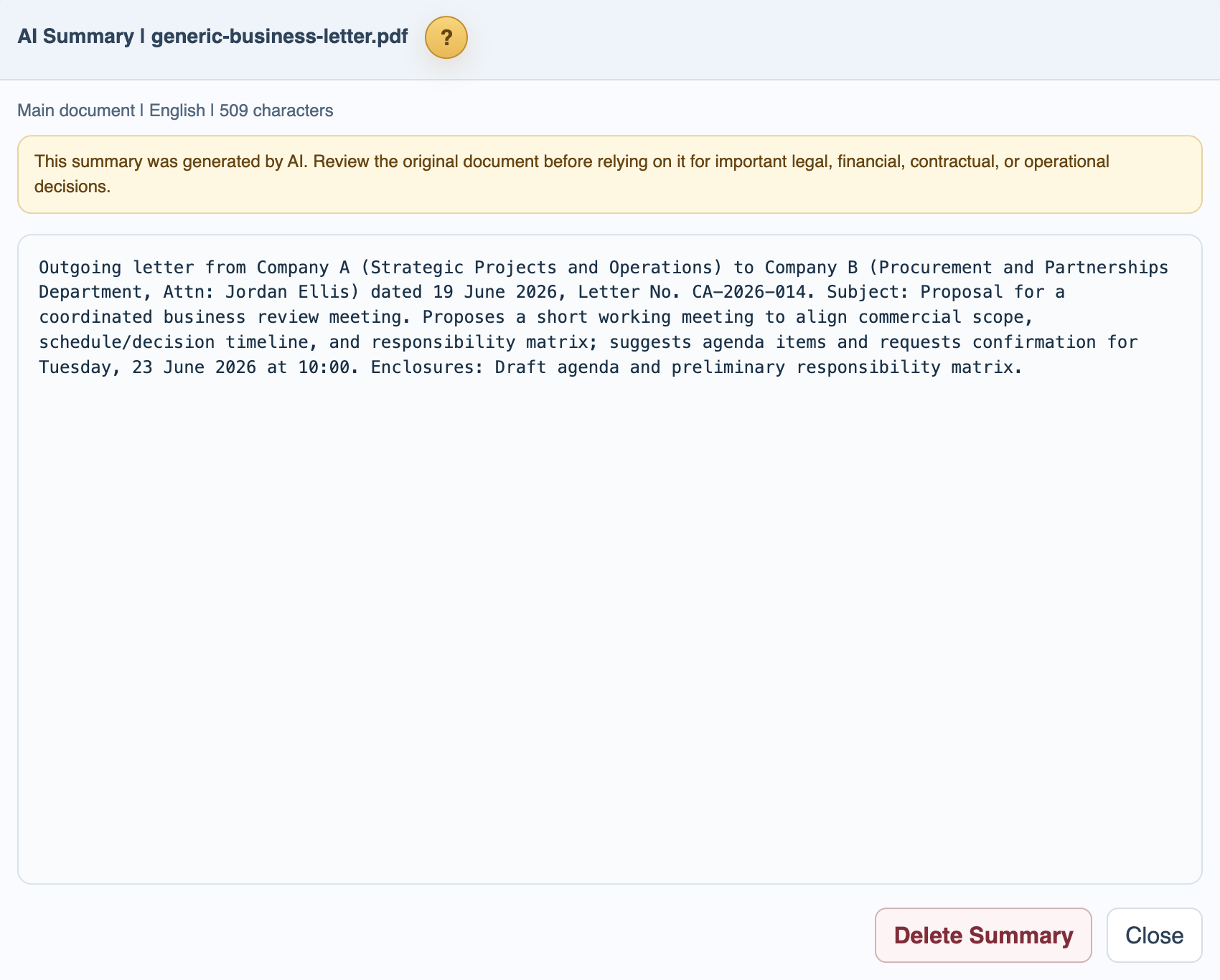
The main record Summary modal contains tabs for the main document and every annex that has a saved summary. Opening Summary from an annex selects that annex tab. Each summary can be reviewed and deleted independently without deleting the uploaded file or extracted text.
If a summarized document contains several explicit deadlines or scheduled events, FileStudio offers each supported planning item for separate review. Verify all dates and wording against the source.
Every AI summary should be treated as an assistant-generated note, not as the authoritative document. Review the original file before relying on the summary for important legal, financial, contractual, or operational decisions.
Related: AI Autofill and OCR Uploads in FileStudio, Extracted Text and Document Search.
Saved summary
The Summary modal shows the saved AI text and allows deleting it from the record.
Enable JavaScript to use reading progress and usefulness ratings.