
Duplicate Objects and Numbered Notes in CADStudio
How Duplicate works in CADStudio, including default offsets, the direction preview arrow, cumulative copies, and detected number adjustment.
Use Duplicate when selected objects should be copied with a repeatable X/Y offset.
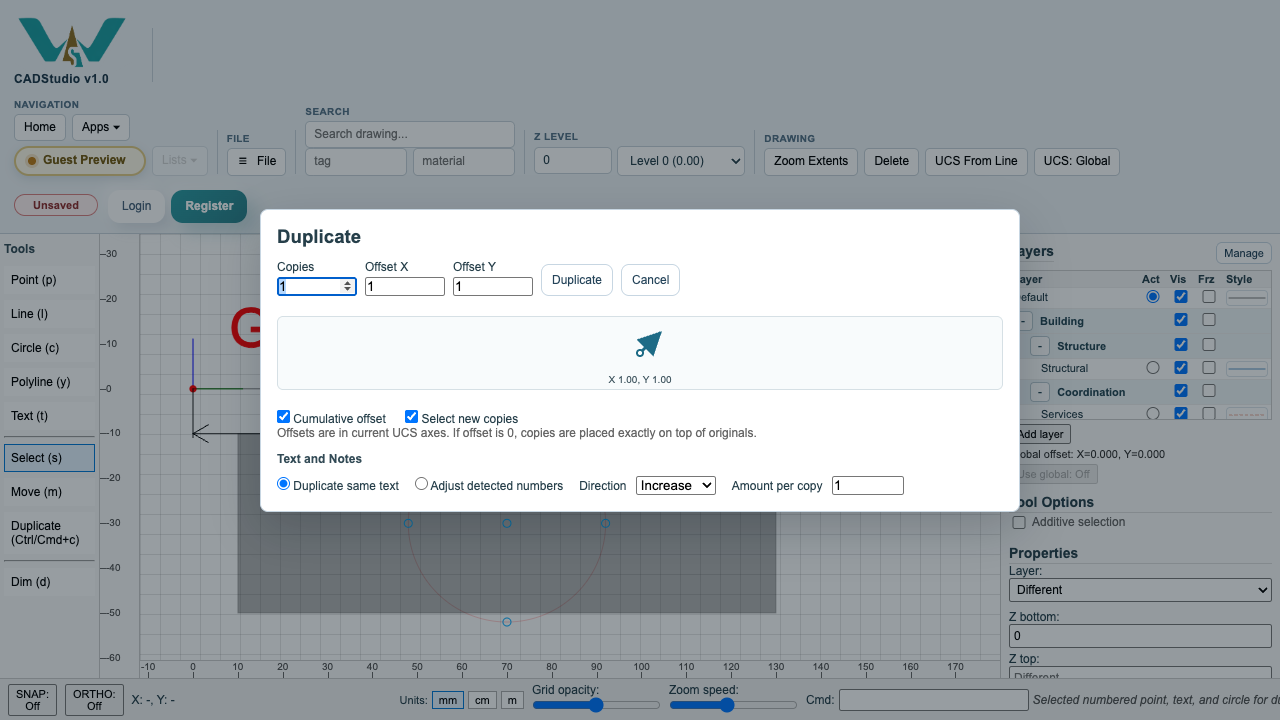
The dialog opens with default offsets of X 1 and Y 1. As you edit the offset values, the direction preview arrow updates so you can see the general copy direction before committing.
When selected objects contain text or notes, CADStudio shows text options.
Choose Duplicate same text to keep the same labels.
Choose Adjust detected numbers to increment or decrement numbers in selected text and notes. This is useful for point numbers, room labels, grid notes, and repeated object identifiers.
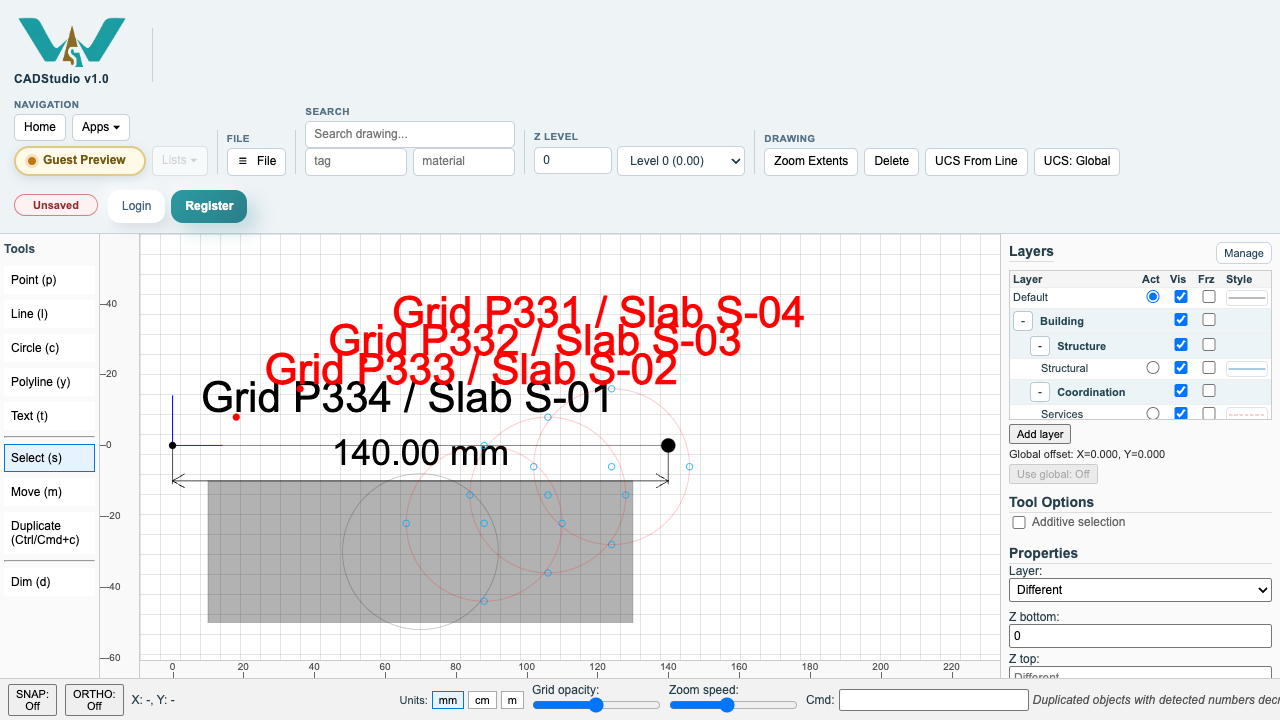
For example, duplicating a note such as P334 three times with Decrease by 1 produces P333, P332, and P331.
Related: CADStudio Drawing Tools, Selection, Properties, Notes, Tags, and Materials in CADStudio.
Duplicate direction preview
Offset X/Y values drive the arrow direction, so the copy direction is visible before duplication.
Duplicated numbered text and notes
Detected numbers can be increased or decreased across repeated copies.
Enable JavaScript to use reading progress and usefulness ratings.