
Countdown on Mac: a short guide
Keep time remaining visible while managing the dates online.
Where to manage the dates
Create and edit your countdown dates, styles and other settings online in WorkStudio Catalog. Save the Catalog and check the confirmation.
What the Mac companion does
Connect your WorkStudio account and select the countdowns you want to display on your Mac. The companion is available to free accounts. Your account’s existing access determines which online records you can use.
When a date looks wrong
Check the source date and saved Catalog online, then refresh the companion’s connected data. Make sure you are looking at the intended countdown and occurrence.
A countdown and a reminder serve different purposes
A Countdown displays time remaining. Configure a notification separately if you need an alert.
Read about linked views and watch the online walkthrough.
The screenshots show the Mac app. The linked film demonstrates the online workflow.
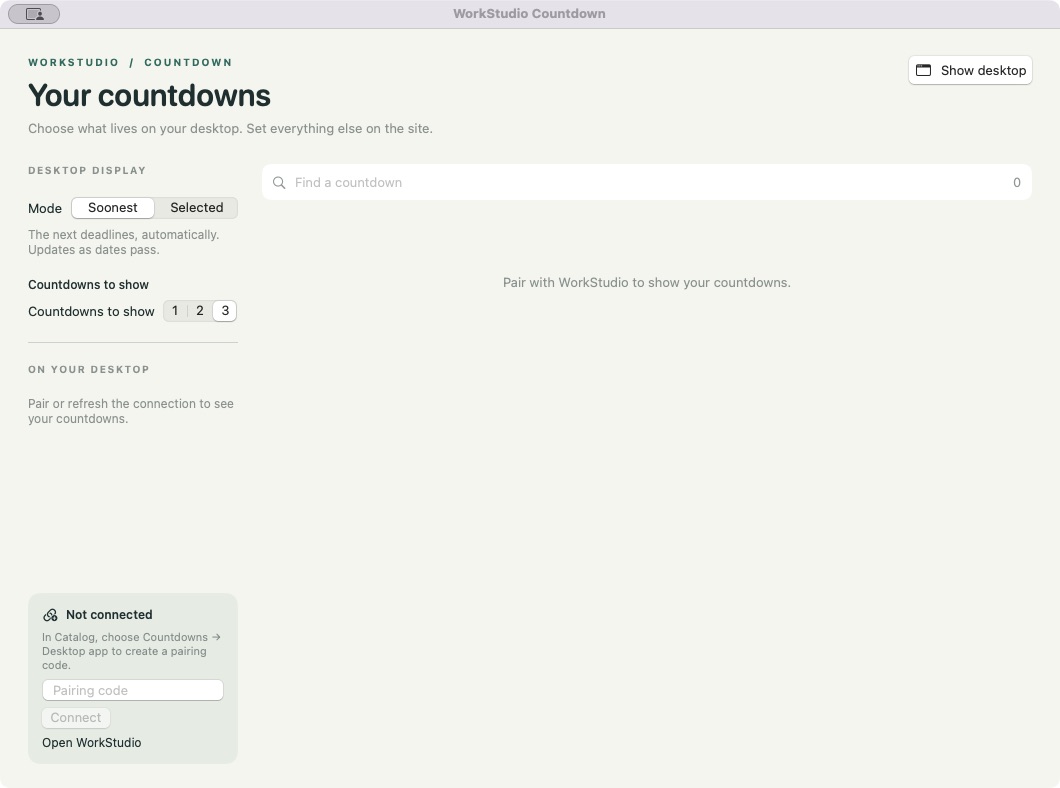
Adjust the Mac display
- Soonest: automatically show the next deadlines.
- Selected: choose the countdowns you want on the desktop.
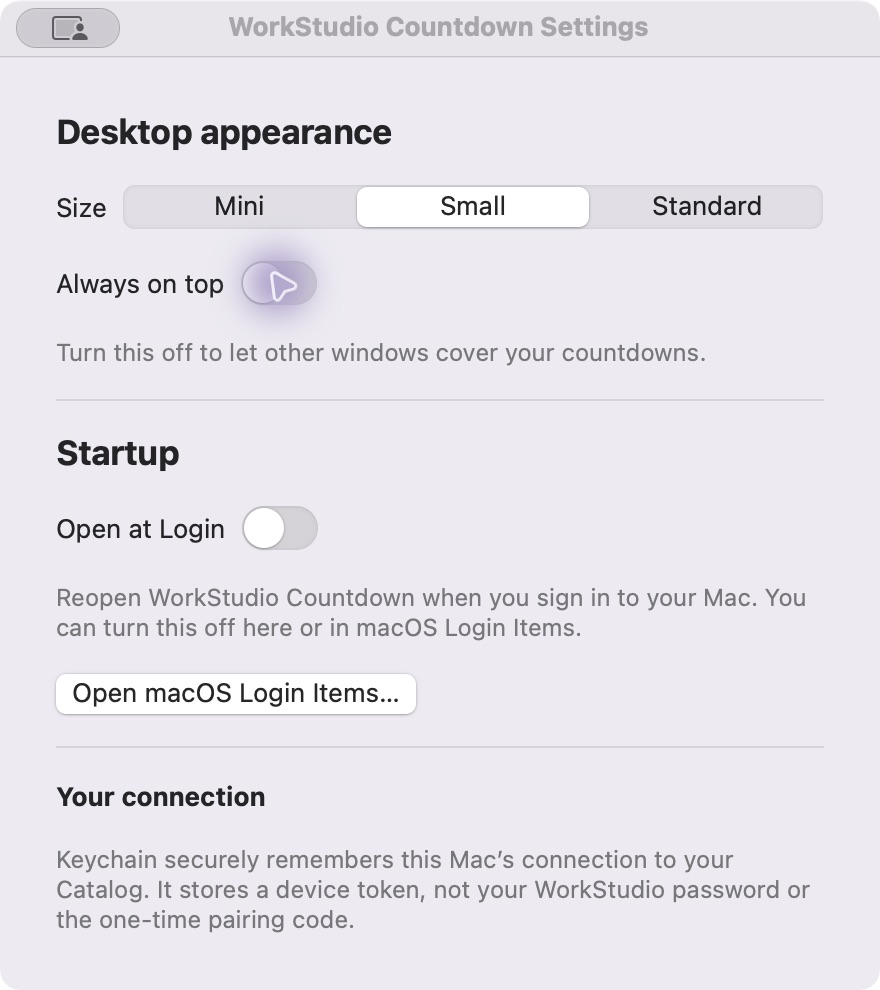
- Settings: choose Mini, Small or Standard and whether the panel stays on top.
- Open at Login: optionally reopen the companion when you sign into your Mac.
The screenshots below show real app controls with fictional sample values. They do not demonstrate a live connection to an account.
Desktop appearance and startup settings
Actual Mac app Settings. Choose Mini, Small or Standard, decide whether the countdown stays on top, and optionally enable Open at Login. Dates, styles and other Countdown settings are managed online in WorkStudio Catalog.
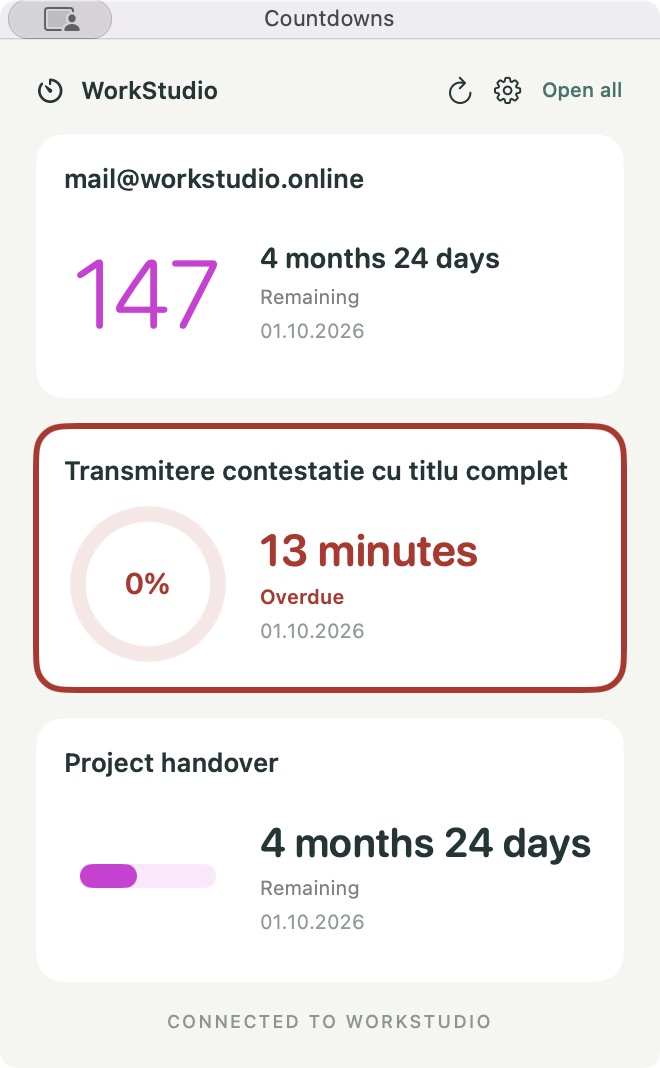
The desktop panel in Standard size
Actual app screen with fictional example data. Any resemblance to real people or events is coincidental. The sample values illustrate number, ring and bar styles; they are not live deadlines.
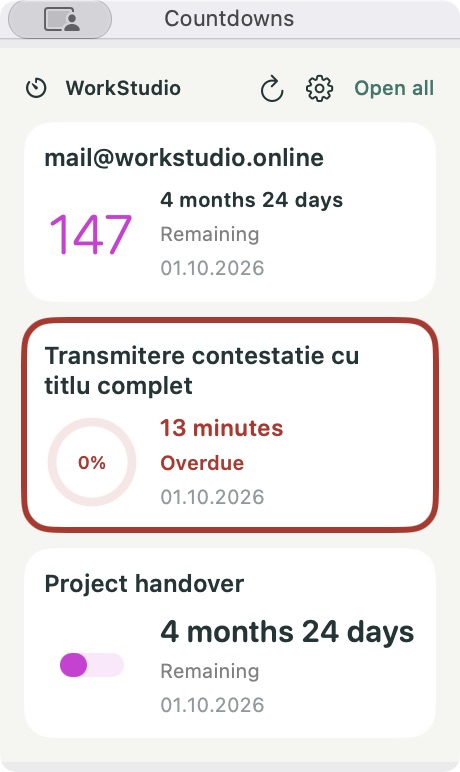
The same countdowns in Mini size
Actual app screen with fictional example data. Any resemblance to real people or events is coincidental. A smaller desktop panel retains the title and time remaining.
Enable JavaScript to use reading progress and usefulness ratings.