
Export a TableStudio Workbook to Excel
Choose sheets, attached-file behavior, hidden/collapsed content, and export the workbook or ZIP bundle.
Use this walkthrough when the TableStudio workbook must be delivered as Excel.
Related: Export Excel from TableStudio.
Open Export Excel
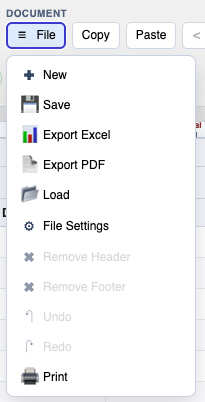
Use File > Export Excel from the workbook.
Choose export options
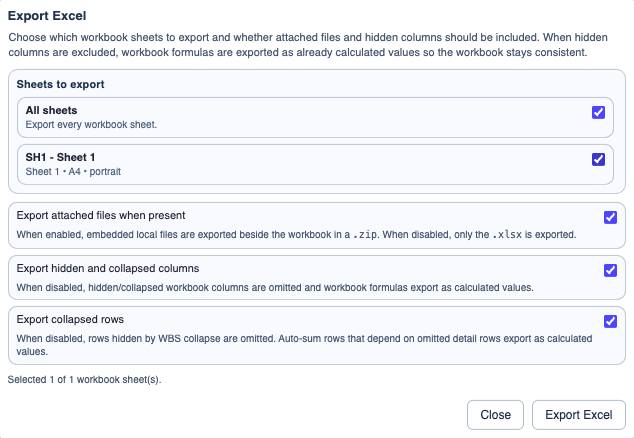
Select sheets, decide whether to include attached files, and choose hidden/collapsed column and row behavior.
Export the file
If attached files are included and present, TableStudio downloads a ZIP bundle. Otherwise it downloads an XLSX workbook.
Enable JavaScript to use reading progress and usefulness ratings.