
Follow a phase and its review
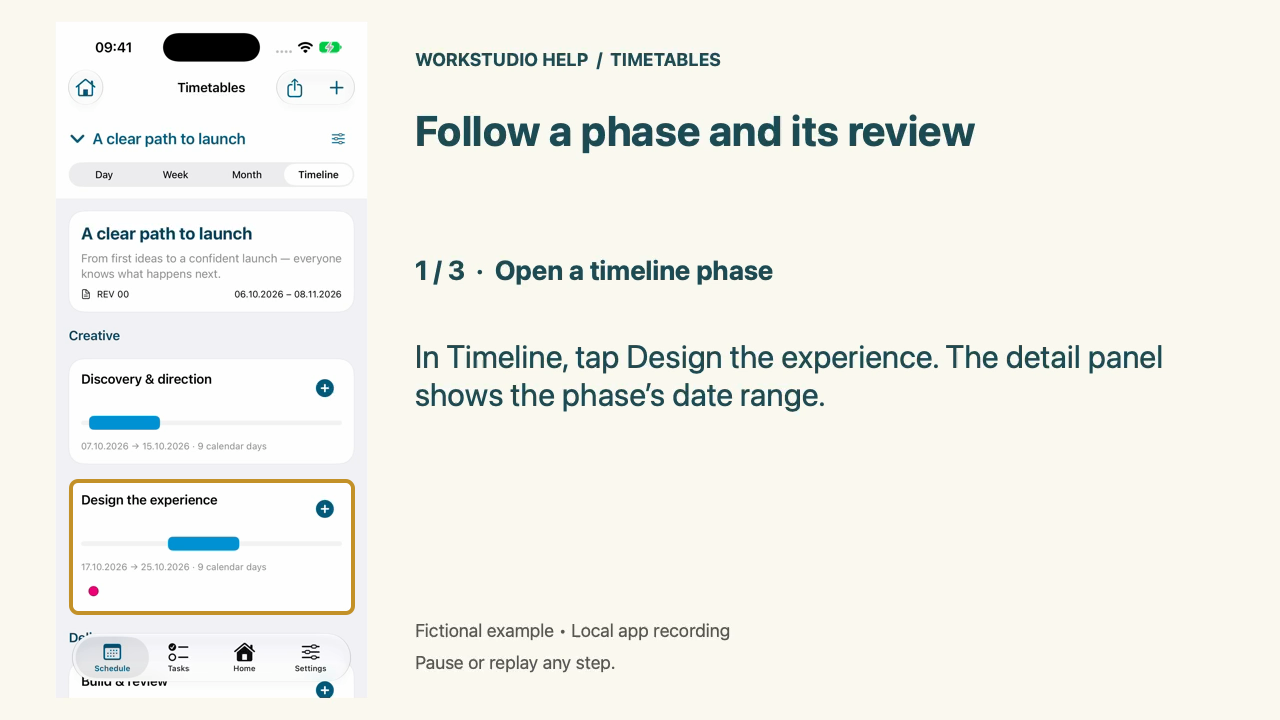
In Timeline, tap Design the experience. The detail panel shows the phase’s date range.
App: WS Timetables on iPhone. These steps use the app’s local example library.
Real native iPhone app footage using fictional examples. Any resemblance to real people or events is coincidental. Silent Help film with on-screen instructions.
The separate App Store preview download is the 28-second portrait cut. The Help film below gives more time to read each instruction. Apple upload, processing and review have not been performed.
Follow a phase and its review
Real native iPhone app footage using fictional examples. Any resemblance to real people or events is coincidental. Silent Help film with on-screen instructions.
Open a timeline phase
In Timeline, tap Design the experience. The detail panel shows the phase’s date range.
Open the attached review
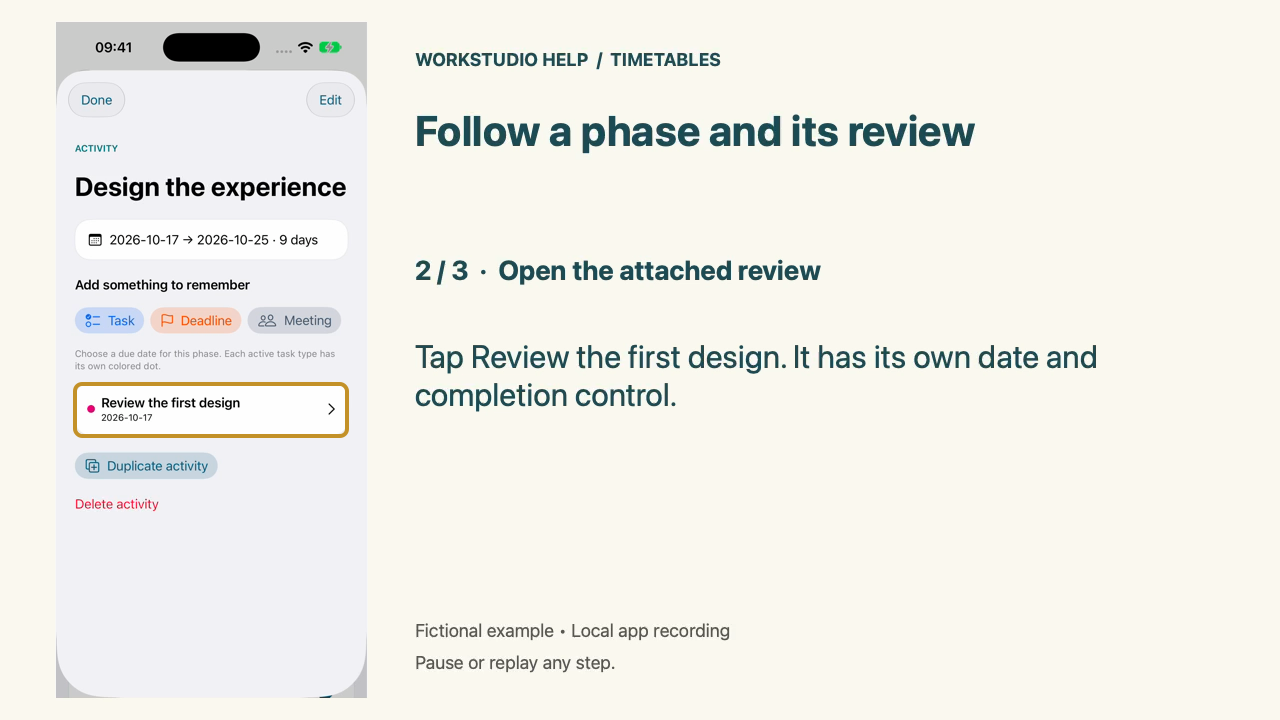
Tap Review the first design. It has its own date and completion control.
Return to the timeline
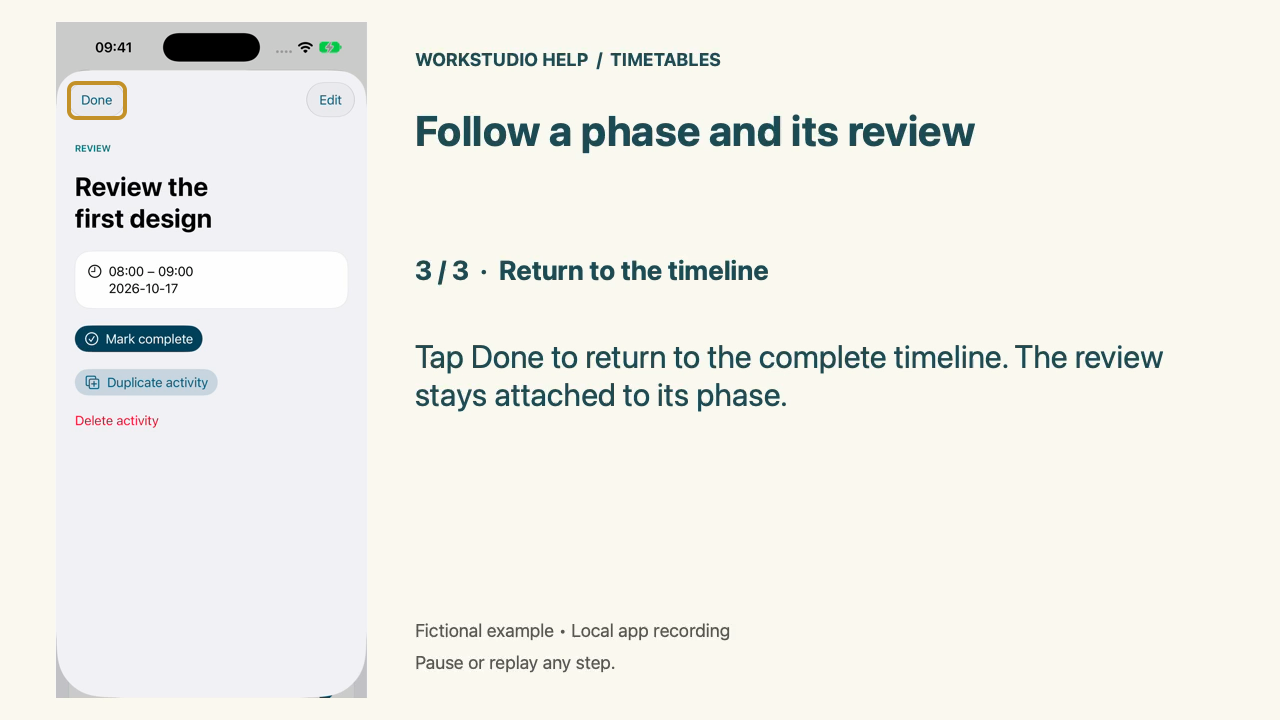
Tap Done to return to the complete timeline. The review stays attached to its phase.
Enable JavaScript to use reading progress and usefulness ratings.