
Keep homework with the lesson
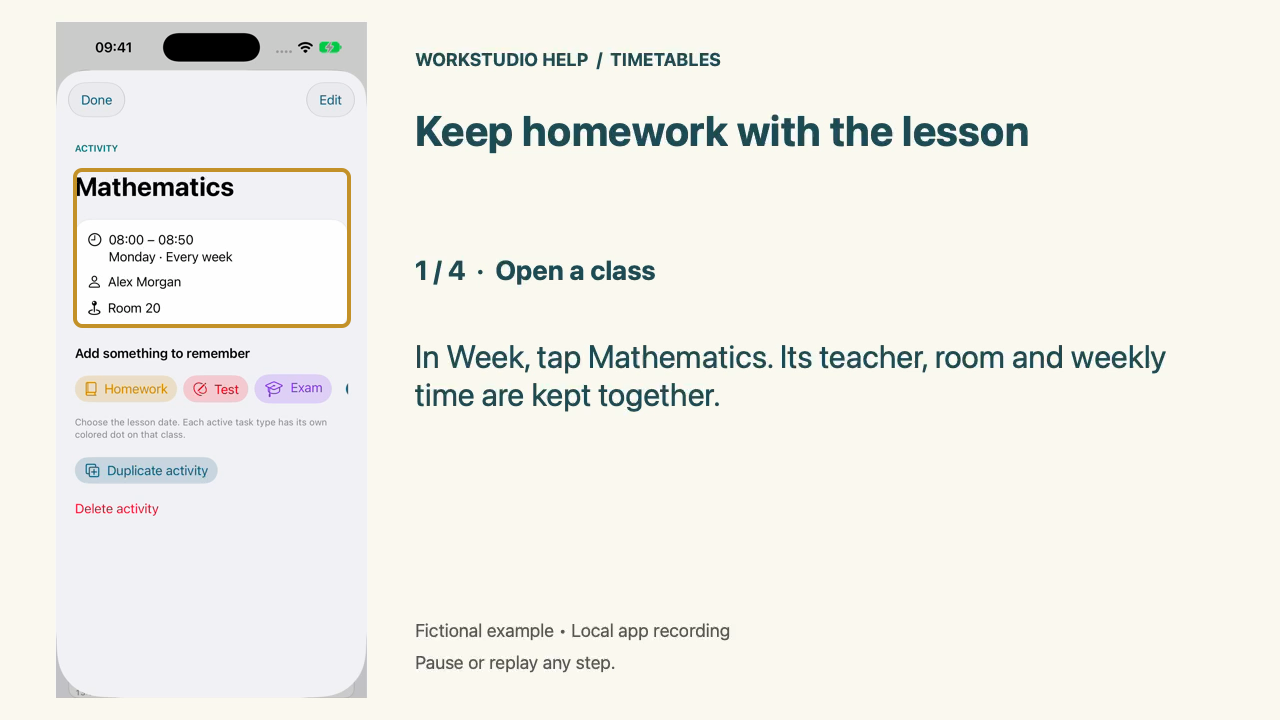
In Week, tap Mathematics. Its teacher, room and weekly time are kept together.
App: WS Timetables on iPhone. These steps use the app’s local example library.
Real native iPhone app footage using fictional examples. Any resemblance to real people or events is coincidental. Silent Help film with on-screen instructions.
The separate App Store preview download is the 28-second portrait cut. The Help film below gives more time to read each instruction. Apple upload, processing and review have not been performed.
Keep homework with the lesson
Real native iPhone app footage using fictional examples. Any resemblance to real people or events is coincidental. Silent Help film with on-screen instructions.
Open a class
In Week, tap Mathematics. Its teacher, room and weekly time are kept together.
Choose Homework
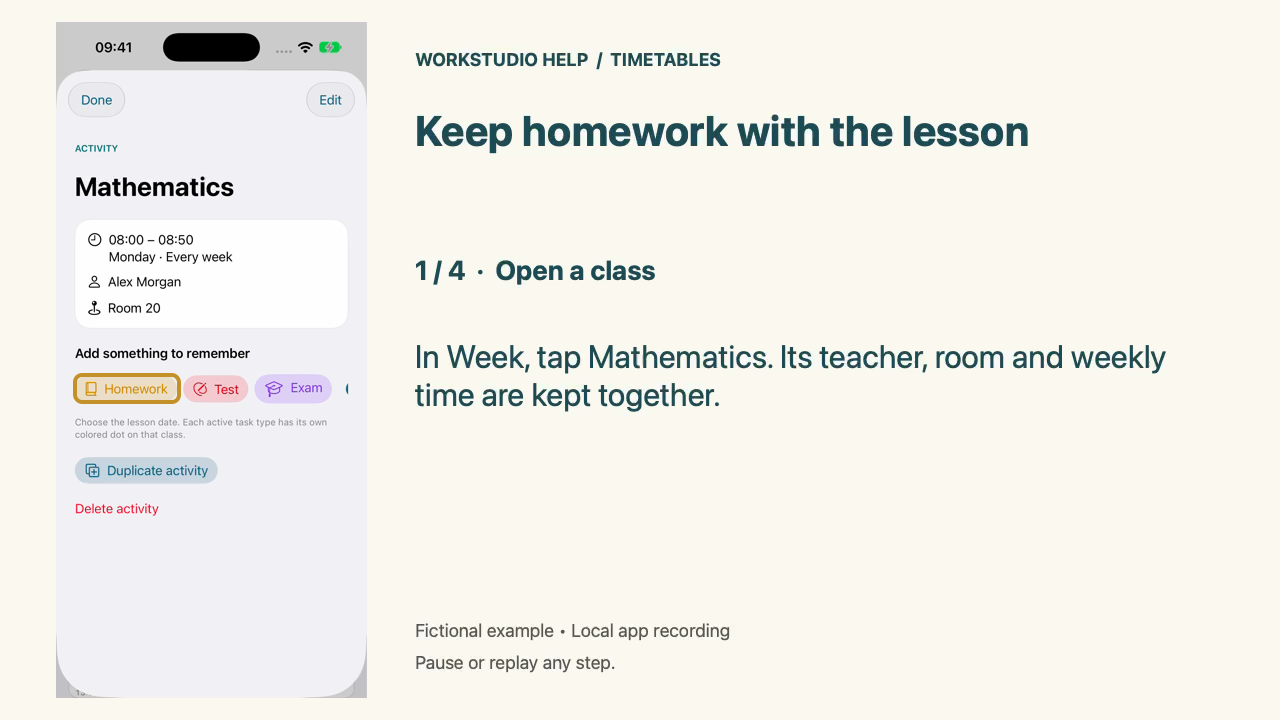
Tap Homework below the class details. The new task is already attached to Mathematics.
Enter the task and save
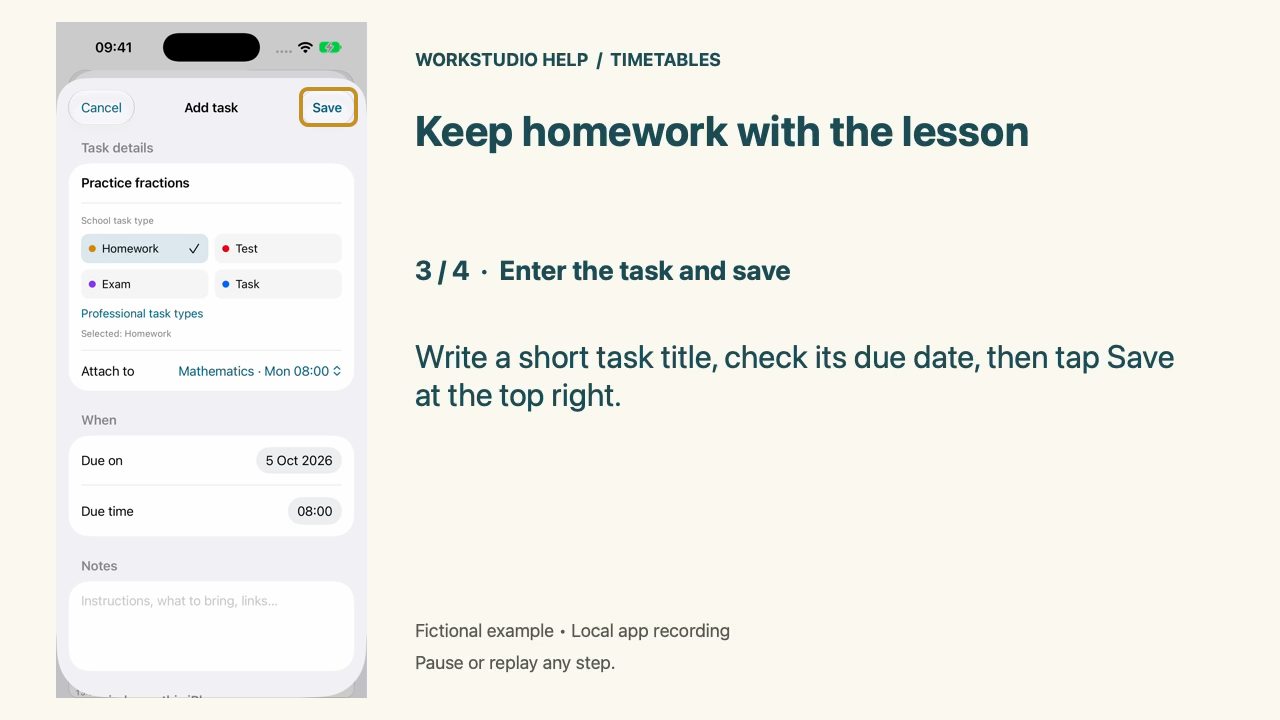
Write a short task title, check its due date, then tap Save at the top right.
Find it again
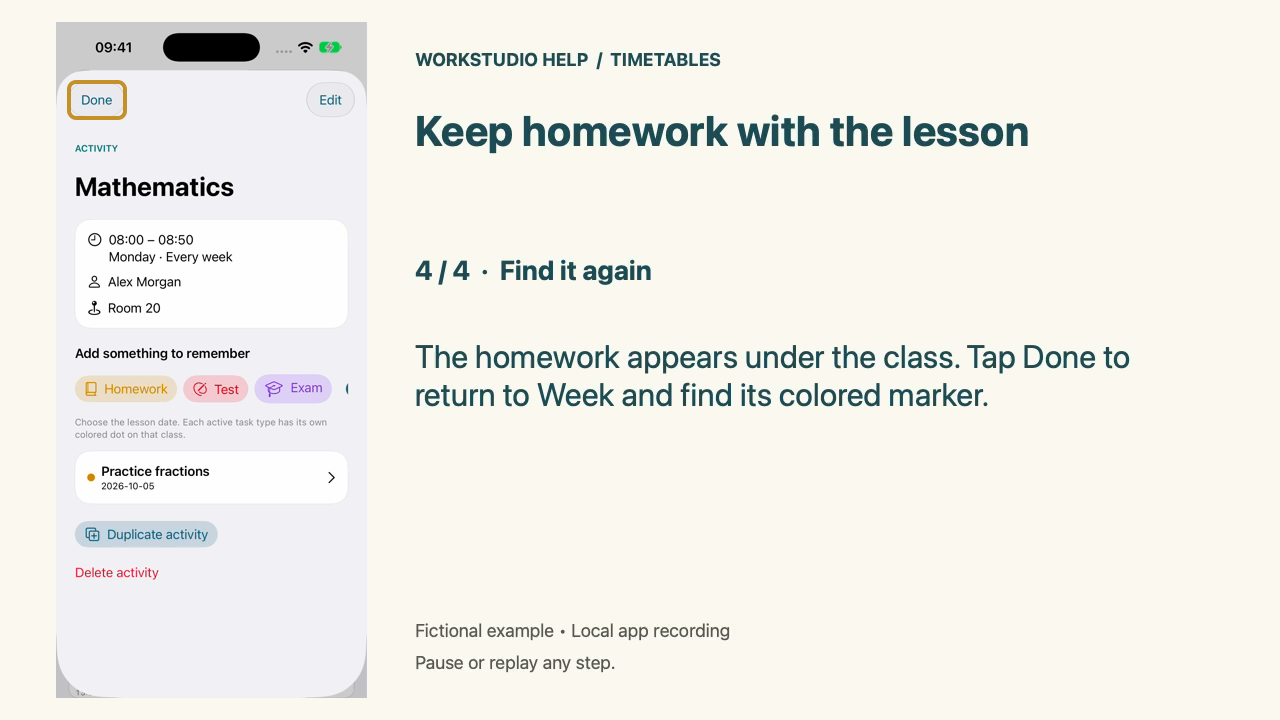
The homework appears under the class. Tap Done to return to Week and find its colored marker.
Enable JavaScript to use reading progress and usefulness ratings.