
Complete one month and keep the next open
Follow the marked screenshots, or watch the online walkthrough at your own pace.
Where: WorkStudio online → Records. Use a saved example Catalog; our screenshots show Help examples - Planning.
The gold outline marks the control or result to look at. Read the instruction, make the change, then continue. Dates are fictional and will differ from your own.
Complete one month and keep the next open
Guided screen walkthrough using real online screens and click highlights. Screens are held for reading; this is not a continuous recording. All names, dates and tasks are fictional examples. Any resemblance to real people or events is coincidental.
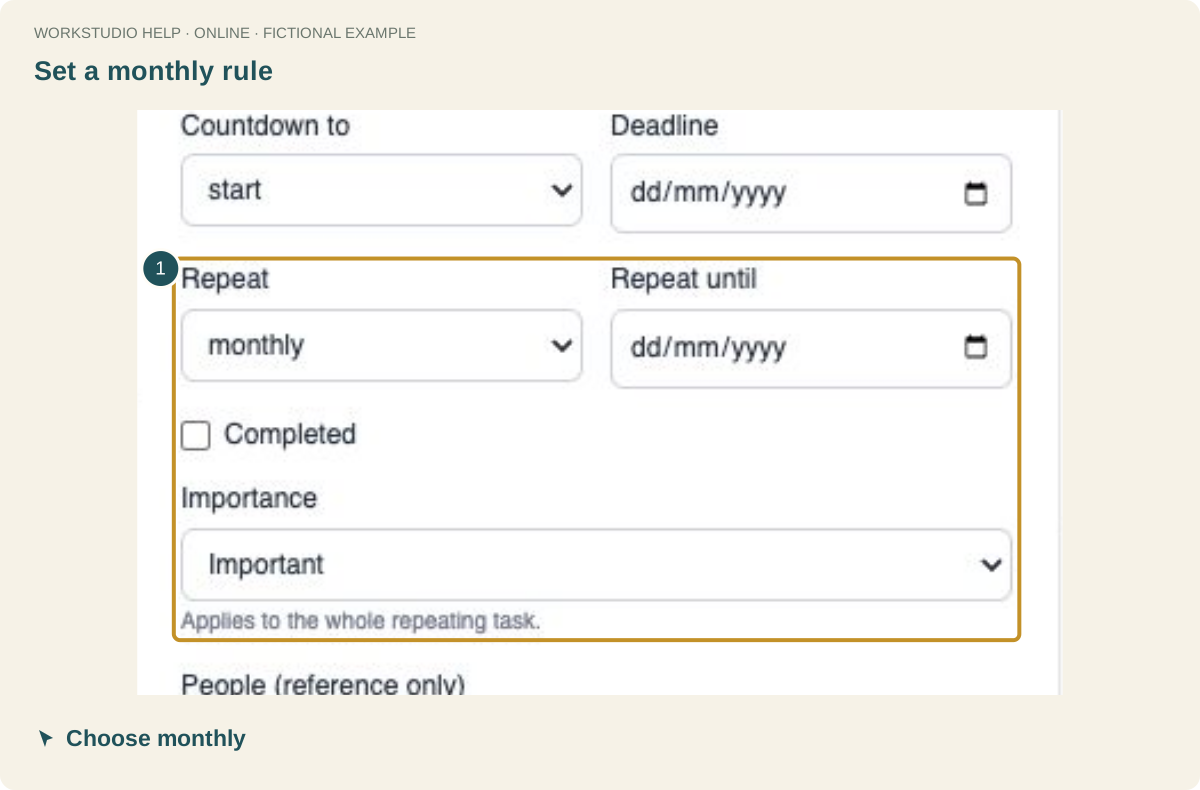
Set a monthly rule
For a recurring deadline, set Repeat to monthly. Choose an importance level if useful; importance applies to the repeating task.
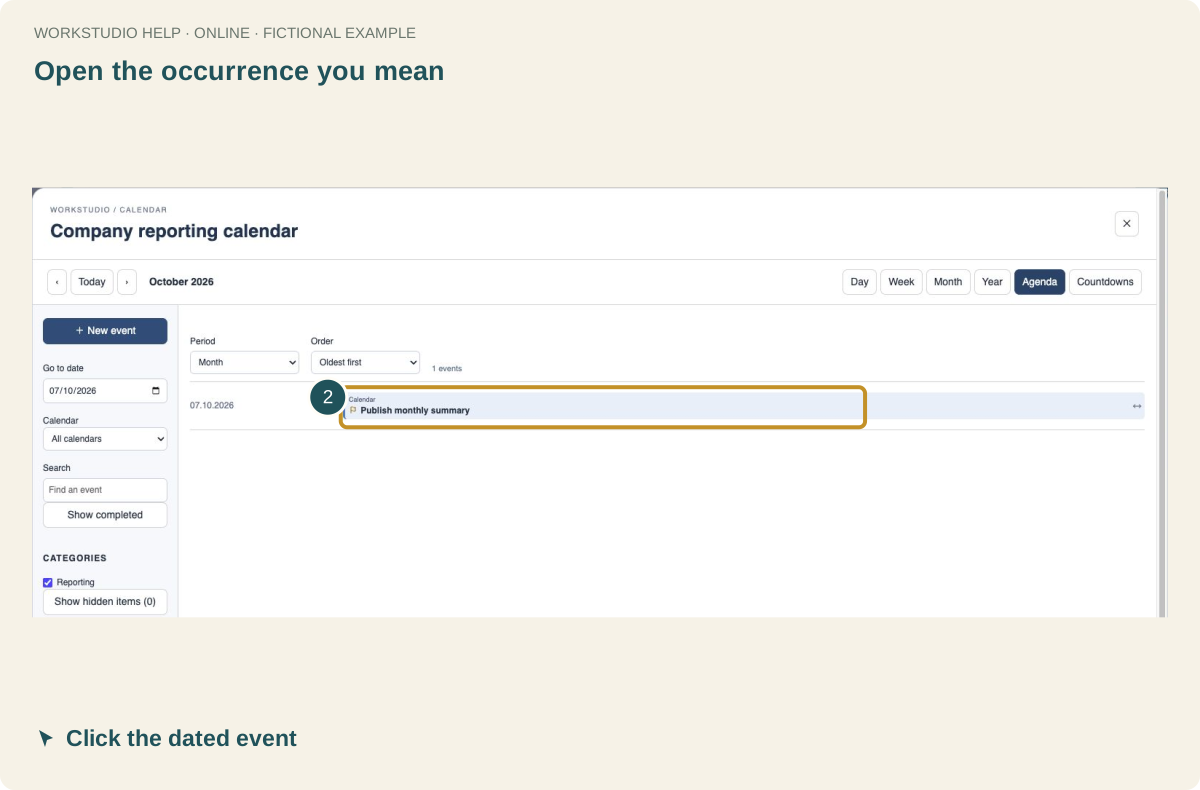
Open the occurrence you mean
Use Agenda to find Publish monthly summary on 7 October 2026. Click that dated entry before changing completion.
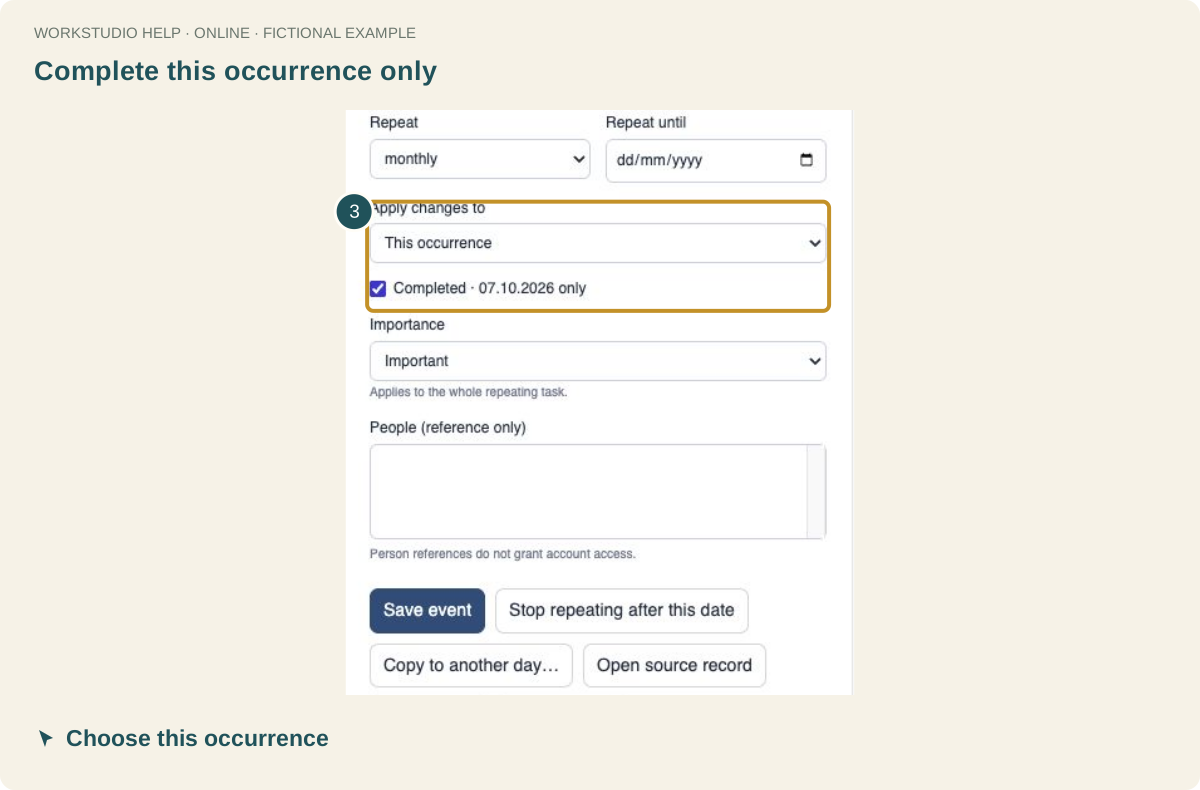
Complete this occurrence only
Keep Apply changes to set to This occurrence. Check Completed · 07.10.2026 only, then click Save event.
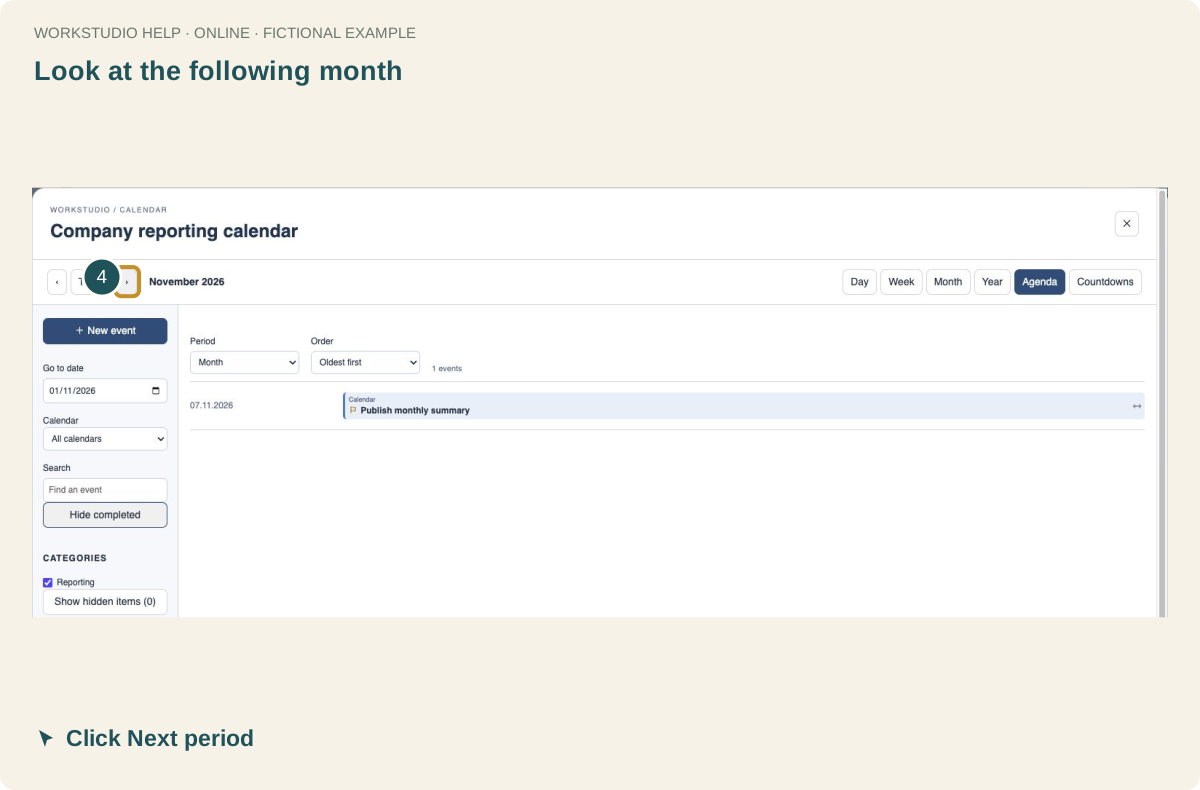
Look at the following month
Click Next period. The same series has an occurrence on 7 November; completing October has not removed it.
Verify the next occurrence is open
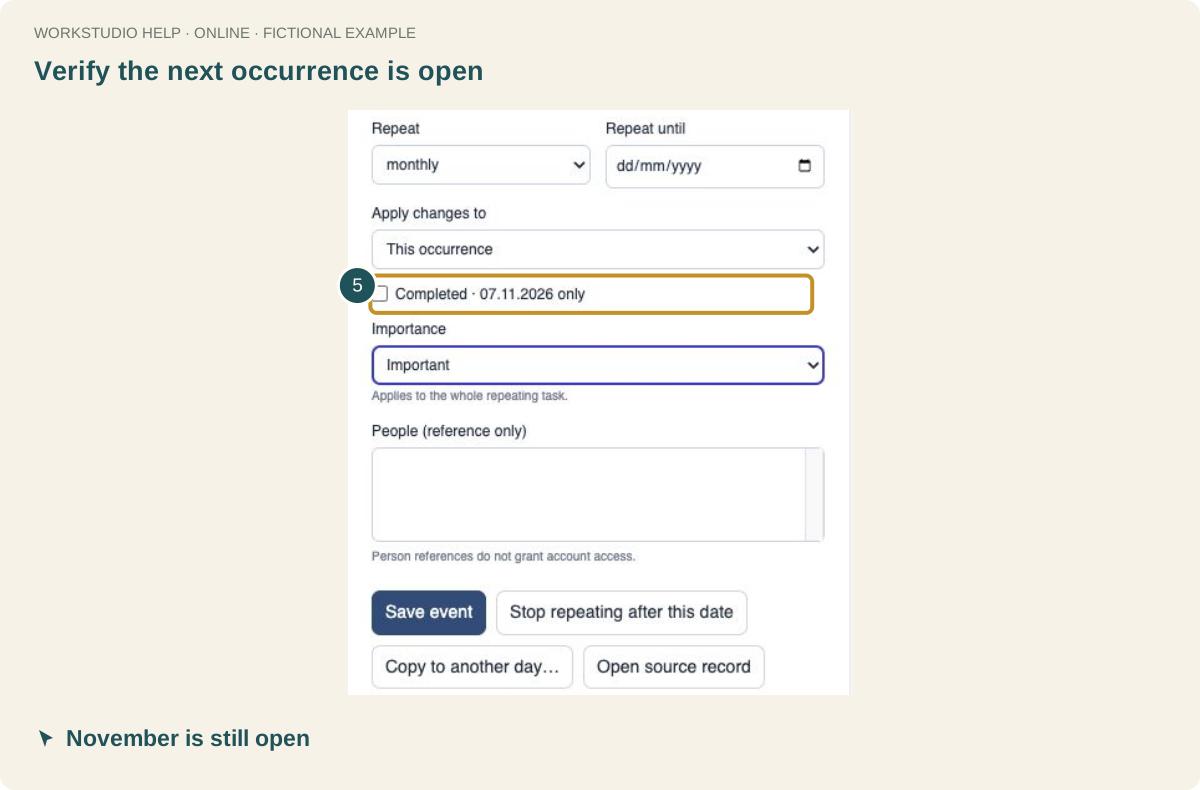
Open the November event. Completed · 07.11.2026 only is unchecked. Close the details and use File → Save Catalog.
Enable JavaScript to use reading progress and usefulness ratings.