
Create and complete a daily checklist
Follow the marked screenshots, or watch the online walkthrough at your own pace.
Where: WorkStudio online → Records. Use a saved example Catalog; our screenshots show Help examples - Planning.
The gold outline marks the control or result to look at. Read the instruction, make the change, then continue. Dates are fictional and will differ from your own.
Create and complete a daily checklist
Guided screen walkthrough using real online screens and click highlights. Screens are held for reading; this is not a continuous recording. All names, dates and tasks are fictional examples. Any resemblance to real people or events is coincidental.
Create a Note
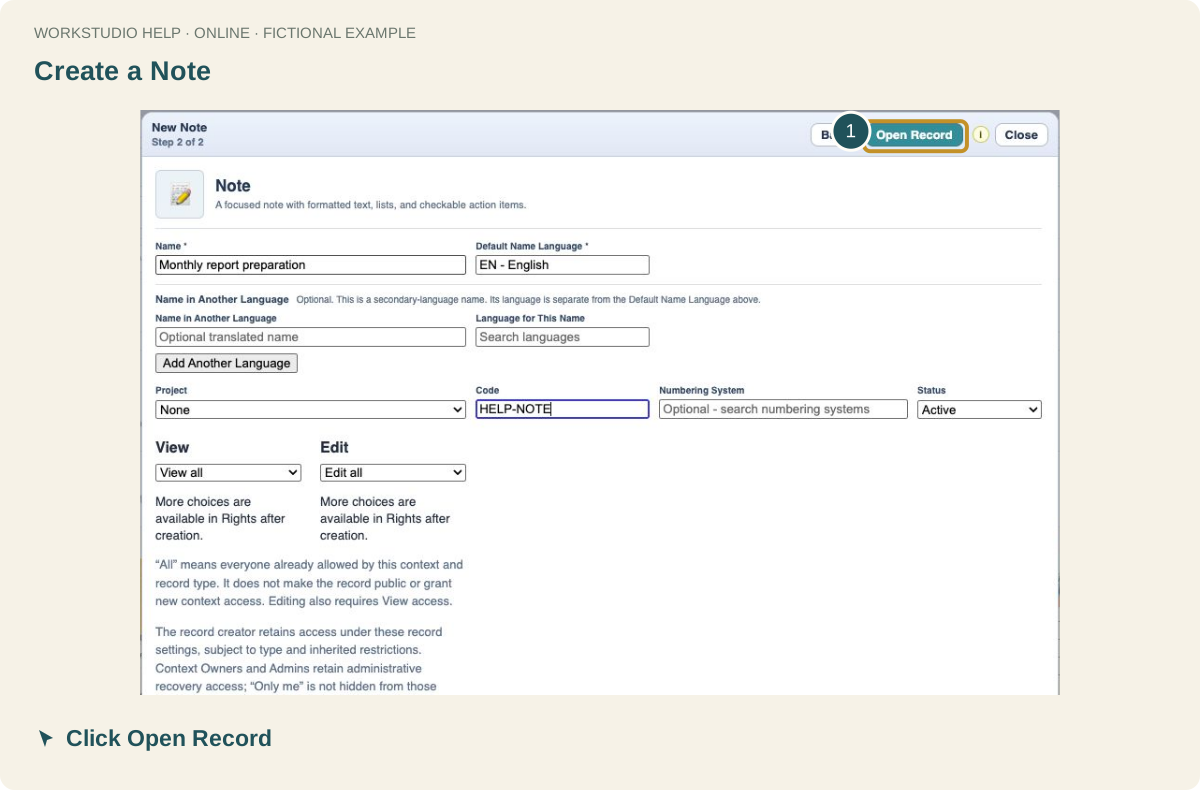
In your Catalog, click New Record → Note → Create New. Enter a name and code, then click Open Record.
Add a checklist row
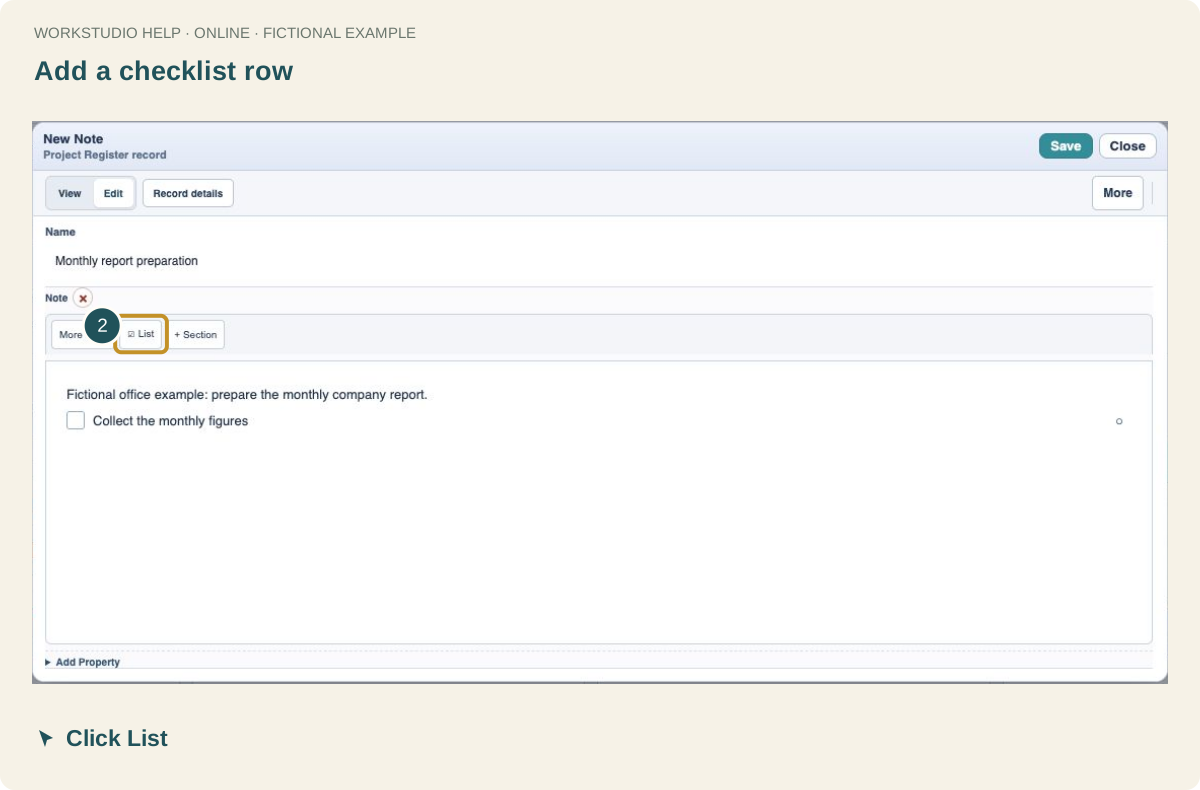
Write a short introduction. Click List in the Note toolbar, then replace Checklist item with Collect the monthly figures.
Mark finished work
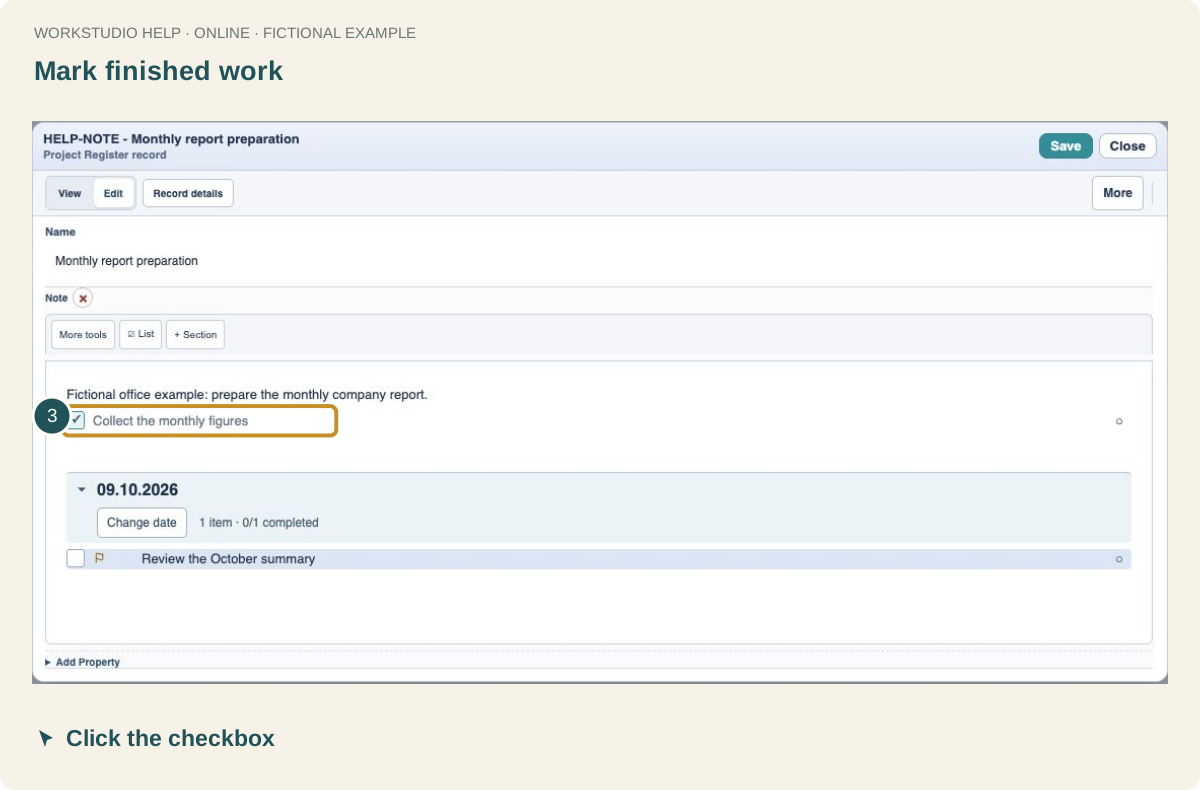
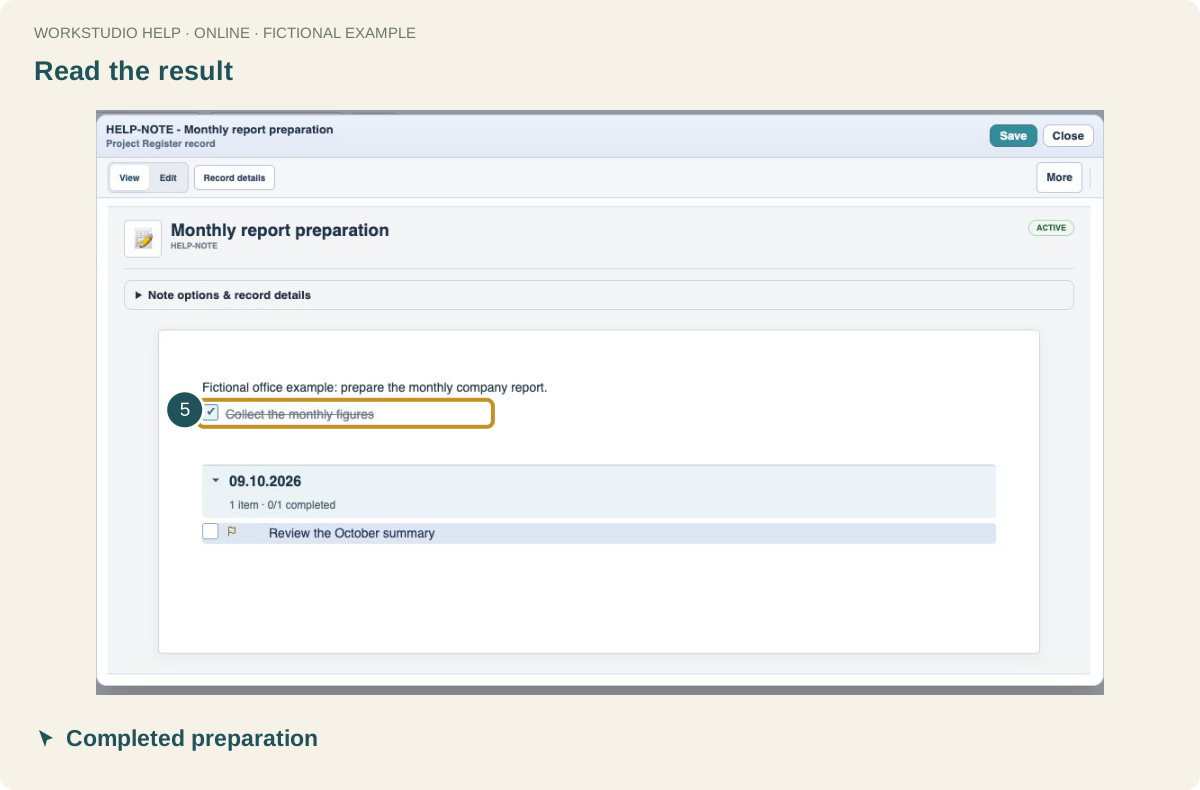
Click the checkbox beside Collect the monthly figures. The tick marks that row complete; it does not complete a different dated task below.
Save both the Note and the Catalog
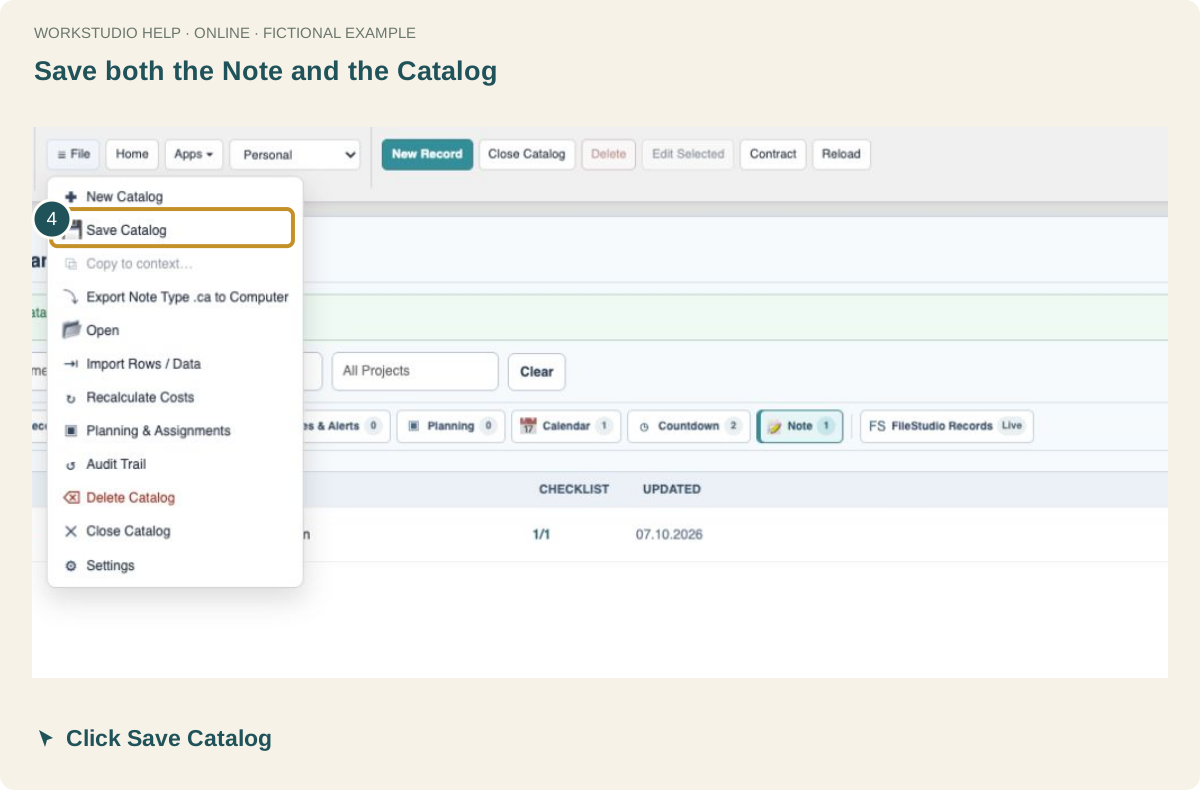
Click Save in the Note to update the draft. Then choose File → Save Catalog to keep it online.
Read the result
Reopen the Note. The completed item has a tick, while the dated review remains open. Click Edit to continue working.
Enable JavaScript to use reading progress and usefulness ratings.