
Notes and Checklists
Capture an idea quickly, structure it with headings and lists, and turn individual lines into a practical checklist.
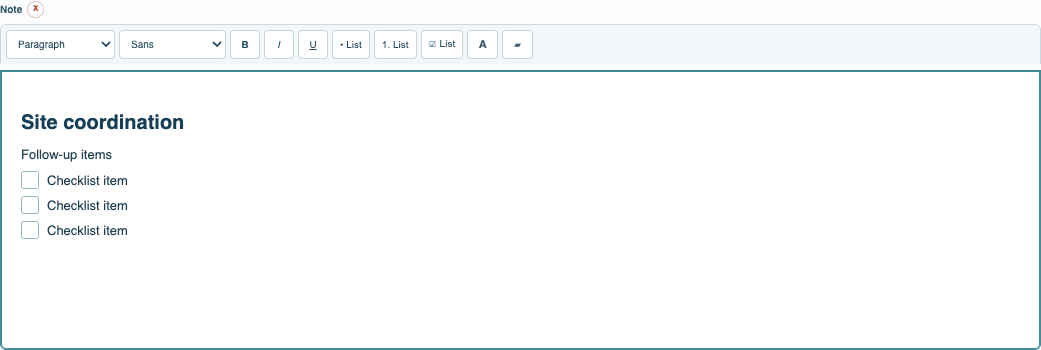
Create a Note when you need more structure than a name but do not need a fixed business form. The Note editor supports headings, emphasis, colors, links, numbered and bulleted lists, and checkbox lists. A checked line remains part of the note, so the record preserves both the work and its completion state.
Use the Name for a short subject and keep the full content in Note. Tags, Project membership, Documents, and Relations remain available when the note needs context. The reading view removes editing controls and preserves paragraph and list spacing.
A Note can remain personal, or it can be shared in a Company or Project context according to Records rights. Save the record, then select Save Catalog when the collection is ready to persist.
Tutorial: Keep Personal Notes and Checklists.
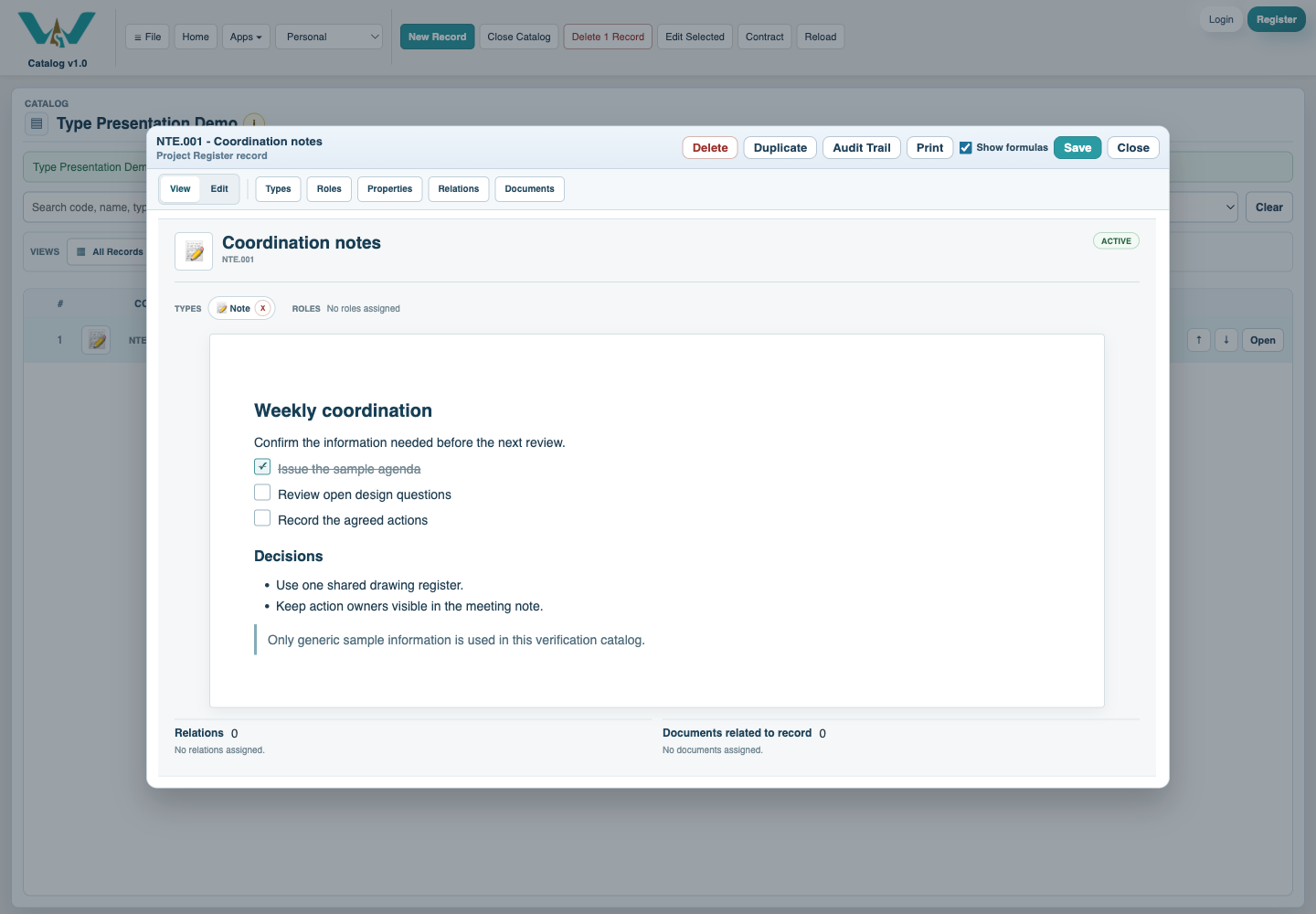
A focused Note reading view
The saved record presents the note without the editing toolbar while keeping its structure readable.
Lists and checkboxes in the editor
Use the Note toolbar to organize actions, decisions, and follow-up items.
Enable JavaScript to use reading progress and usefulness ratings.