
Explore One Family in Six Charts
Switch between every available family chart without rebuilding the people.
Open the sample Family Tree with Anna as the starting Person and All family selected. Keep the same scope while comparing layouts. See Choose a Family Chart for export compatibility.
All people and stories in these screenshots are fictional. Photographs were generated for these examples. The sample collection opens locally; changes to it do not save to your online collection automatically.
Begin with Branching Tree
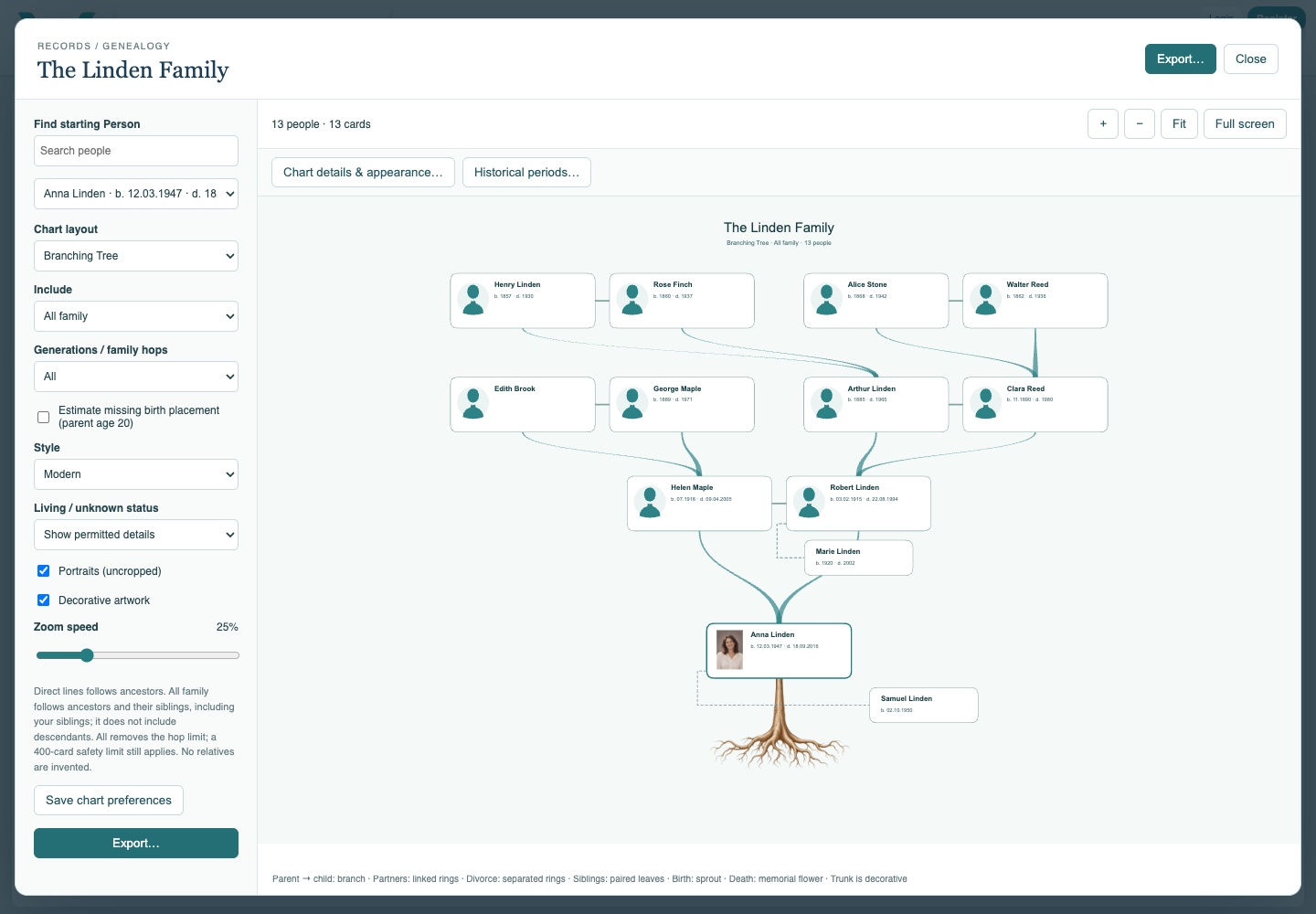
Choose Branching Tree and use Fit. Follow parent links upward and inspect the siblings beside or below their main family member. Pan and zoom to read a card.
Compare Radial
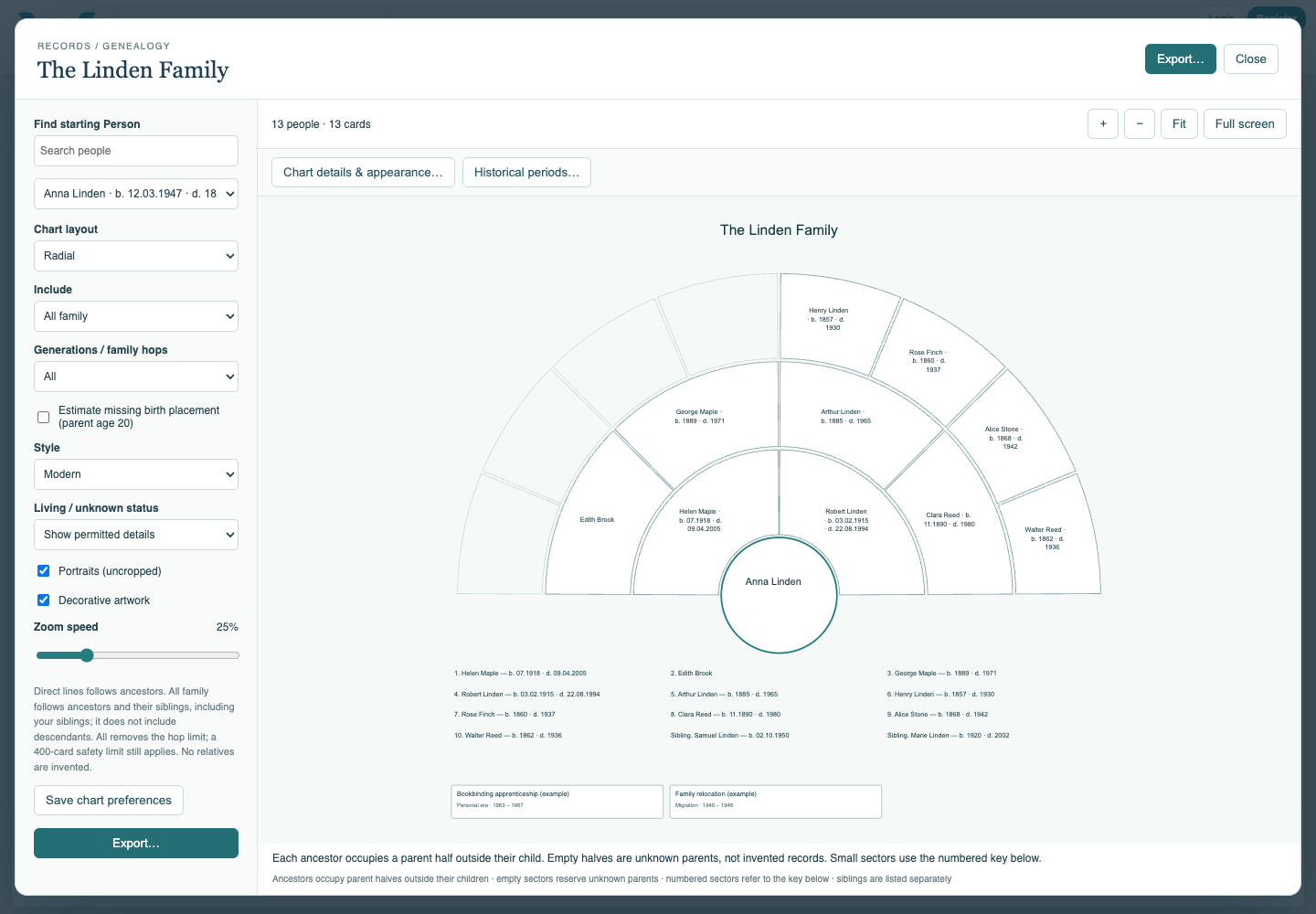
Choose Radial. Read the ancestor sectors and generation bands around the focus. Empty positions show missing parents. This view does not use the rectangular portrait cards of Branching Tree.
Compare Lifespans
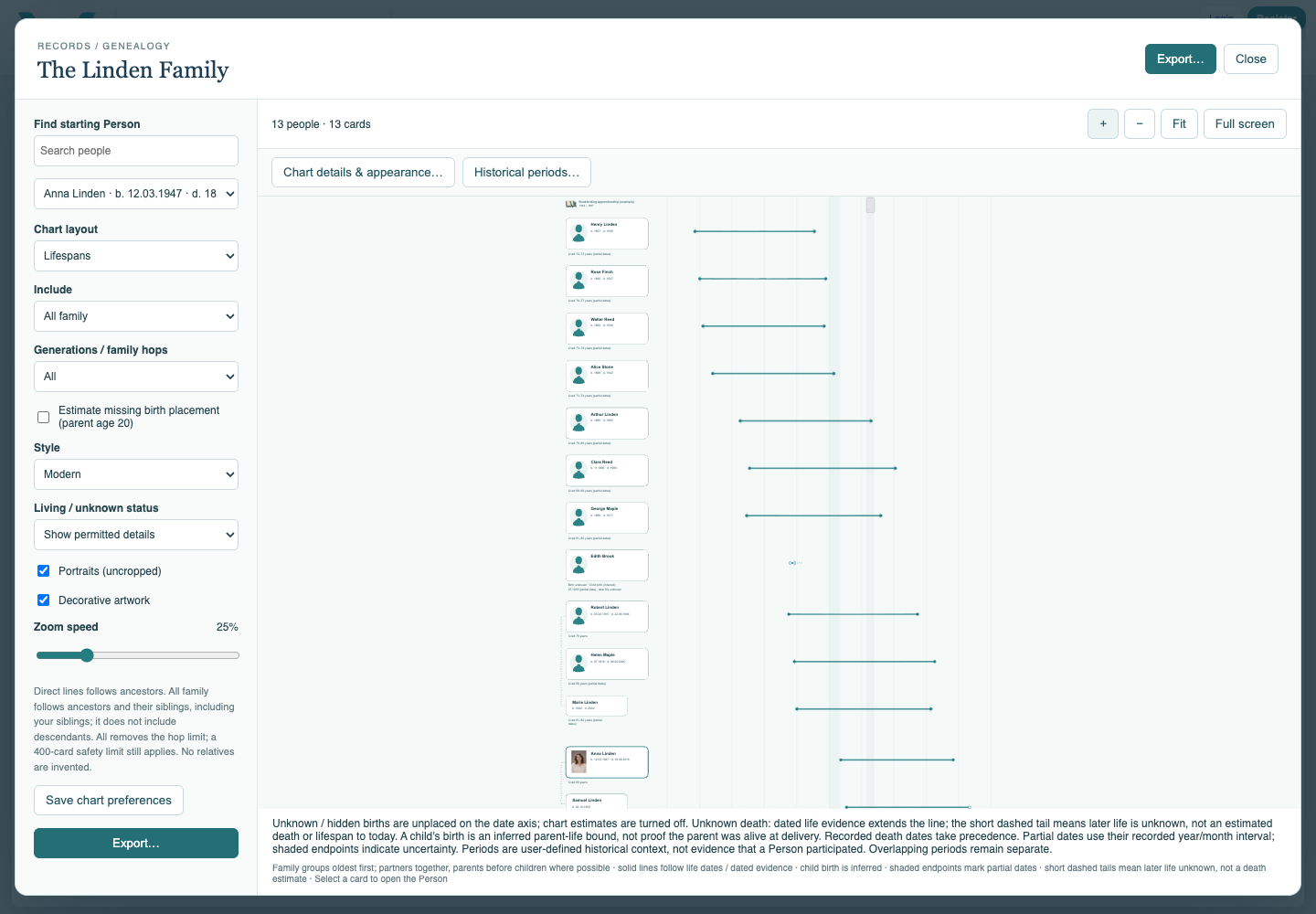
Choose Lifespans to compare overlapping lives. Look at the horizontal year axis and the difference between known endpoints and incomplete dates.
Compare Birth Timeline
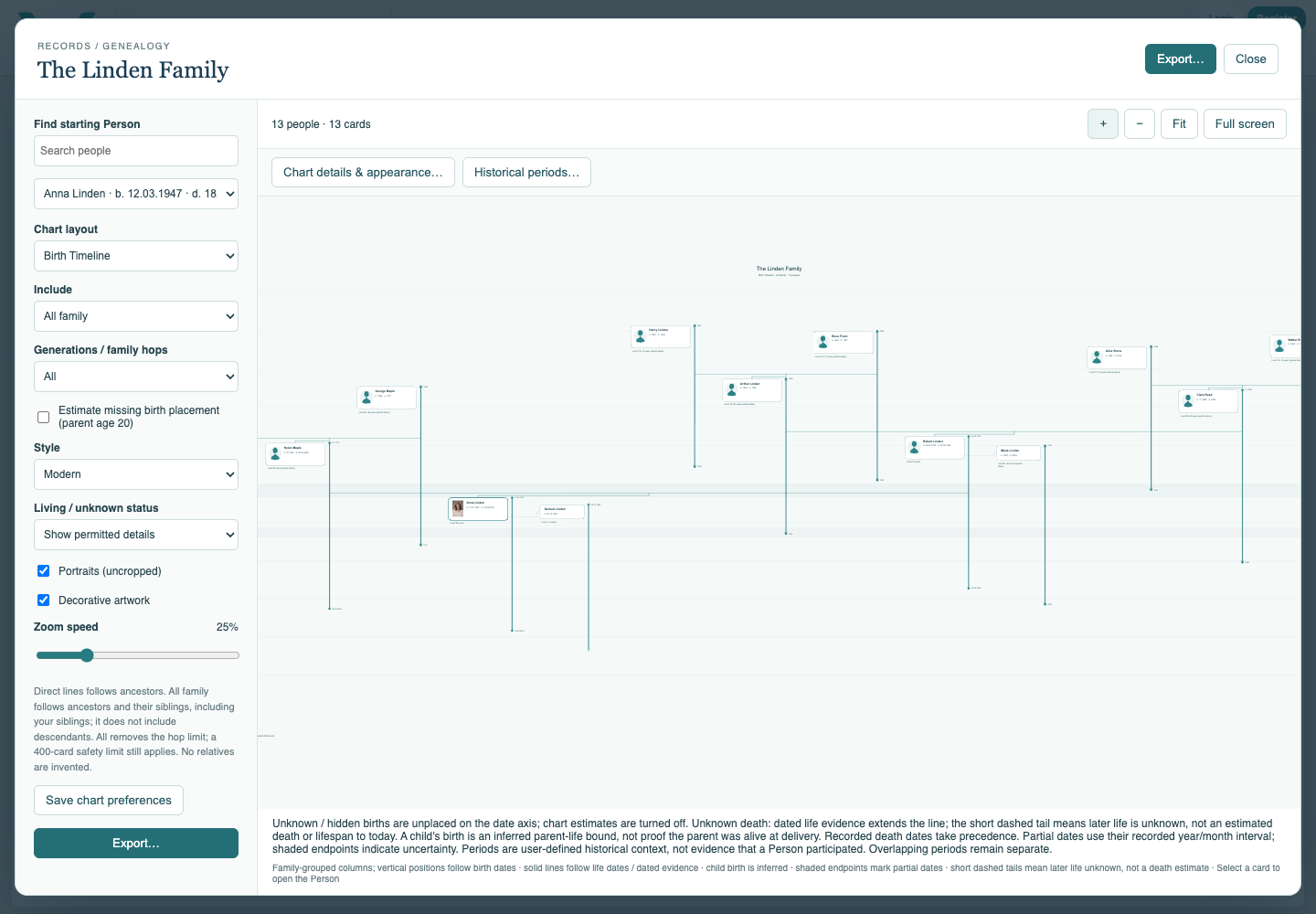
Choose Birth Timeline. Read vertical birth positions and family groupings. A family layout does not move a recorded date to an artificial generation row.
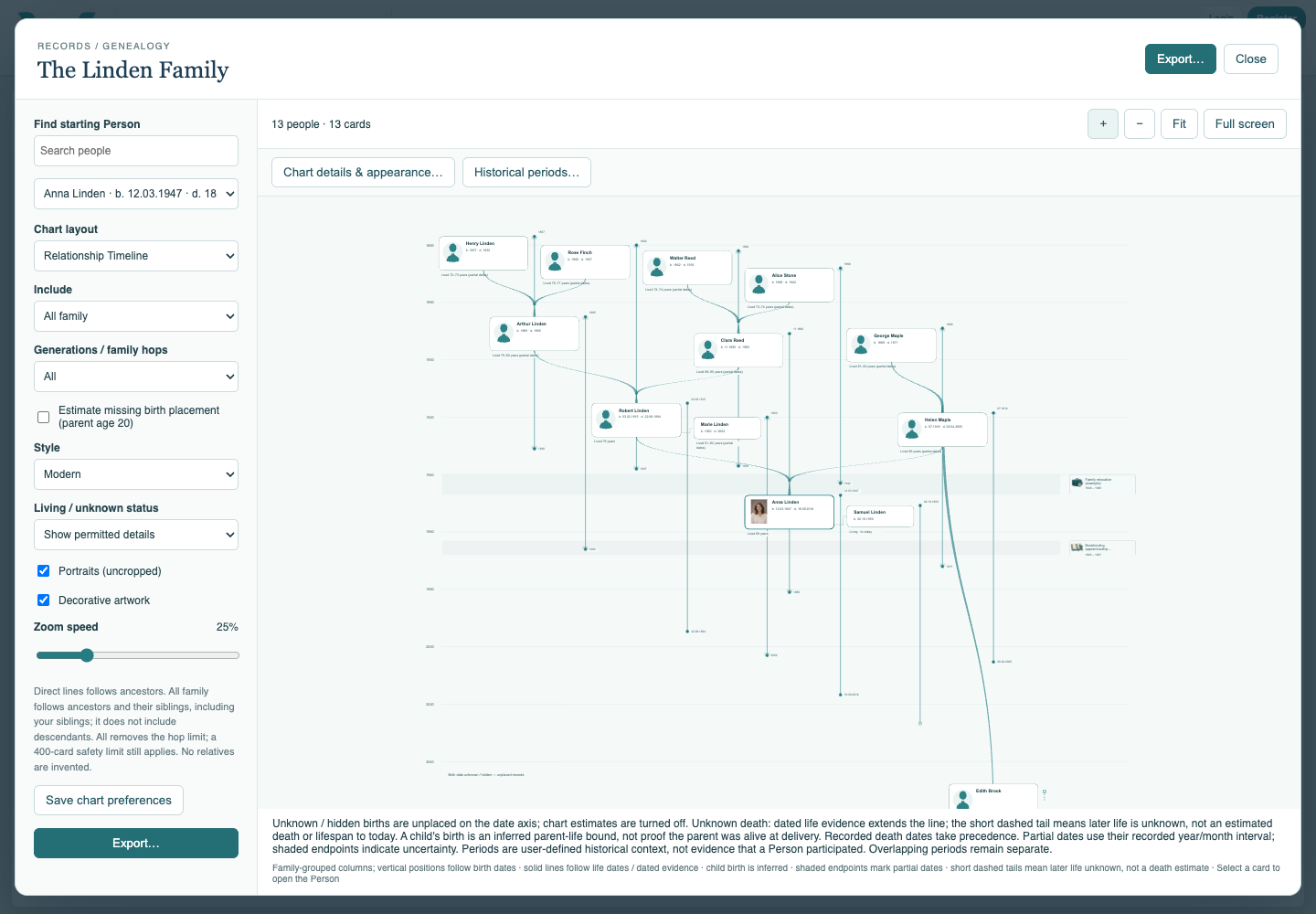
Compare Relationship Timeline
Choose Relationship Timeline to see family connections against dates. Recorded partnership dates and chart-only placement assumptions have different meanings.
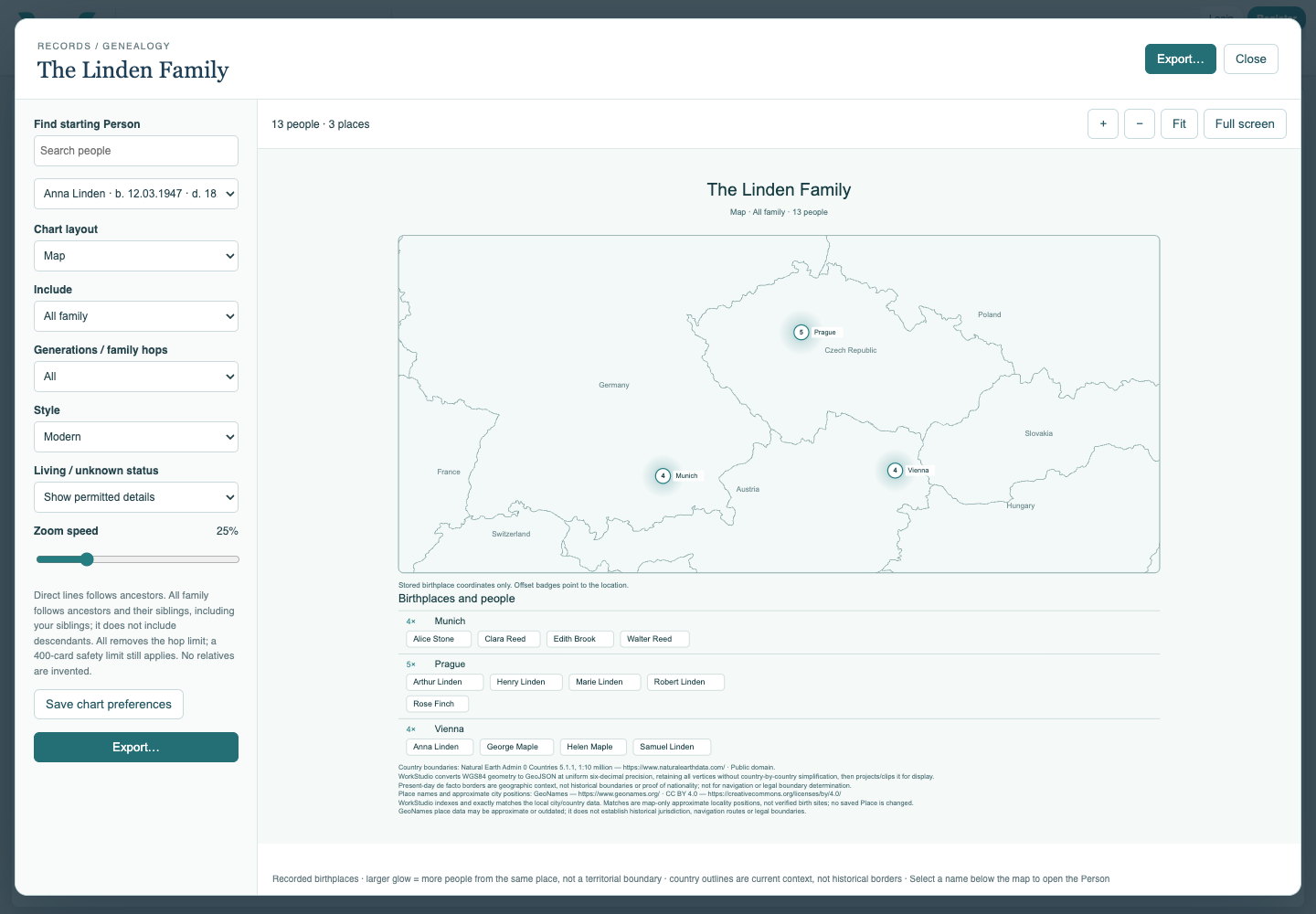
Compare Map and save a preferred view
Choose Map for the birthplaces. Inspect the place counts and Person names, then return to your preferred layout. Save chart preferences and save the collection or export your local .ca copy.
Enable JavaScript to use reading progress and usefulness ratings.