
Film and Movie Records
Organize a personal film collection with covers, metadata, storage locations, personal ratings, and a media-focused reading view.
A Film / Movie is a normal Records entry with a purpose-built reading view. Its properties can hold the original title, names in other languages, release year, format, run time, genres, content rating, personal rating, director, cast, languages, subtitles, edition, series, storage location, and front or back cover images.
Create the record manually, or choose AI Assist. AI can look up a movie from the title you enter or analyze selected front and back cover images. Before analysis, Records shows the estimated credits and time and explains what is sent to the configured AI service. Suggestions remain editable and can be incomplete, so confirm the title, language, year, people, and every other value before creating the record.
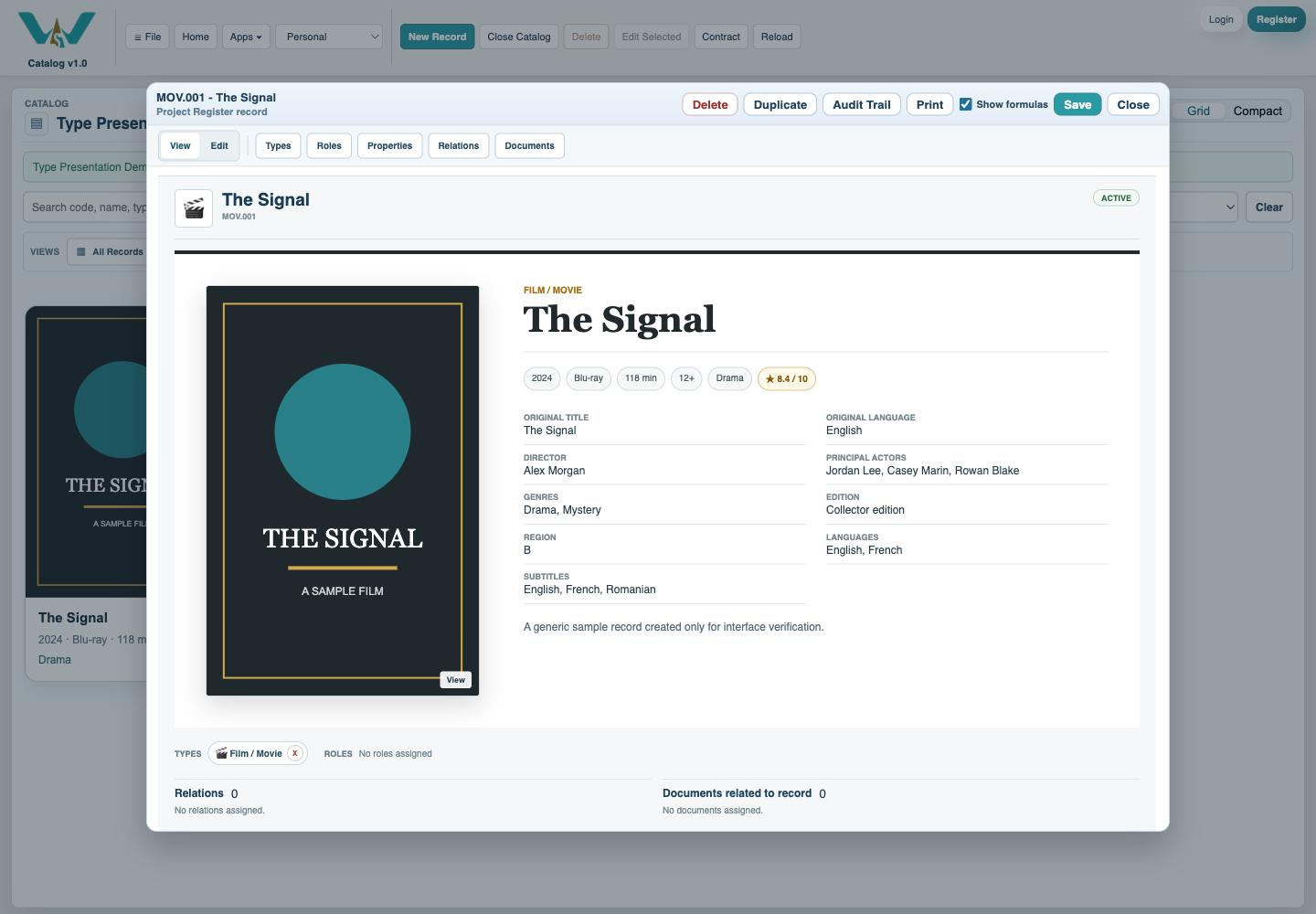
Use the Film view for a focused list or choose one of its grid densities when covers matter more than table columns. Opening a Film presents the poster and principal details together; Edit continues to use the normal property controls.
Cover files remain attached to the record. Location can refer to a Location record, which makes a shelf, room, box, or other storage place reusable rather than repeated as uncontrolled text. Save the record, then select Save Catalog to persist the collection.
Tutorial: Create and Organize a Movie Collection.
A media-focused Film view
The Film record keeps its cover, principal metadata, and collection details together.
Enable JavaScript to use reading progress and usefulness ratings.