
JPEG, HEIC, PNG, TIFF and RAW: choose a format for the job
Keep originals, understand what conversion can lose and choose practical formats for photographs, screenshots, editing and long-term access.
There is no single best image format for capture, editing, sharing and preservation. A small file that opens everywhere is useful for delivery; a richer original may be more useful for future editing. The practical solution is often an original plus a clearly identified access copy.
Begin by asking what the recipient must do: view a photograph, inspect small text, edit colour, print at a given size or preserve the capture. File extension alone does not answer questions about resolution, compression settings, colour profiles or metadata.
JPEG: practical for photographic delivery
The common JPEG used for photographs normally uses lossy compression. Re-encoding can discard additional detail, particularly around sharp edges and text. Copying the file or merely opening it does not itself degrade the image.
An existing JPEG does not recover lost detail by being converted to TIFF. Keep the original and make editing or delivery copies as needed. The Library of Congress explicitly distinguishes preserving an existing JPEG from repeatedly modifying and recompressing it. Library of Congress: personal digital archiving.
For a site photograph sent to a client, a high-quality JPEG copy can be appropriate when its detail remains sufficient. Check the actual exported file at the intended viewing size rather than assuming the “high quality” setting means the same thing in every application.
Inspect real compression, using the same pixels
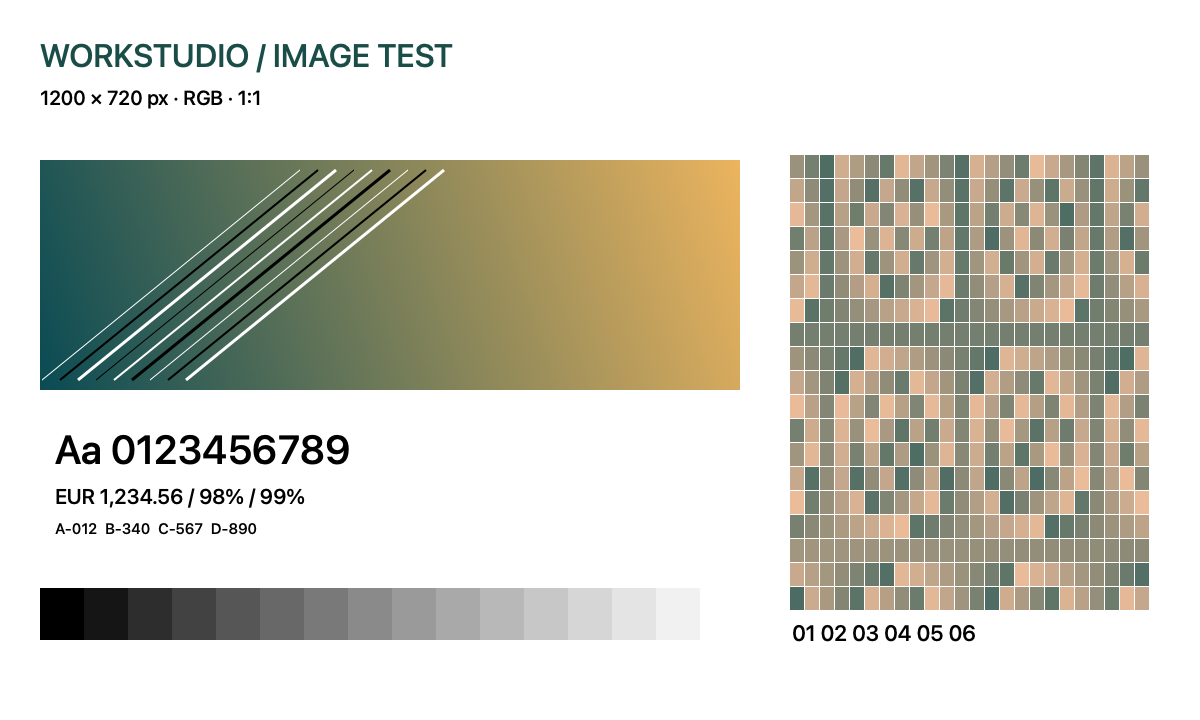
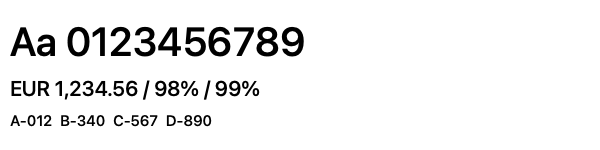
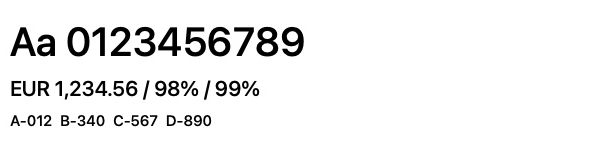
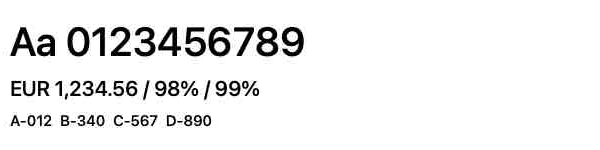
This original synthetic test chart contains fine text, diagonal lines, a gradient and coloured detail. Its sharp lines and small lettering make compression artefacts easy to compare. All full-size exports start from the same 1200 × 720 sRGB drawing; the JPEG files are independent exports, not successive recompressions.
HEIC and HEIF: efficient capture, check the recipient
HEIF is an image-file format framework; HEIC files commonly contain HEVC-compressed images. Compatibility depends on the reader and the specific content. Apple's documentation explains that sharing or USB transfer may convert media to more compatible formats, while original-preserving options are available. Apple: HEIF and HEVC media.
For a phone archive, retain the original when possible and export a JPEG copy for a recipient who cannot open it. Check whether export preserves the colour appearance, orientation and needed metadata. For motion-associated captures, confirm that both still and video components are retained where the motion matters; one exported still is not the complete experience.
PNG: useful for sharp graphics and transparency
PNG uses lossless image compression and supports an alpha channel for transparency, as specified by W3C. PNG specification. It is often useful for screenshots, interface illustrations and graphics with sharp edges.
Lossless storage does not make the source better than it was. Saving a blurry screenshot as PNG preserves the blur faithfully. Photographic PNG files can also be much larger than a suitable JPEG delivery copy; compare the actual outputs rather than choosing by slogan.
TIFF and RAW: keep editing needs visible
TIFF can hold high-quality raster images and is common in preservation and imaging workflows, but its compression, bit depth, layers and other options affect compatibility. Do not assume every TIFF is uncompressed or that every reader supports every TIFF variant.
RAW is a family of camera formats, not one finished-picture format. The rendered appearance can depend on the processing application, profile and settings. Preserve relevant sidecar files or edit records along with the capture when they are needed to reproduce the work.
The Library of Congress's Recommended Formats Statement identifies preferred and acceptable formats and metadata for its collecting context. Library of Congress: still-image formats.
| Format | Useful for | Check before handoff |
|---|---|---|
| JPEG | Photographic access and delivery copies | Detail after compression; repeated re-encoding loses information |
| HEIC / HEIF | Efficient capture/storage where supported | Reader, transfer conversion and metadata |
| PNG | Screenshots, sharp graphics, transparency | Source quality and size; lossless does not restore missing detail |
| TIFF | Raster masters in a defined imaging workflow | Compression, bit depth, colour profile and reader compatibility |
| RAW | Camera capture for later interpretation and editing | Camera/application support, sidecars and a separate approved rendering |
A worked set of three deliveries
For a fictional building survey, retain the camera originals with their identifying information. Produce JPEG copies for a client report after checking small details and removing unnecessary sensitive metadata from the distributed copy. Keep the unmodified controlled originals.
For a software tutorial, capture the interface at a readable size and use PNG when it preserves the small text cleanly. Do not repeatedly resize the same delivery image; regenerate from the source at the required dimensions.
For a photograph requiring substantial colour work, retain RAW and edit information, save an appropriate high-quality working master and export the final viewing copy. Record which file is the approved rendering so another person does not mistake an unprocessed preview for the final result.
File size is not a quality score
A 4,000 × 3,000 pixel image contains twelve million pixels. At three eight-bit colour channels, the uncompressed pixel data alone is about 36 MB in decimal units, before metadata and other structure. Compression, bit depth, image content and added data change the actual stored size.
A larger file is therefore not automatically sharper. Converting a small JPEG to a large TIFF can increase storage without adding captured information. Upscaling can also increase dimensions without recovering the original scene's missing detail.
| File / download | Bytes | KiB | What was exported |
|---|---|---|---|
| PNG | 259,812 | 253.7 | Lossless source export |
| JPEG 0.90 | 148,670 | 145.2 | Higher encoder quality |
| JPEG 0.20 | 48,021 | 46.9 | Lower encoder quality |
| HEIC 0.90 | 65,232 | 63.7 | Native HEIC export; reader support needed |
| TIFF | 3,459,582 | 3378.5 | Native TIFF export of the same drawing |
Sizes are measured from these files; 1 KiB = 1024 bytes. The quality numbers are parameters of this macOS ImageIO encoder, not universal quality scores. The samples show sharp graphics. Repeat the comparison on your own photographs, which compress differently. The HEIC contains the same generated drawing; preserve camera RAW files separately when you need the sensor capture.
Verify the handoff
Open the exported file in a second intended viewer, inspect fine detail and colour, and confirm orientation and necessary metadata. Keep originals, working masters and delivery copies clearly related. Preservation also needs copies, checks and future readability; continue with Keeping files usable for twenty years.
Enable JavaScript to use reading progress and usefulness ratings.