
Exporting Planning & Assignments to PDF
Explains Current month, Selection, and All exports; landscape calendars; closed-item options; detail fields; summaries; REF charts; numbering; and PDF navigation.
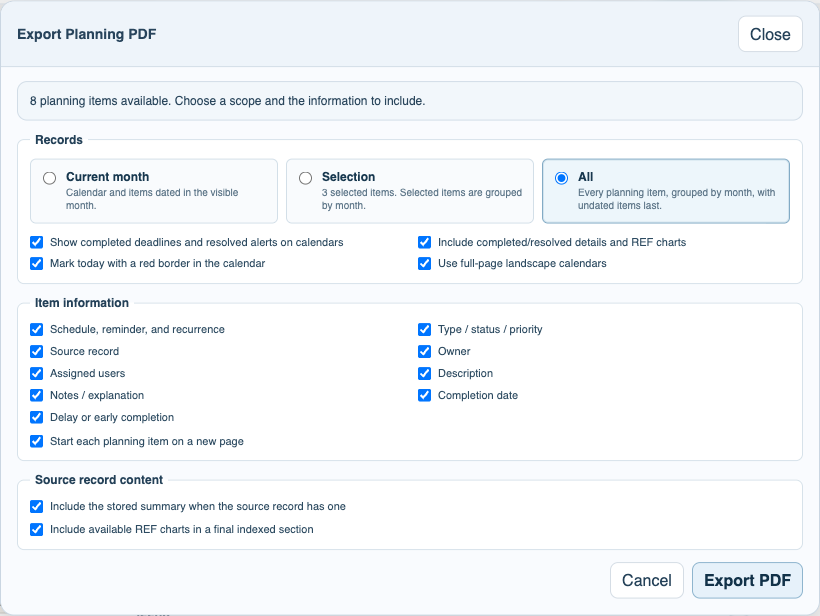
Open Planning & Assignments and choose Export PDF. FileStudio shows the export options every time so the packet can match its purpose.
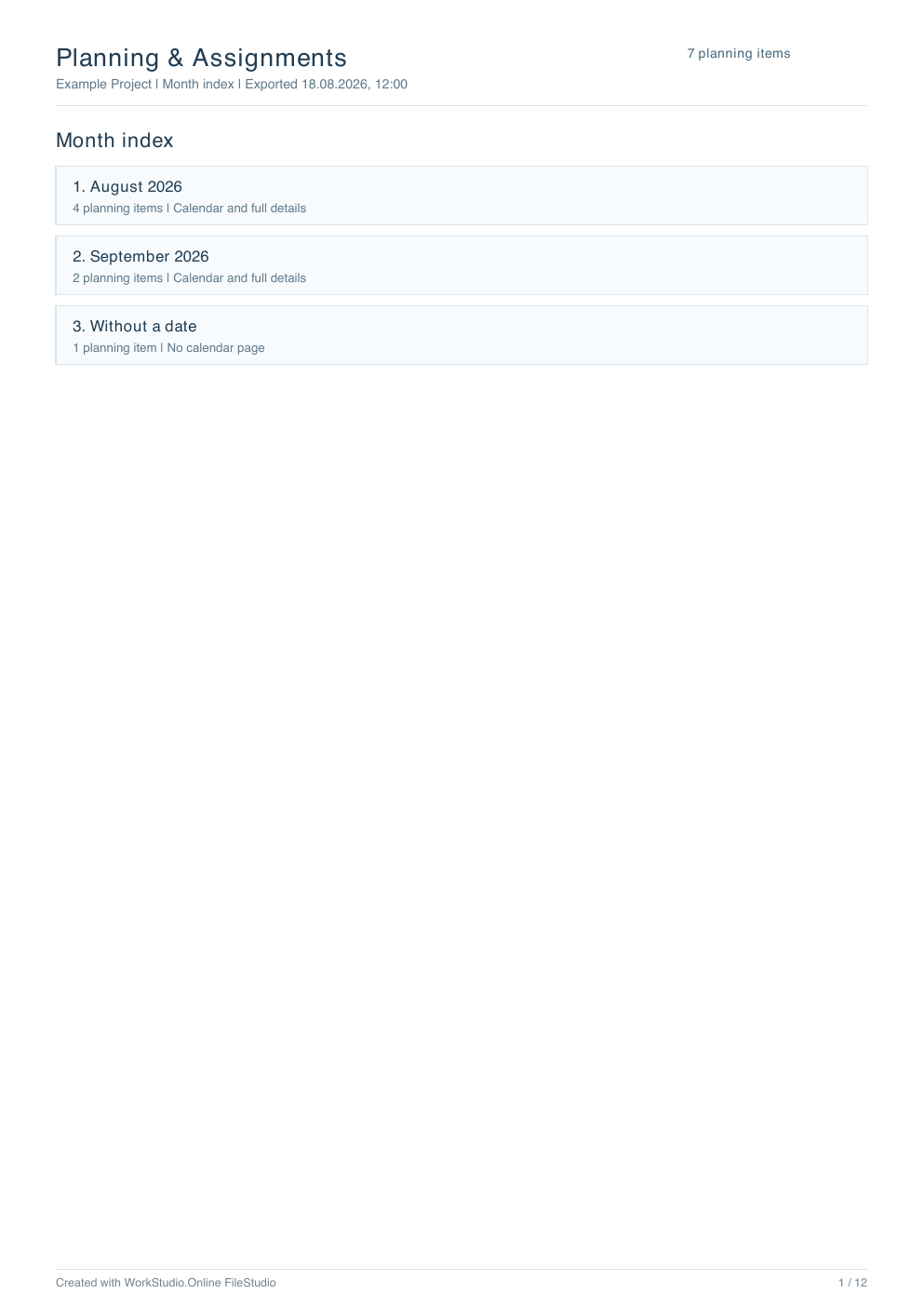
Current month exports the visible month calendar followed only by that month's item details. Selection exports the selected planning items. All exports every planning item. Selection and All are grouped by month, start with a clickable month index, place each month calendar before that month's details, and put undated items last.
Use Show completed deadlines and resolved alerts on calendars when closed work should remain visible for context. Turn off Include completed/resolved details and REF charts when closed items should stay grey on calendars but should not add detail or REF pages. Their original item number is still reserved, so the calendar and detail list can read 1, 2, 4, 5 instead of renumbering the remaining records.
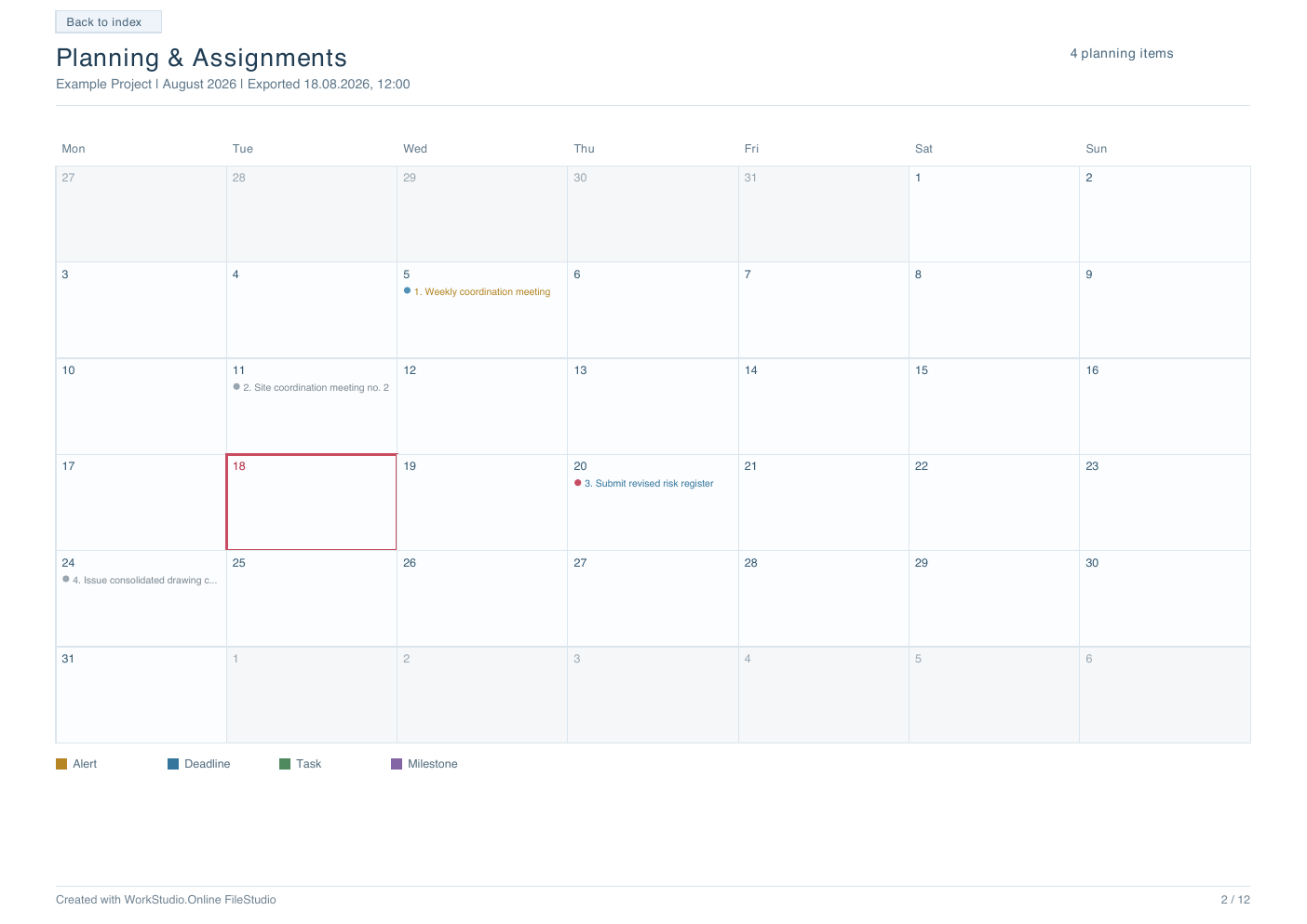
Mark today with a red border identifies the export date on each calendar. Use full-page landscape calendars makes every calendar page landscape while the month index, item details, and REF pages remain portrait.
Choose exactly which detail fields to include: schedule, type/status/priority, source record, owner, assigned users, description, notes or explanation, completion date, and delay or early completion. Start each planning item on a new page is useful for formal issue packs or handwritten review notes.
Source-record options can include the saved summary and available REF chart. Summaries appear inside the corresponding detail item. REF charts are collected after the full planning list in a separate indexed section. The detail item contains Open REF chart Rn; Rn uses the same planning-item number as the calendar and details even when earlier closed details were skipped.
Navigation is built into the PDF. Calendar items link to their detail entry. Detail pages link back to the calendar for Current month exports or back to the month index for Selection and All. A detail item with REF links to its chart page. The REF index links to every chart.
Completed and resolved items are grey in the PDF calendar. Priority dots remain visible for open items. Every page includes Created with WorkStudio.Online FileStudio and page numbering.
Tutorial: Export Planning & Assignments to PDF.
Choose the Planning PDF contents
Scope, closed-item behavior, calendar orientation, detail fields, page breaks, summaries, and REF charts are selected for every export.
Month index for Selection and All
The index links to each month calendar and keeps undated planning items in a separate final group.
Full-page landscape calendar
Landscape mode gives calendar labels more room while detail and REF pages remain portrait.
Enable JavaScript to use reading progress and usefulness ratings.