
Organize WBS, Completion and Document Expiry
Create Submission sections as a root WBS, then Company evidence, Commercial offers and Delivery and review as children. Use Parent Project / WBS / Phase.
Use real WBS / Phase records for reusable hierarchical sections, or enter a section name used only by this package. Parent WBS records group descendants. Section notes belong to this package; a general WBS note is not copied automatically. Tags support another grouping without changing the WBS.
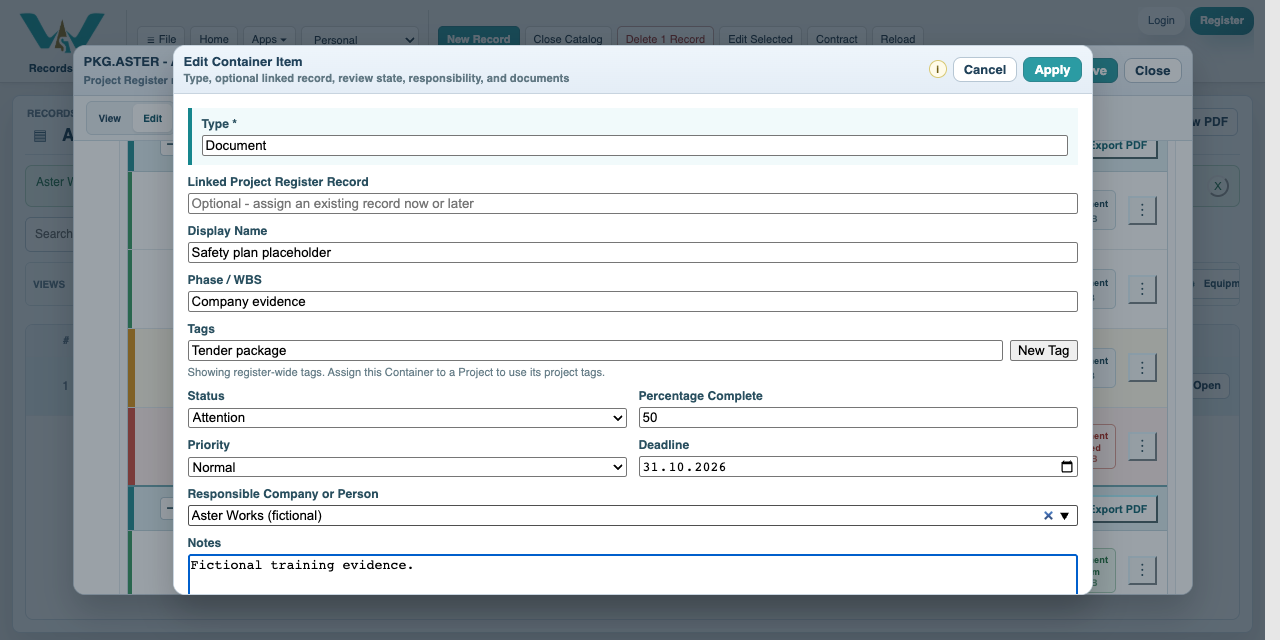
Each item has Status, Percentage Complete, Priority, Deadline, Responsible and Notes. Completed sets 100%; partial progress is not the same as a completed item count. Our twelve-item example has nine Completed items, one Attention item at 50%, one Blocked item at 0% and one Not Started requirement without a document. Overall completed/total progress is 9 / 12 = 75%, not the average of item percentages. Expiry remains an independent check even for an item marked Completed.
A Document Type can provide a default validity rule. Enter Issue Date and choose Days, Months, Years or Exact date as appropriate; inspect the calculated Expiration. The insurance example expires 2026-09-01. The declaration expires 2026-10-15, before the package deadline 2026-10-31. The latter needs attention even when still valid today. Date-dependent warnings change as time passes.
The Show filter offers All, Attention, Blocked and Expired. Attention selects the explicit Attention status; it is not a filter for every unfinished item. Set Deadlines can apply a common deadline to all items or only those without one. The screen option for item percentages and PDF progress options are separate.
All companies, prices, quantities, dates and documents are fictional examples. They demonstrate the software, not real offers, project evidence or commercial advice.
Organize WBS, Completion and Document Expiry
Follow the on-screen click instructions and highlighted controls. Field entry moves more quickly; pause or use chapters whenever needed. All companies, prices, quantities, dates and documents are fictional examples. They demonstrate the software, not real offers, project evidence or commercial advice.
Create the section hierarchy
Create Submission sections as a root WBS, then Company evidence, Commercial offers and Delivery and review as children. Use Parent Project / WBS / Phase.
Assign each package item
Select the Phase / WBS on each item, or type a package-only separator. Add a primary tag and a package section note where useful.
Set responsibility and progress
Assign Aster Works as Responsible. Set the safety-plan example Attention at 50%, insurance Blocked at 0%, and the other examples Completed at 100%.
Set a common deadline
Choose Set Deadlines and apply 2026-10-31. Review whether all items or only empty deadlines should change.
Apply document validity
Set insurance Issue Date 2025-09-01 and validity 12 months. Set the declaration Exact date to 2026-10-15. Inspect the resulting warnings.
Review the package
Use Attention, Blocked and Expired. Switch grouping between Phase / WBS, Primary Tag, Responsible and Status to review different aspects of the same items.
Enable JavaScript to use reading progress and usefulness ratings.