
Style a Family Chart for Printing
Select useful details, compare themes and choose a readable paper size.
Use an editable chart with a modest number of relatives. Start with Branching Tree; card controls vary for Radial and Map.
All people and stories in these screenshots are fictional. Photographs were generated for these examples. The sample collection opens locally; changes to it do not save to your online collection automatically.
Choose the visible details
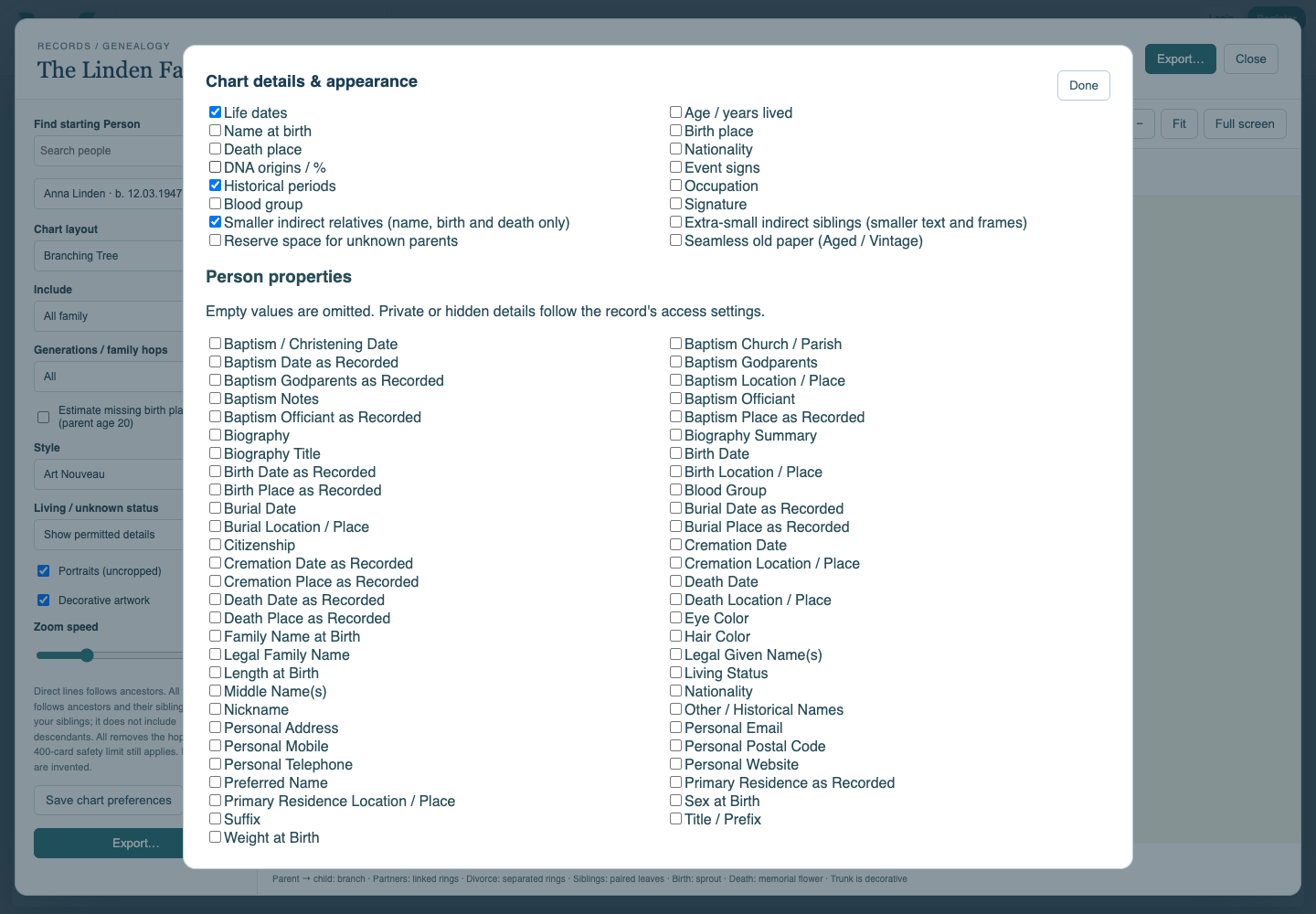
Open Chart details & appearance. Enable Life dates and the other fields you need. Use smaller indirect relatives to keep secondary branches compact, then choose Done.
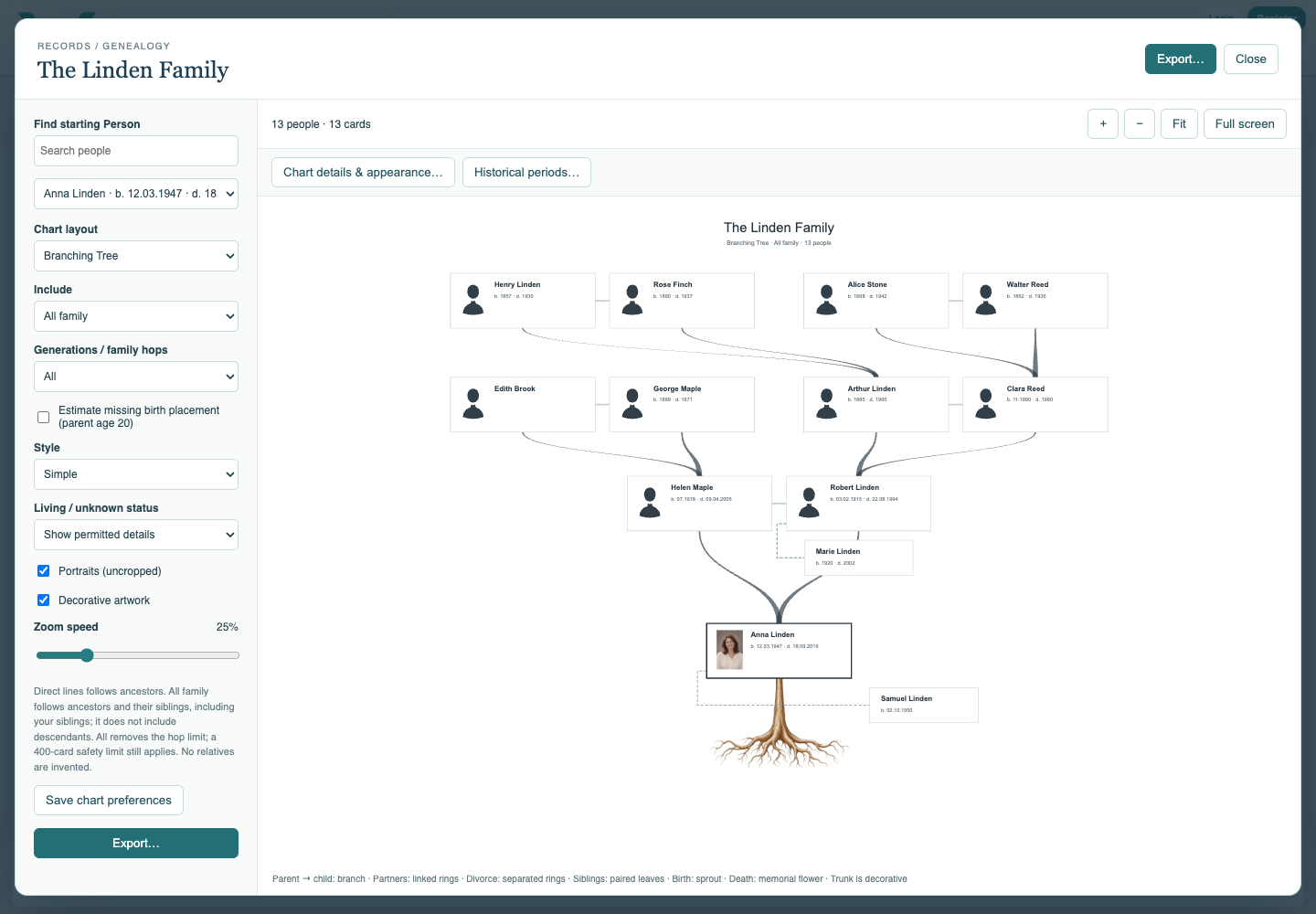
Try Simple
Choose Simple for a restrained chart. Compare with Modern and check whether every name is readable at your intended scale.
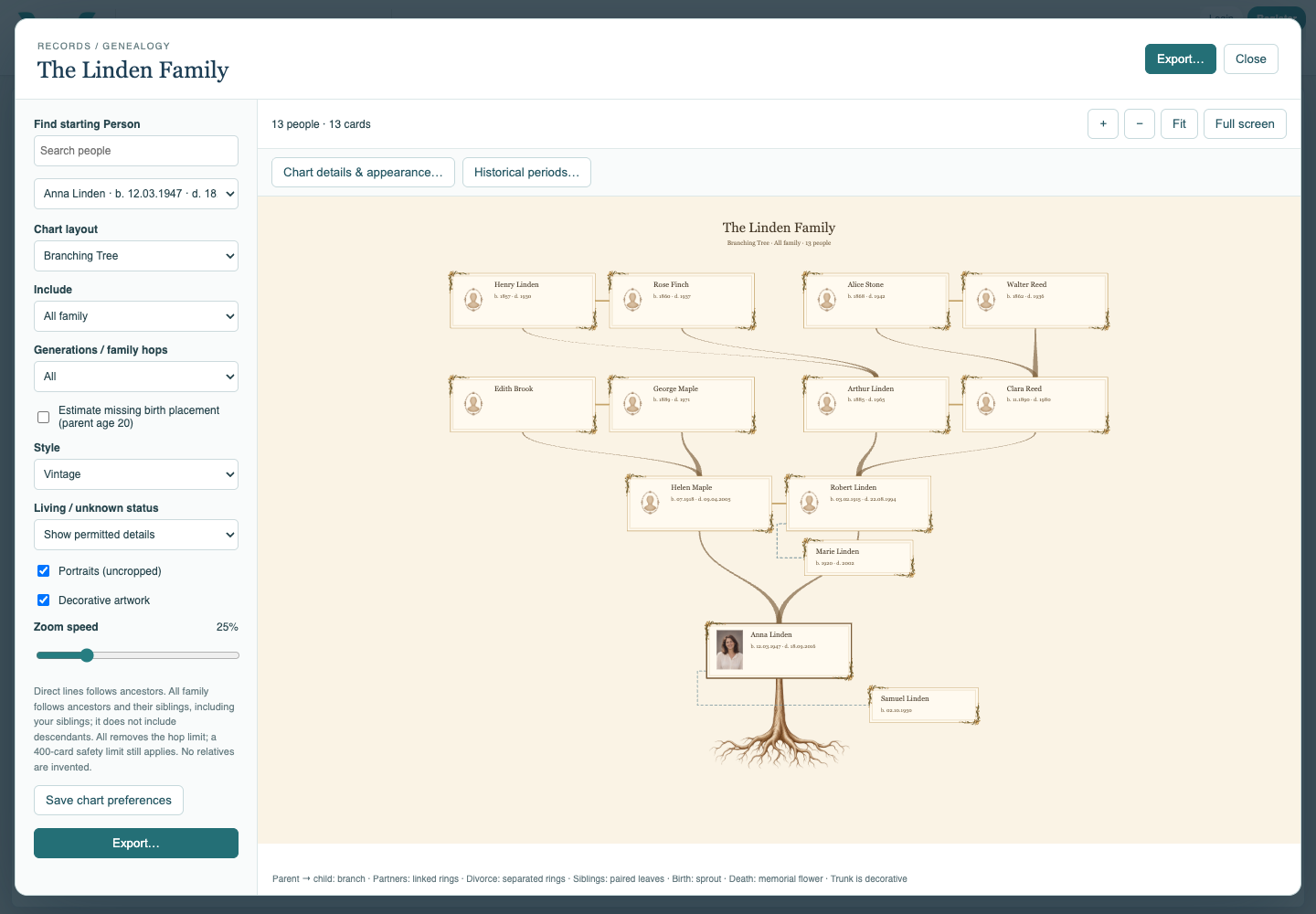
Try Vintage
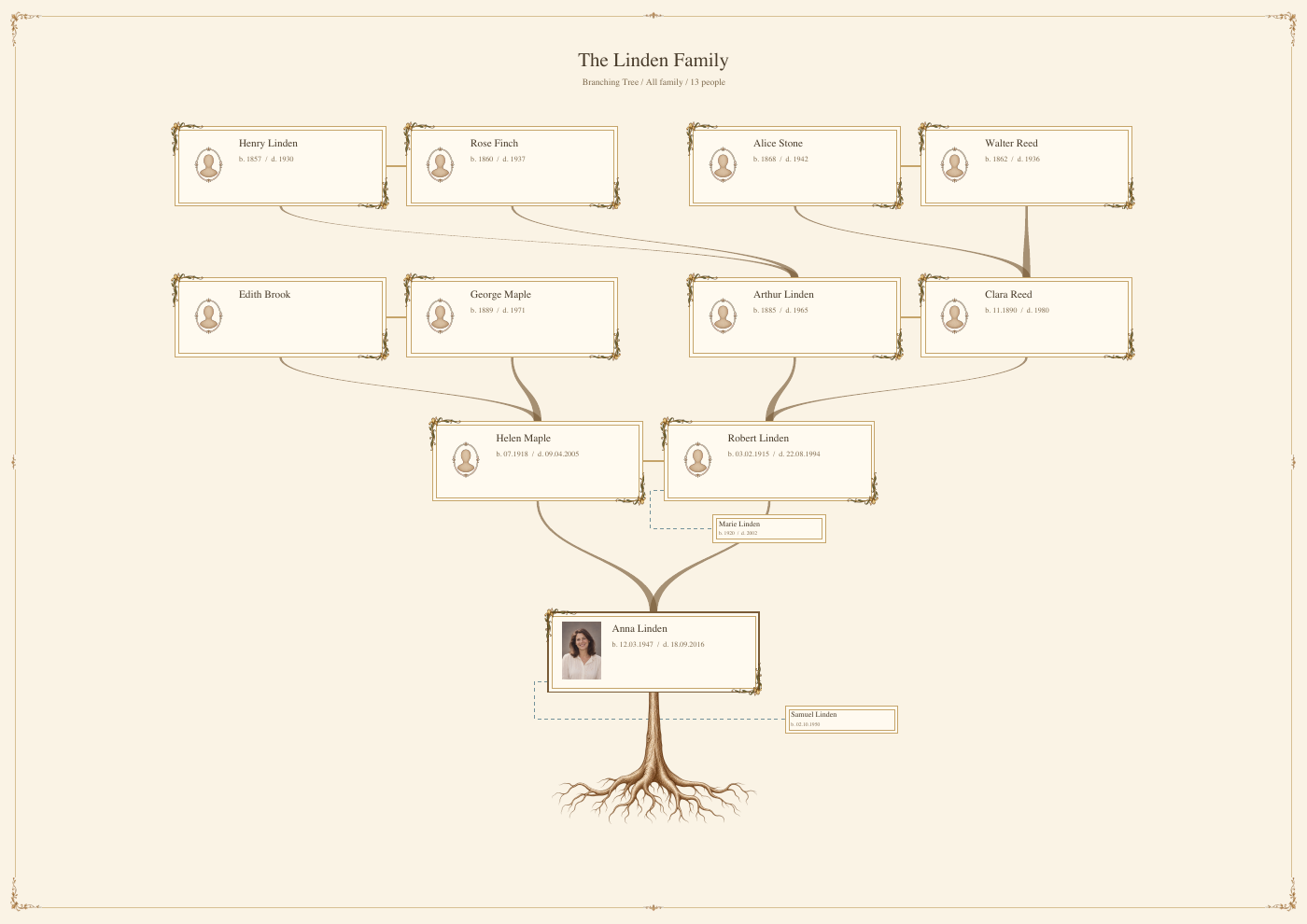
Choose Vintage. Decorative artwork is separate from Portraits, so compare those choices independently. Old-paper texture applies to Vintage and Aged.
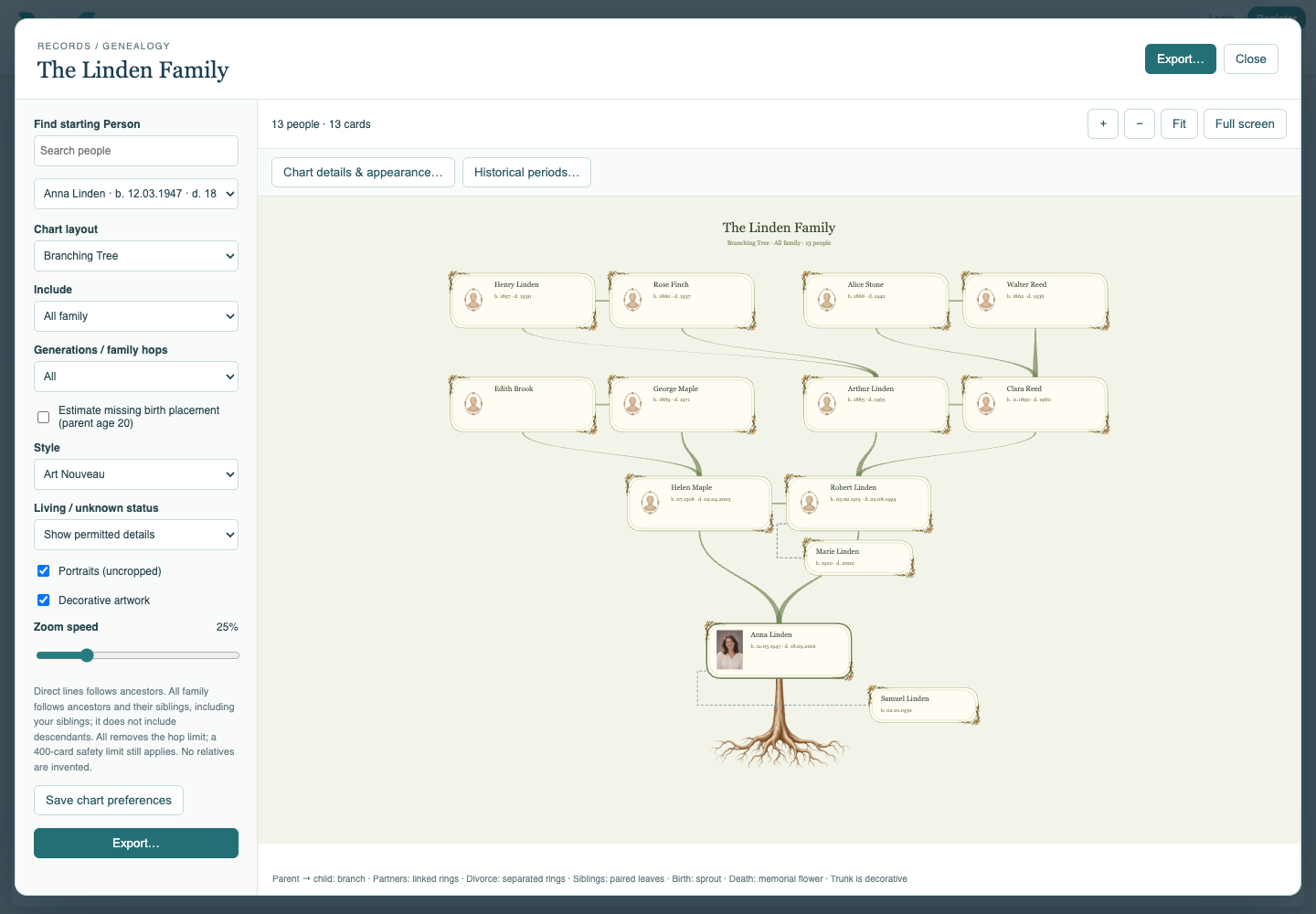
Compare Art Nouveau and Aged
Choose Art Nouveau, then Aged if desired. These are visual themes, not historical evidence. Return to the style you want in the final document and save chart preferences.
Set the print page
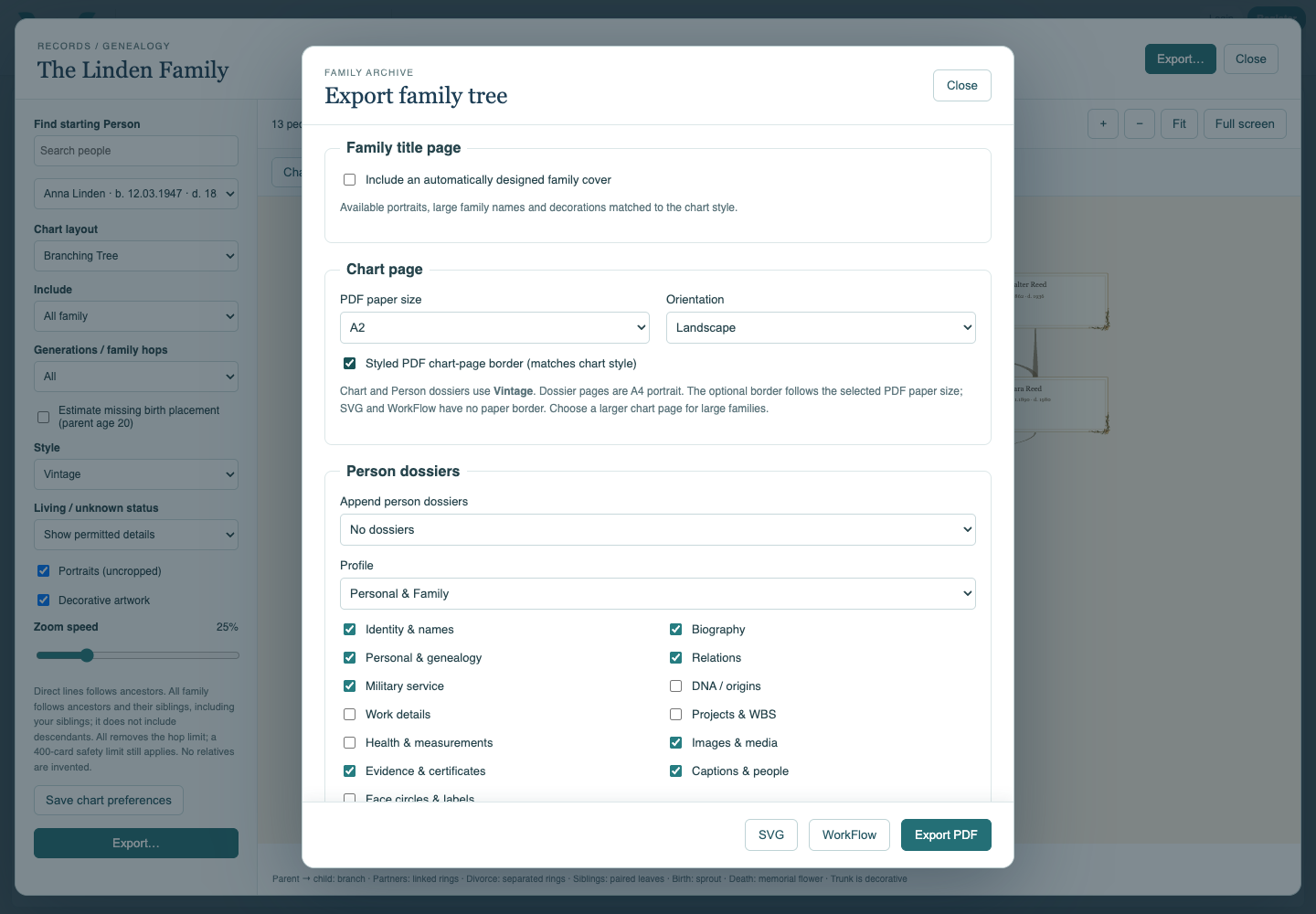
Choose Export, select chart paper and orientation, and optionally enable the styled PDF chart-page border. Use larger paper or fewer relatives if the small-print warning appears.
Inspect the exported page
Export PDF and open the downloaded file. Check names, dates, margins and artwork at the intended print size. Save the collection separately; the export itself does not save your edits.
Enable JavaScript to use reading progress and usefulness ratings.