
Compare Family Scope and Privacy
See how ancestry, family hops and privacy change the selected family.
Open an editable Family Tree. This example uses Anna’s ancestors and siblings; the sample also includes her partner and child to make scope differences visible.
All people and stories in these screenshots are fictional. Photographs were generated for these examples. The sample collection opens locally; changes to it do not save to your online collection automatically.
Select Direct lines
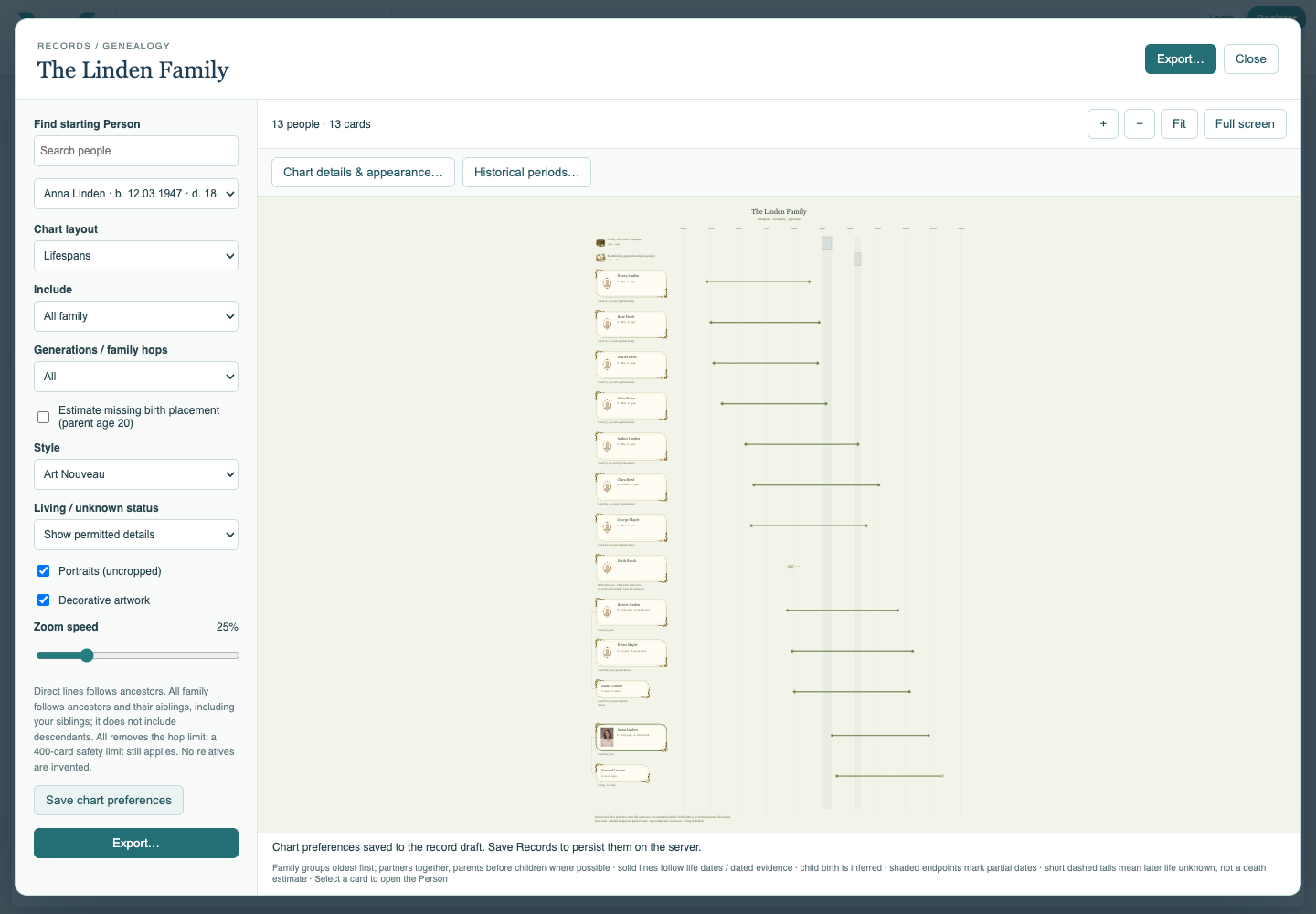
Choose Anna as Starting Person and Direct lines under Include. Trace only the ancestor selection. This is not a descendant chart.
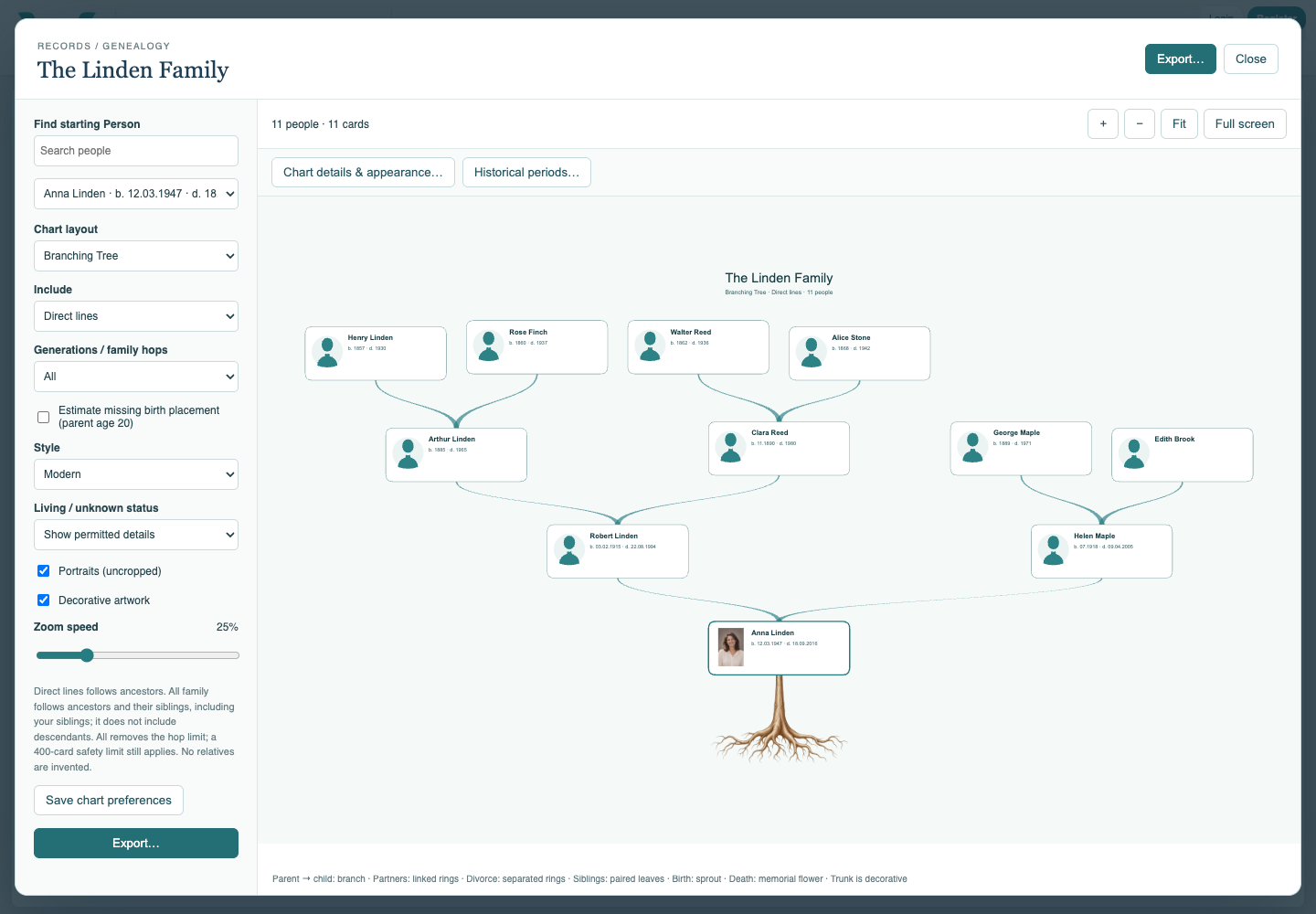
Add the wider ancestor family
Change Include to All family. Compare Anna’s sibling Samuel and her father’s sibling Marie. James and Elena are not automatically included simply because they are connected to Anna.
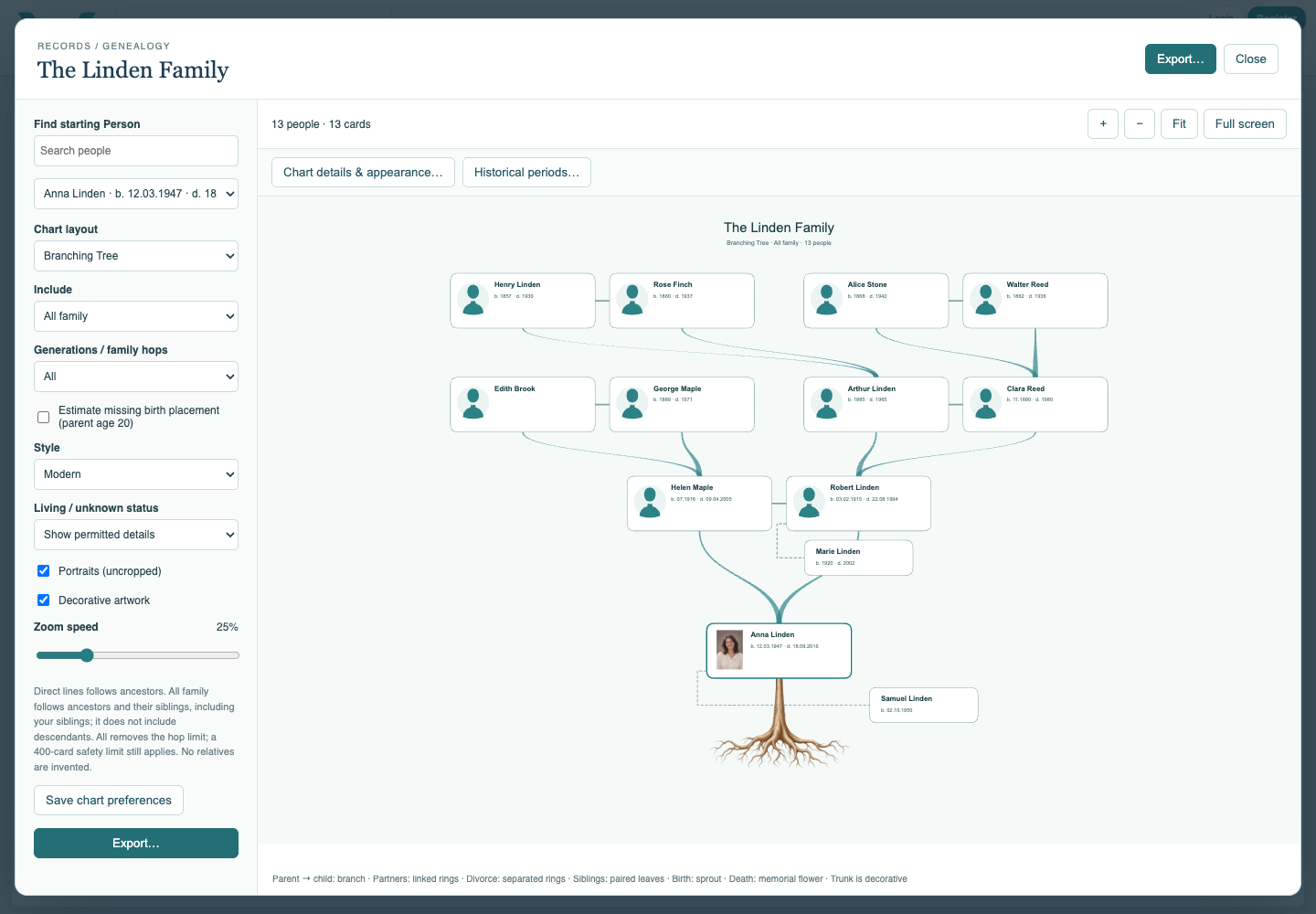
Limit the family hops
Select a smaller Generations / family hops value and compare the count. Restore All to remove the hop limit; the 400-card safety limit remains.
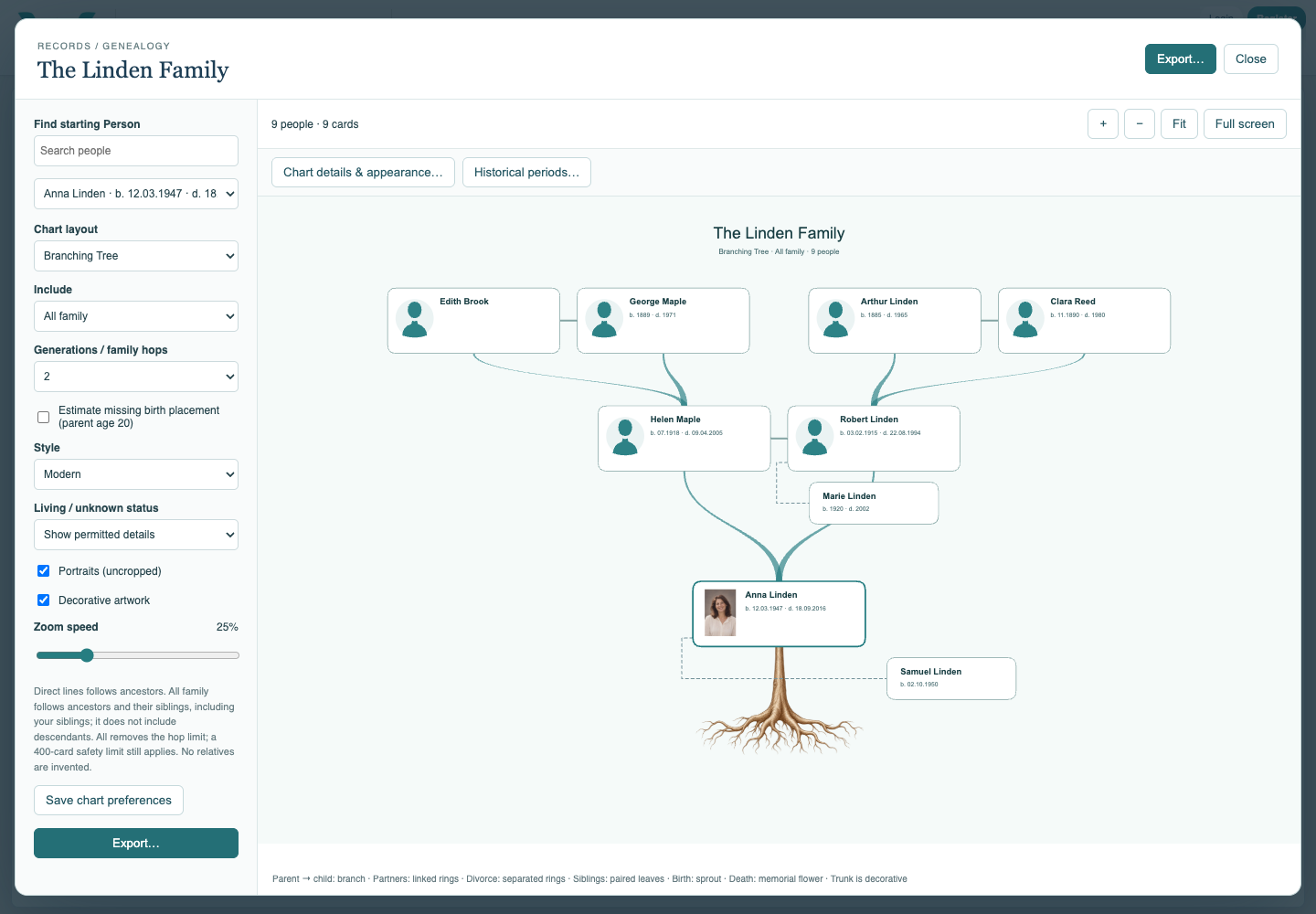
Hide private details
Select Hide private details under Living / unknown status. Compare the living or unknown-status people. Review photographs and narrative text separately before sharing.
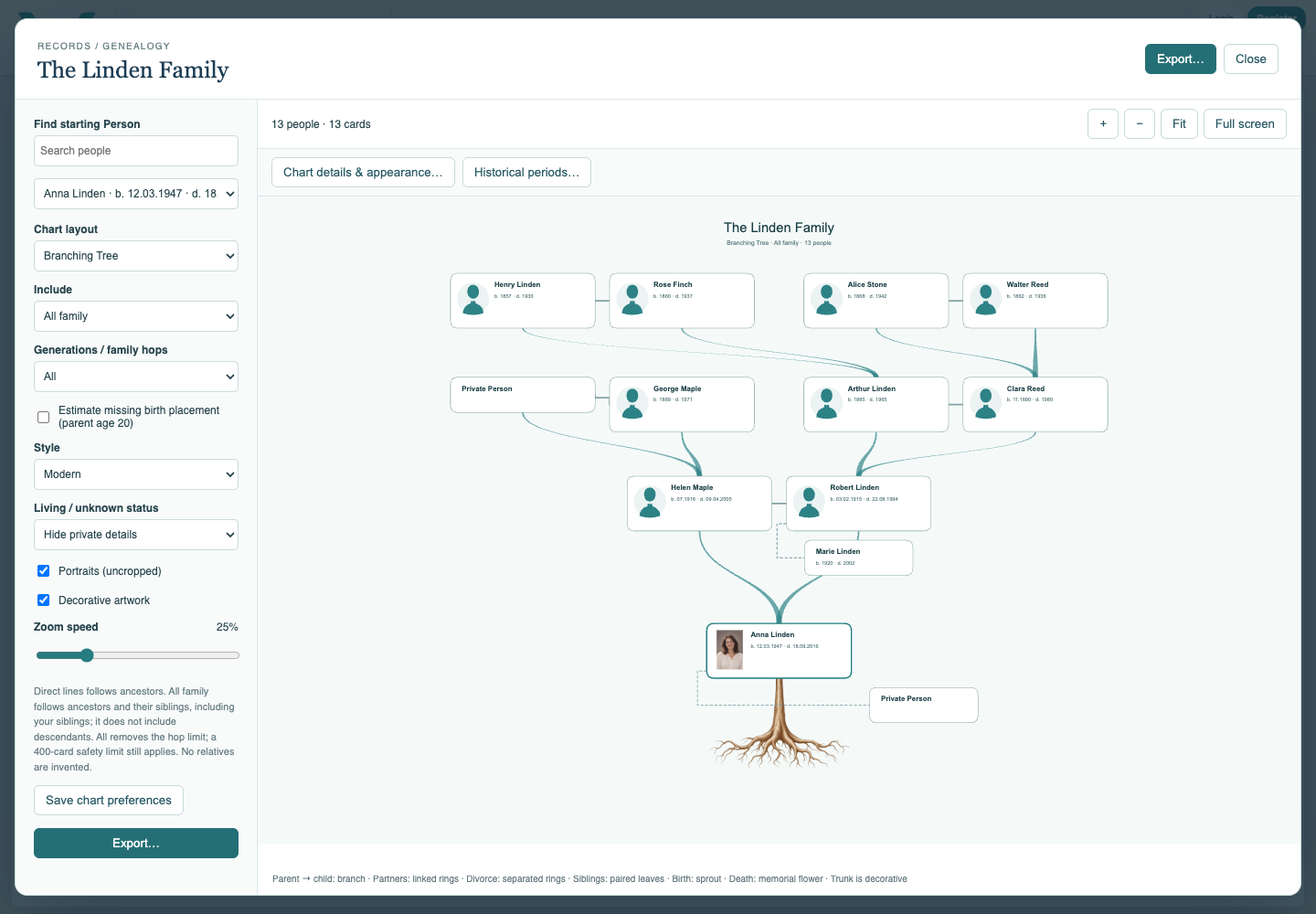
Save the selection before using Documents
Choose Save chart preferences, close the chart, and save the collection. The Family Documents aggregation follows saved chart settings. Keep an exported .ca copy when practicing locally.
Enable JavaScript to use reading progress and usefulness ratings.