
Add Dates and Historical Context
Keep uncertainty explicit while adding your own family periods.
Use the sample’s incomplete dates to explore the difference between a record and a chart estimate. The periods in this tutorial are invented personal context.
All people and stories in these screenshots are fictional. Photographs were generated for these examples. The sample collection opens locally; changes to it do not save to your online collection automatically.
Keep the original precision
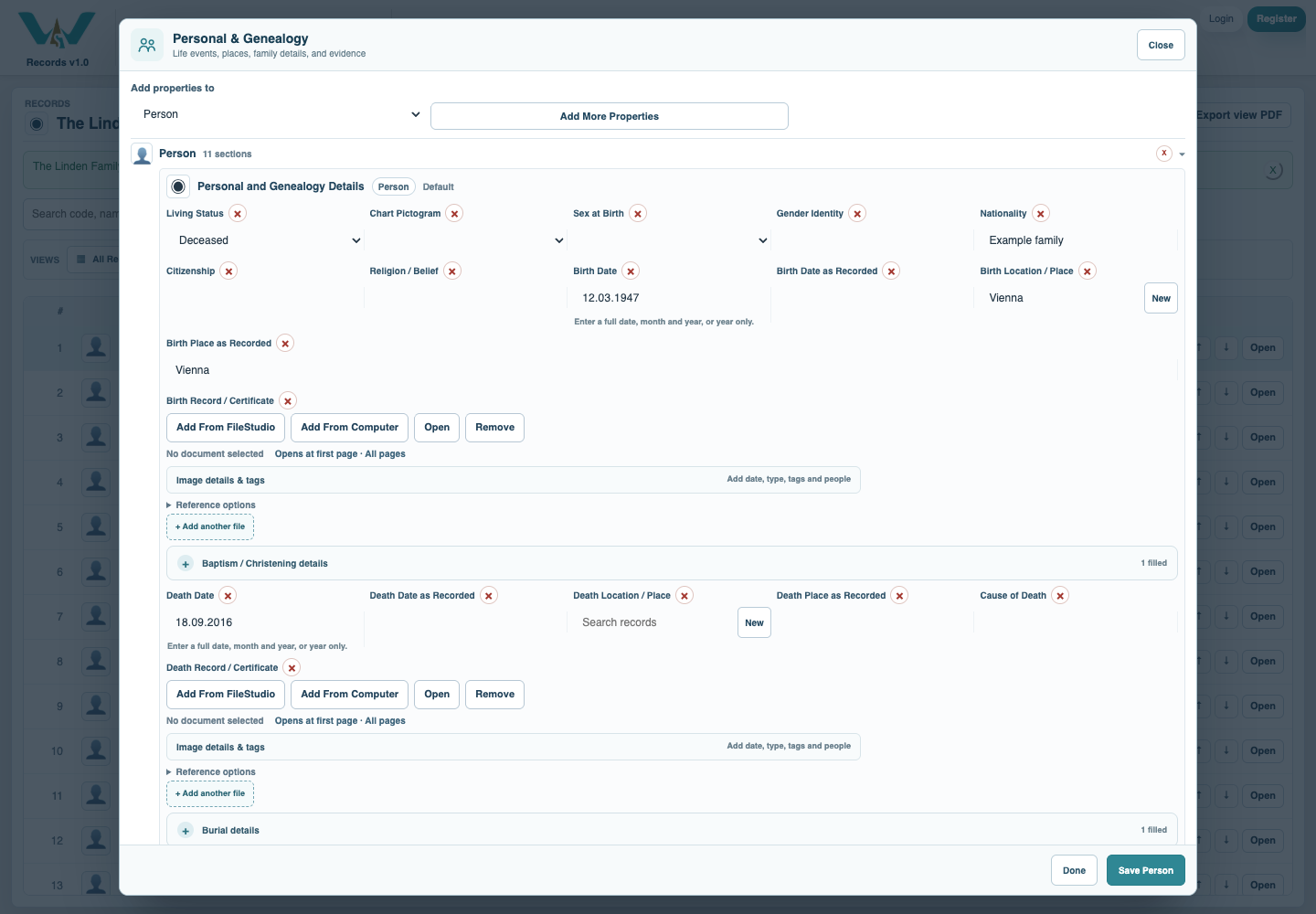
Open a Person’s Personal & Genealogy section. Enter a year, month/year or full date as supported by your source; retain original wording in the as-recorded field. Save the Person.
Inspect known and unknown endpoints
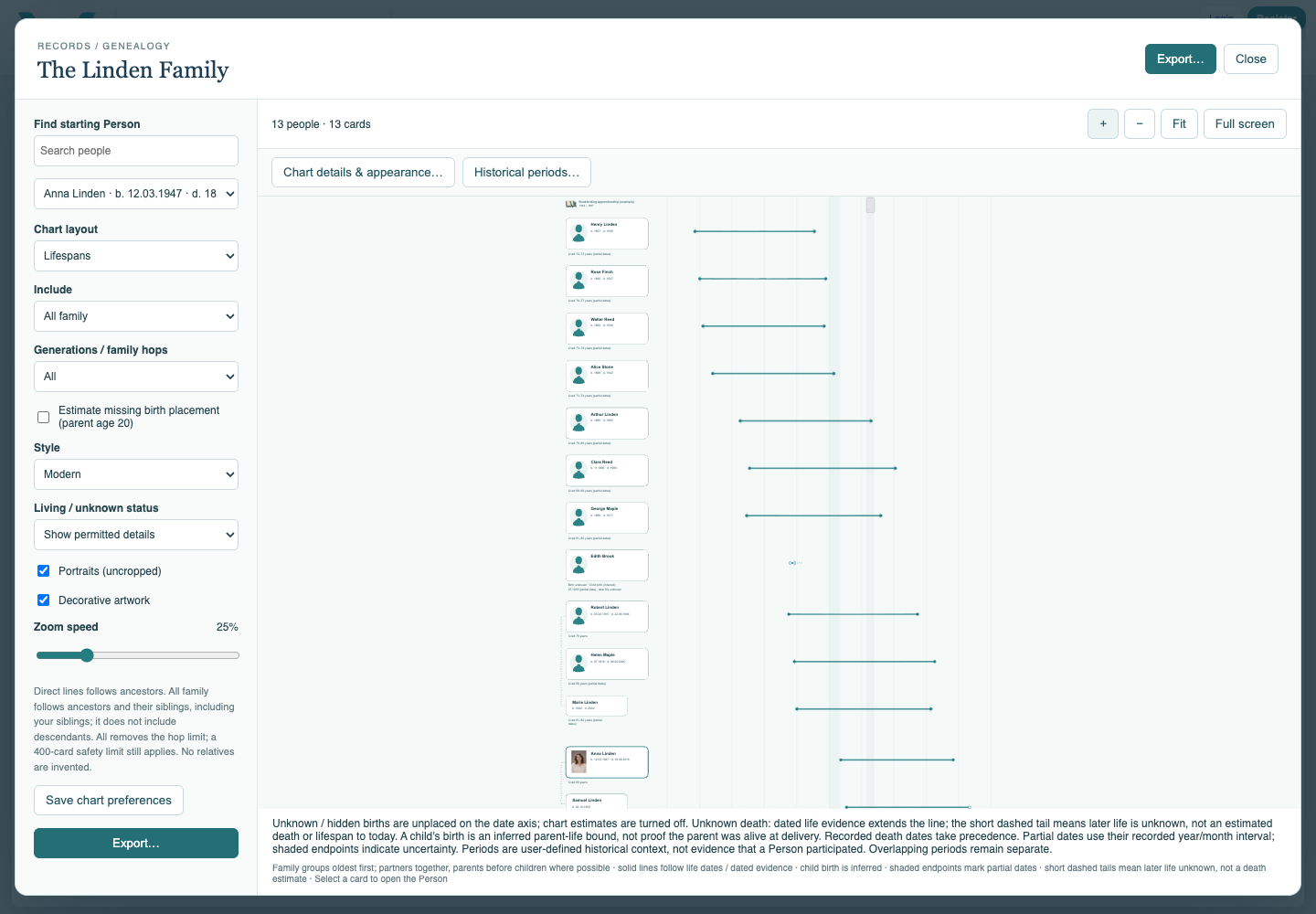
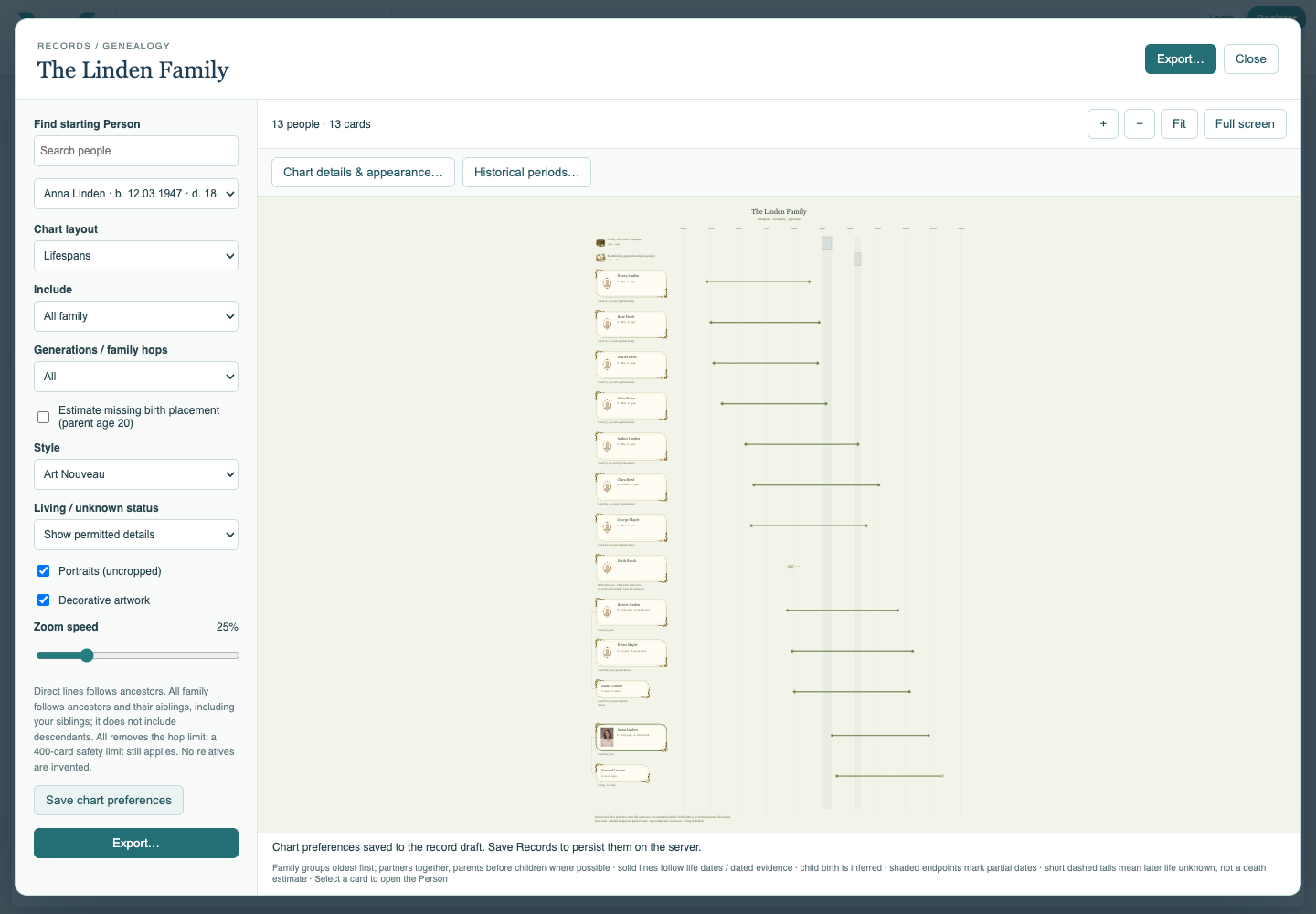
Open Lifespans and find people with complete dates and incomplete information. An evidence date is not a death date. Unknown or estimated segments must not be read as recorded facts.
Define a period
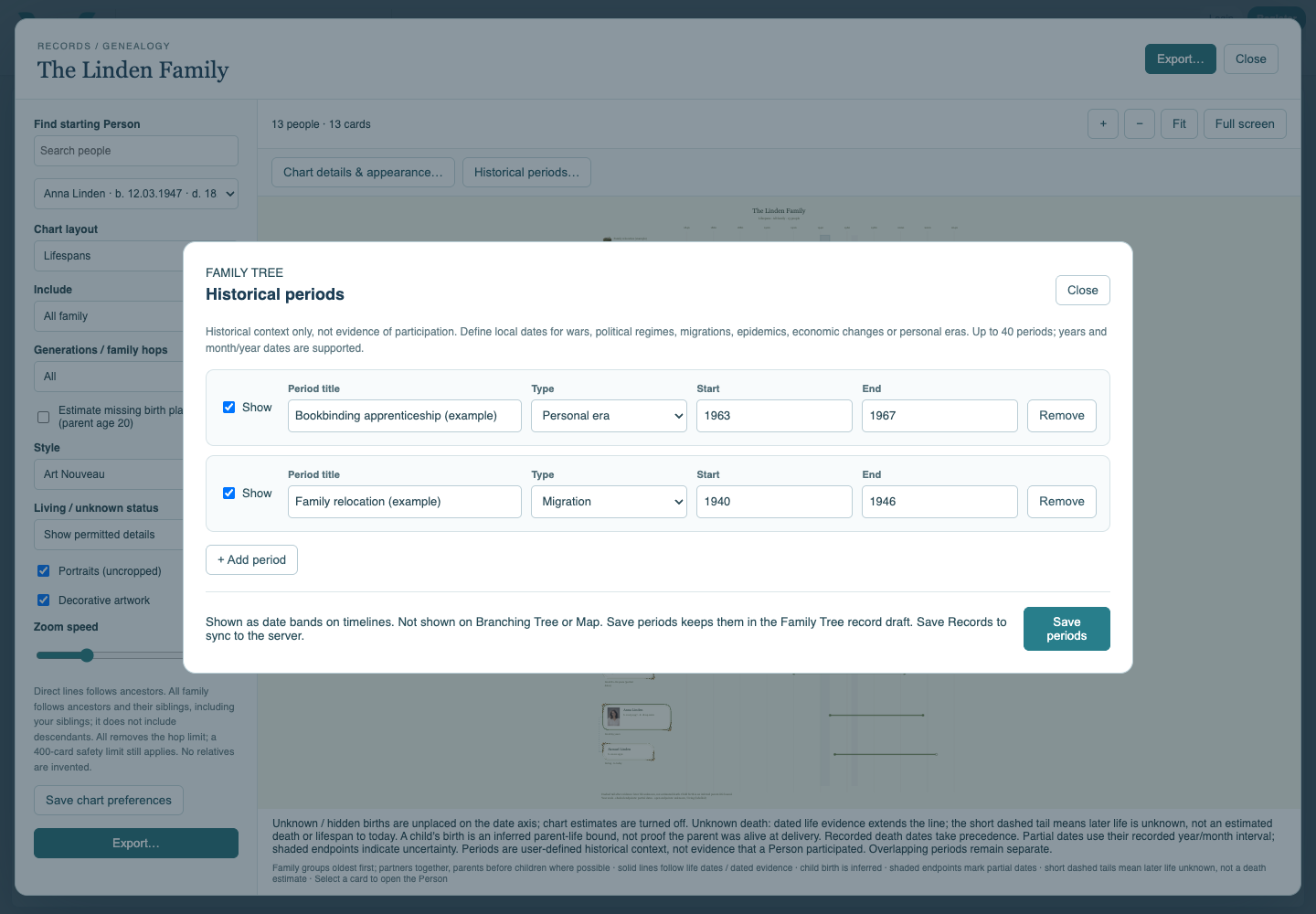
Open Historical periods and add a title, type, start and end. Leave Show checked for periods you want visible. Use the fictional apprenticeship or relocation period for practice.
Read the context bands
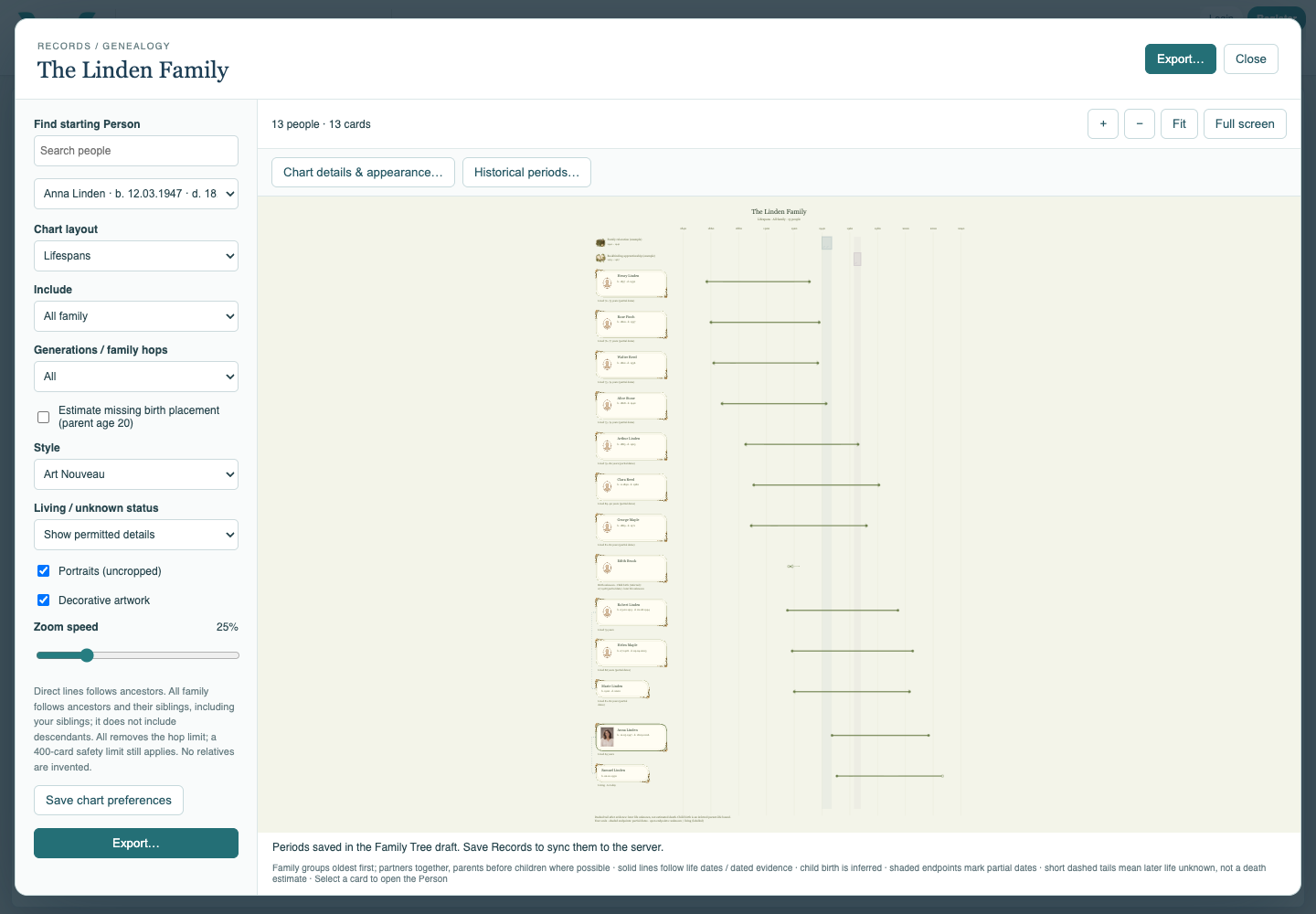
Choose Save periods, then view a chronological chart with Historical periods enabled. Compare the bands to the year axis. The band does not prove a person took part in the event.
Keep the definitions
Save chart preferences and save the collection. For local practice export the updated .ca file. Branching Tree and Map do not show period bands, even though the definitions remain saved.
Enable JavaScript to use reading progress and usefulness ratings.