
Connect Relatives and Their Evidence
Record a parent or partner connection and keep the supporting source with it.
Begin with saved Person records in an editable collection. This walkthrough uses Anna, Robert, Helen and James from the fictional example.
All people and stories in these screenshots are fictional. Photographs were generated for these examples. The sample collection opens locally; changes to it do not save to your online collection automatically.
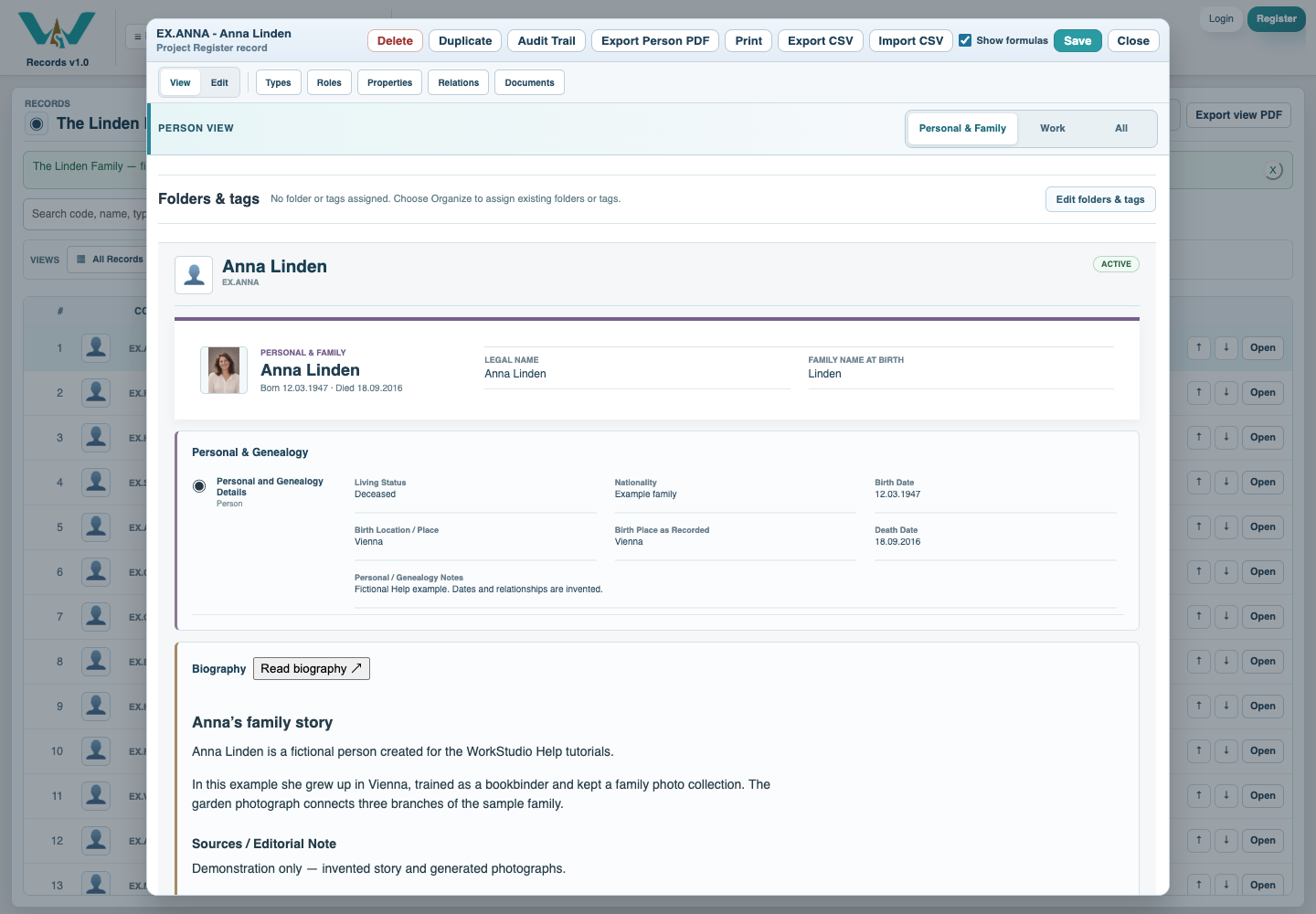
Open the correct person
Find Anna Linden and choose Personal & Family. Check the name before editing so the new relation belongs to the intended owner.
Choose the relationship and target
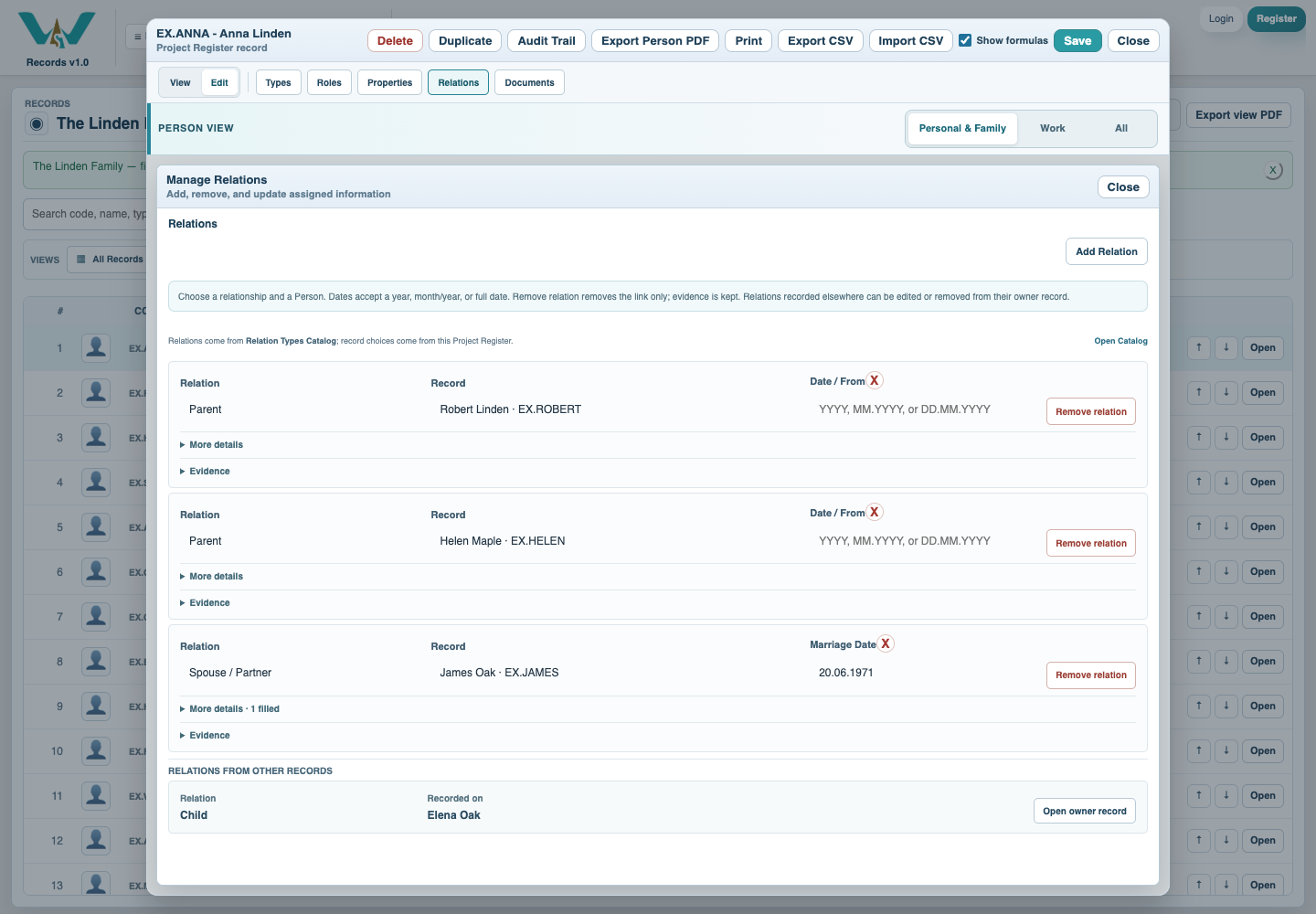
Open Relations. Add a relation if needed, select Parent and Robert Linden, then repeat for Helen. For James select Spouse / Partner. Review existing rows to avoid duplicates.
Record dates and evidence
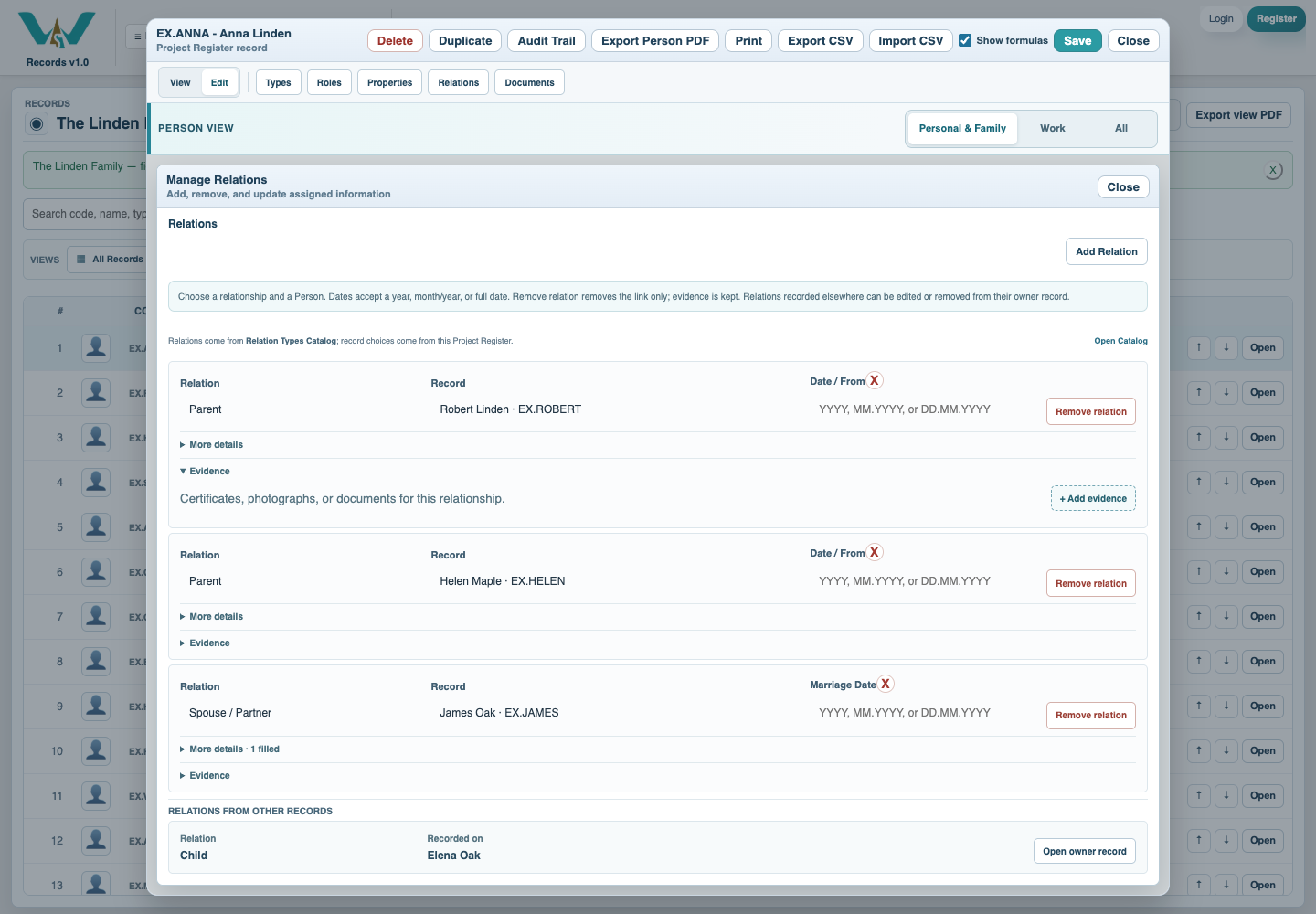
For a partnership enter the known Marriage Date, and open Evidence for a supporting source. Use the example marriage note for practice; it is explicitly fictional. Do not turn an unknown date into an exact date.
Save the owner record
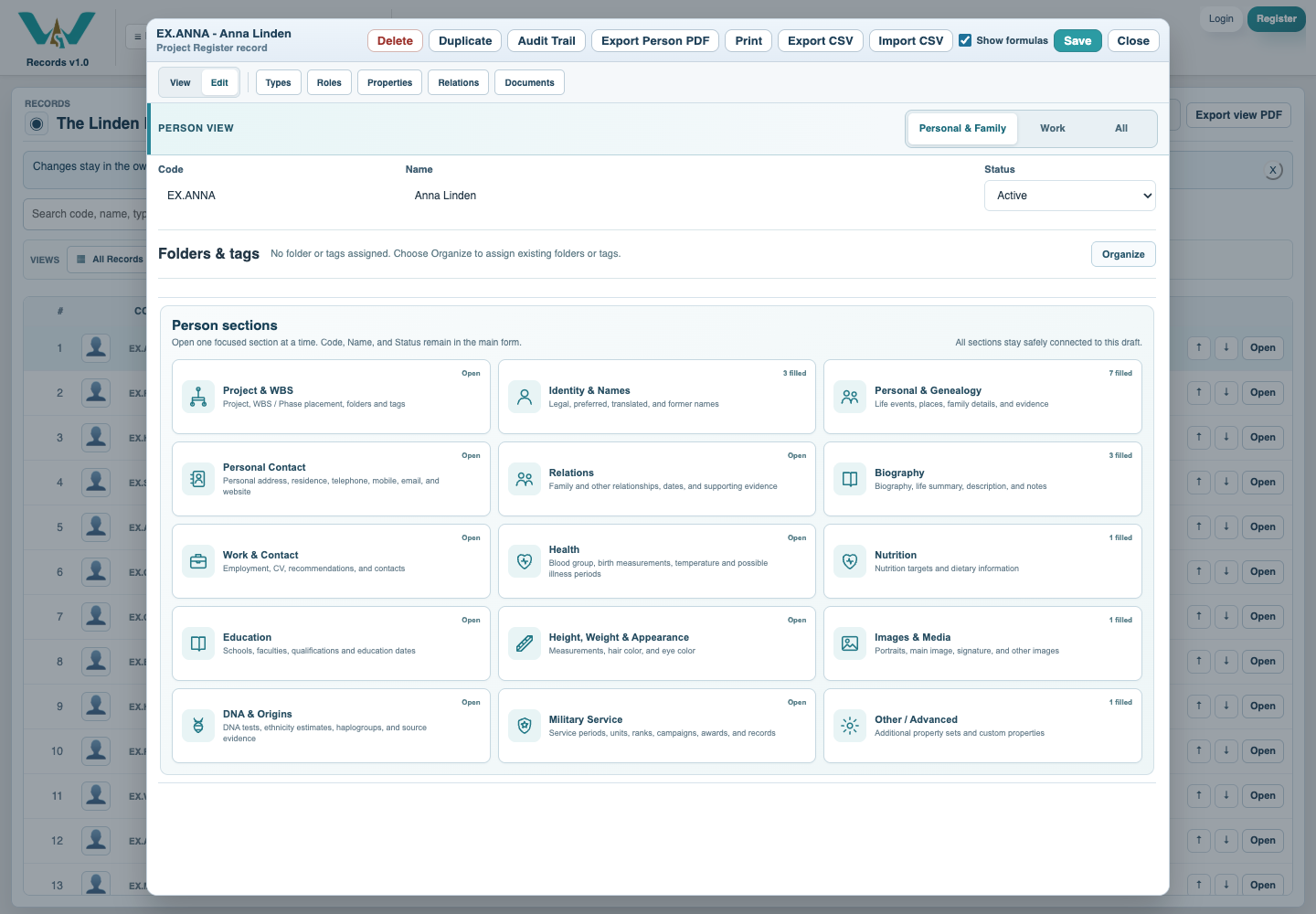
Close the relationship editor and save the Person. If the relation is listed under Relations from other records, open that owner to edit it. Then save the online collection or retain a new local .ca copy.
Check the resulting connections
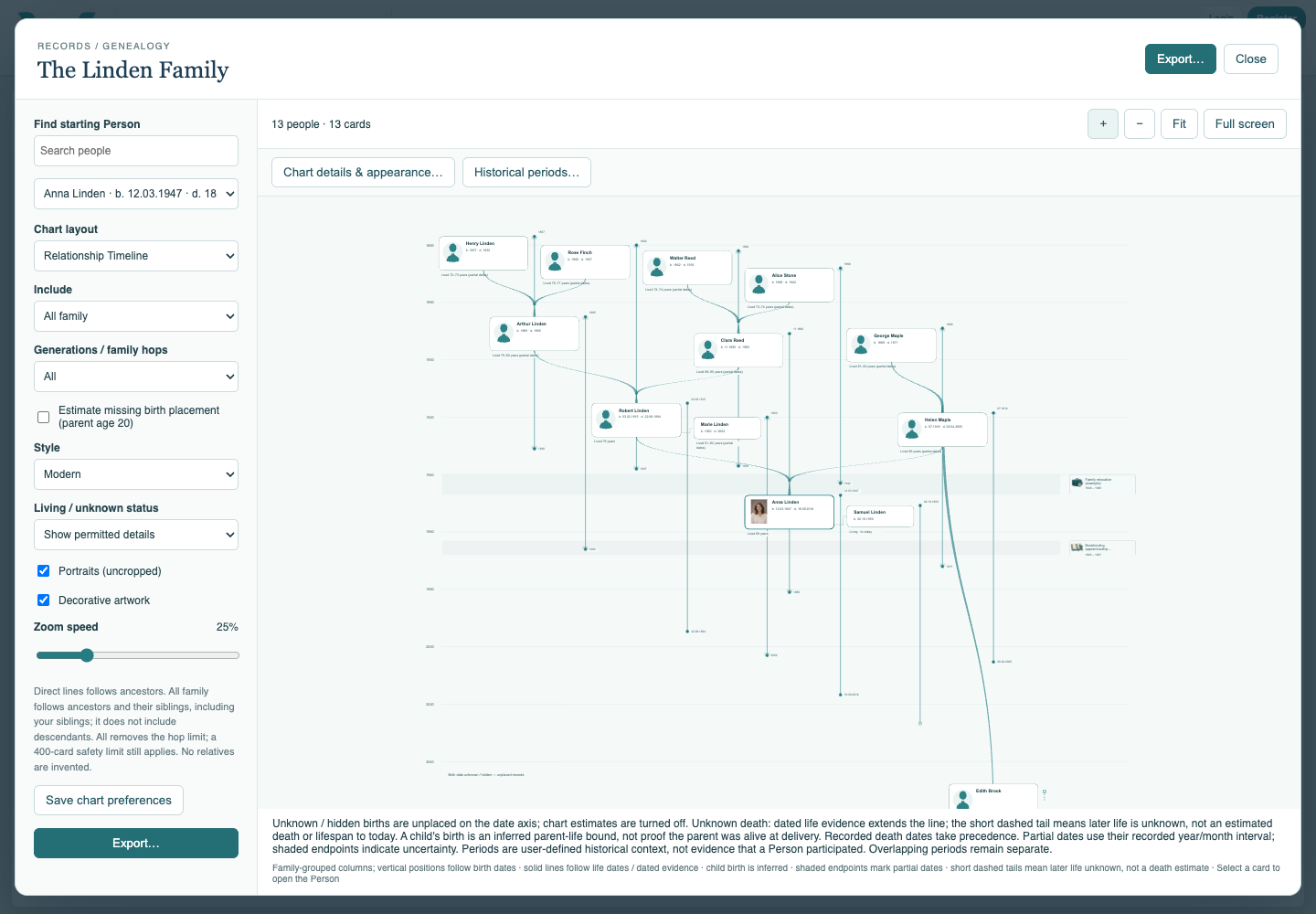
Reopen the chart and compare the relationship routes. A timeline join without a known wedding date can use a placement assumption; it is not evidence of a marriage date.
Enable JavaScript to use reading progress and usefulness ratings.