
Review the month and find what is left to pay
Continue after tutorial 2, or use settled.ca. The example includes a discounted settled email bill and other costs still due.
These guides use fictional practice data and generic EUR amounts. The screenshots show the October 2026 interface. Adapt example dates and planning periods if practicing later. Recording bills and payments does not transfer money.
Before you start
Download settled.ca below, then use File → Open → Computer → Choose .ca file. Work in the separate practice Catalog; save any existing work first.
Code is optional. Use it only if a short reference helps you; you can leave it blank. Number formats can vary with settings.
Online saving requires your usual signed-in account and edit access. Keep computer-only practice by exporting the complete Catalog.
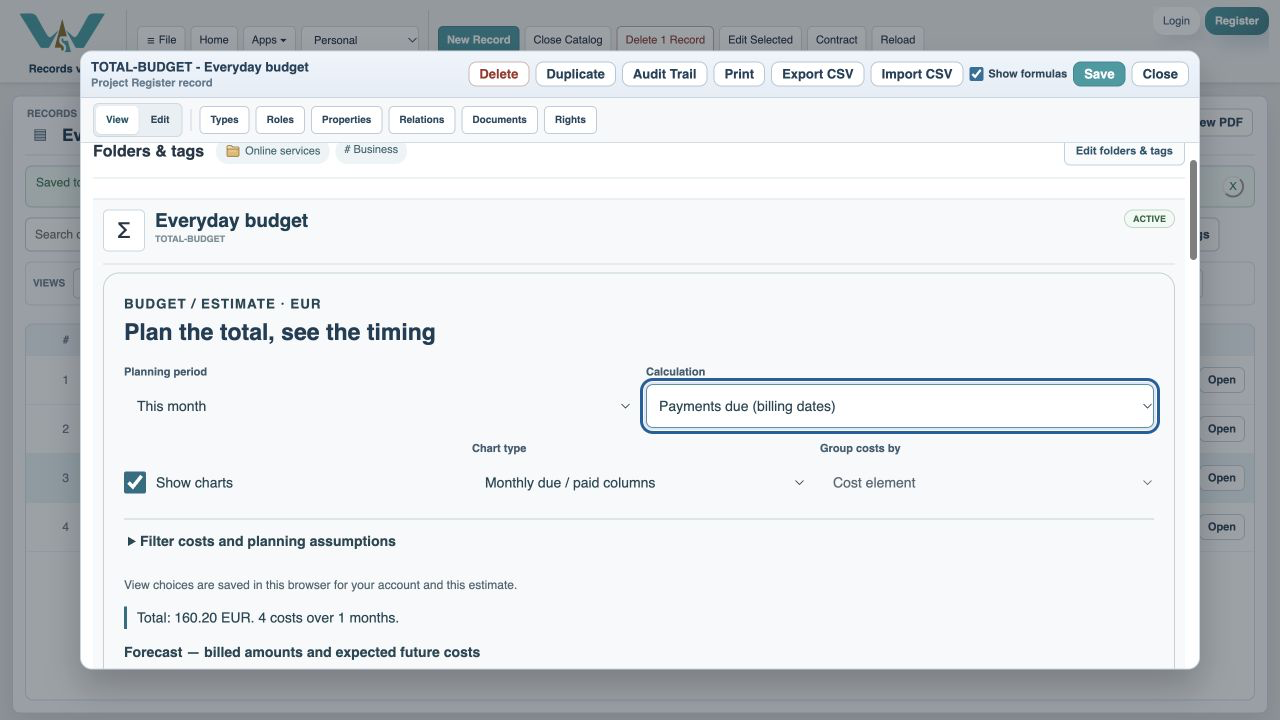
Choose This month
Open Everyday budget and select This month. Read the displayed date range, which begins on day one.
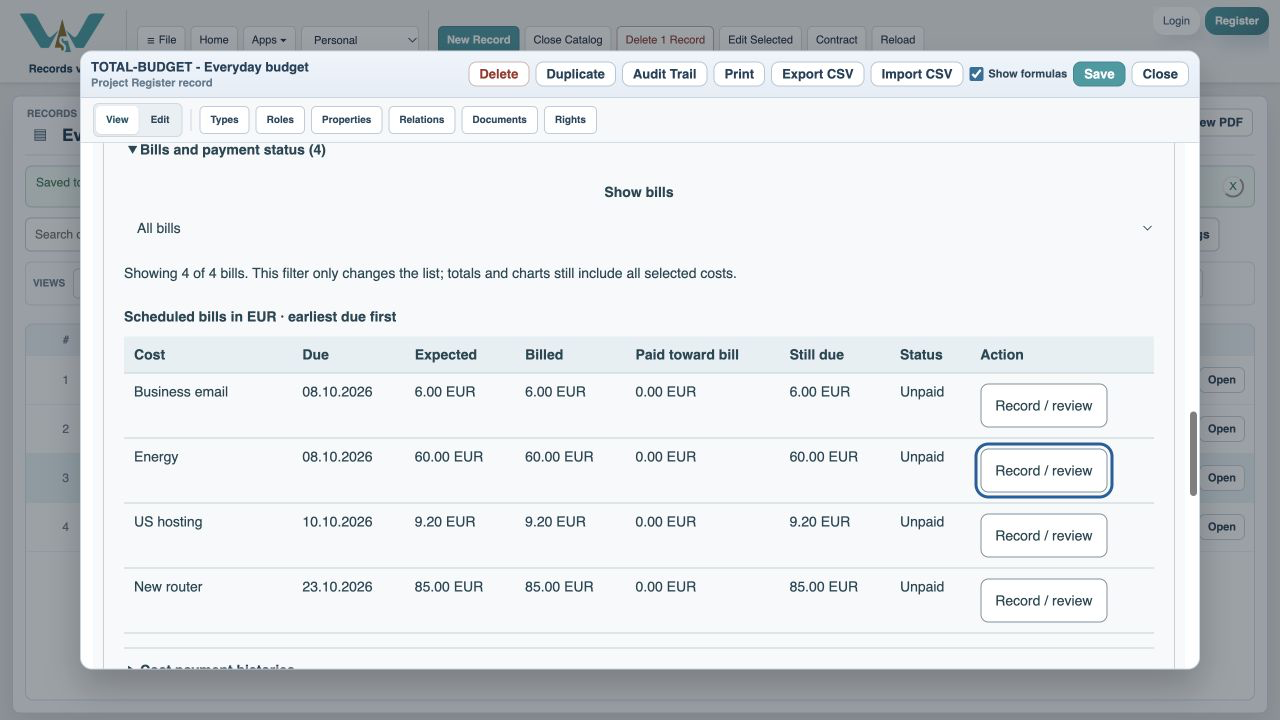
Expand the bills
Open Bills and payment status. Rows are ordered by due date.
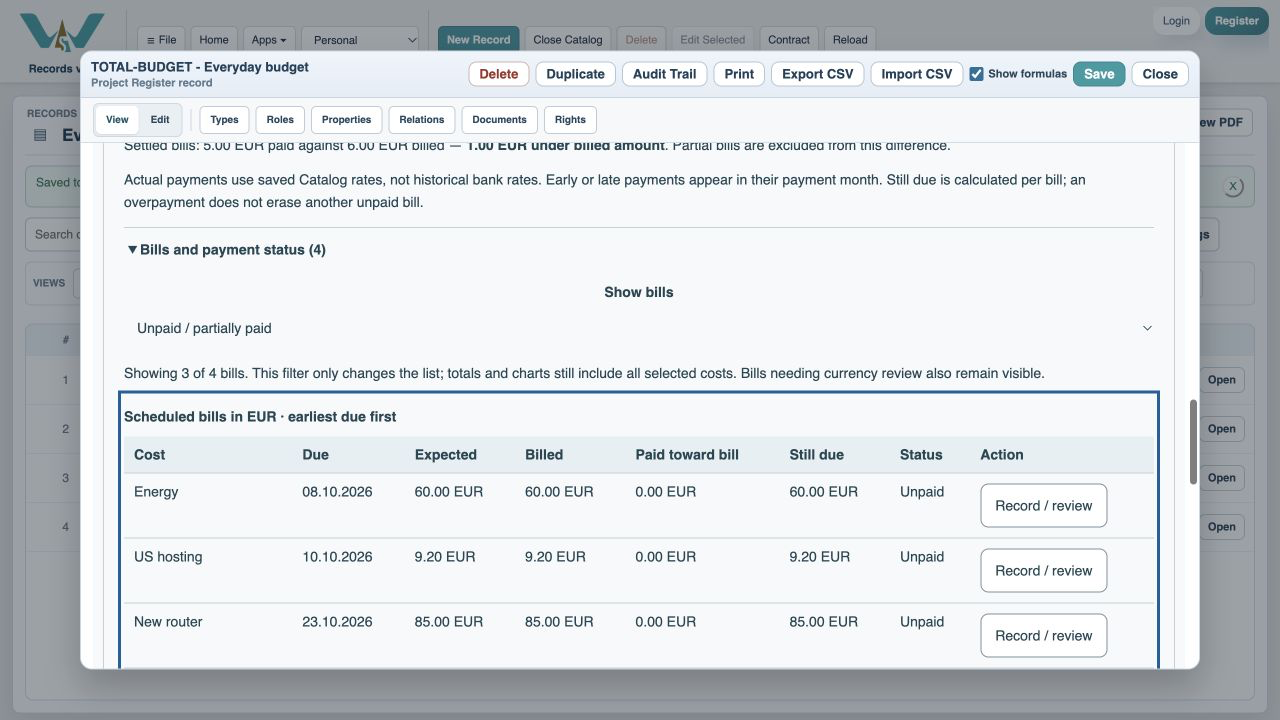
Show unpaid and partially paid
Choose Unpaid / partially paid in Show bills. Settled bills disappear; the totals do not change.
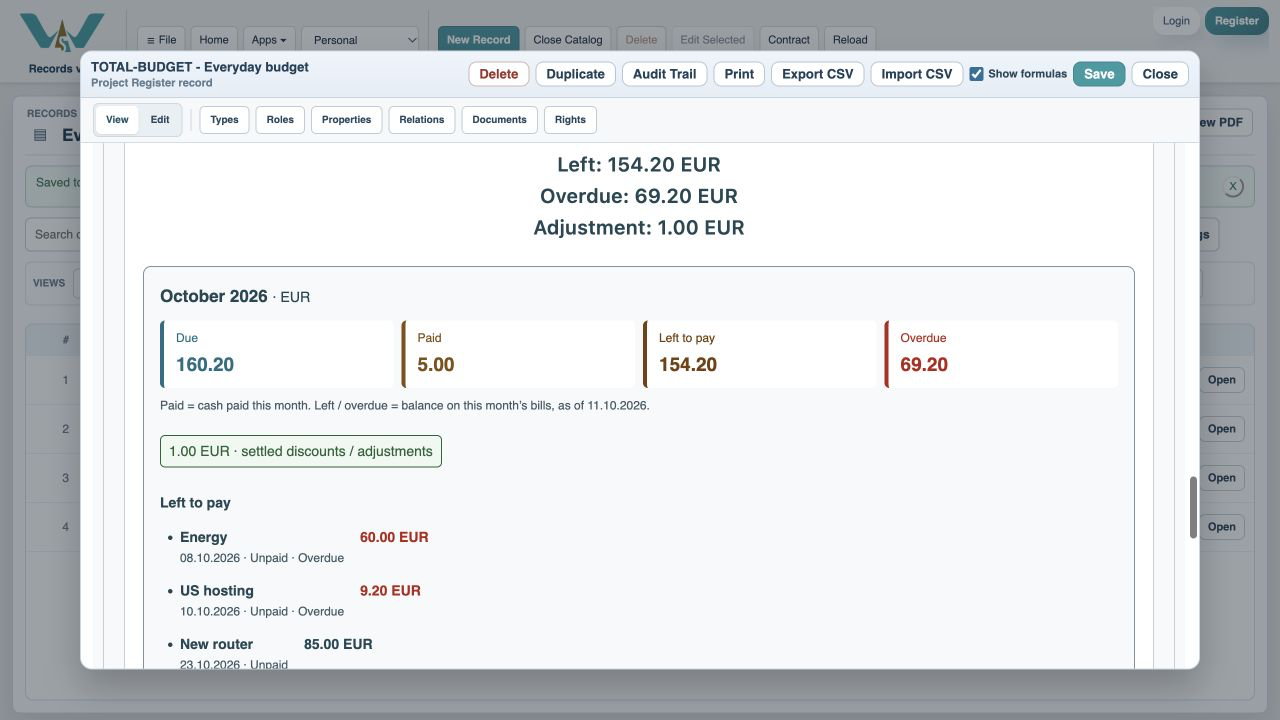
Inspect the monthly columns
Click or tap the month, or press Enter or Space, to read the concise amounts and open bills. Red marks confirmed overdue money.
Open the monthly table
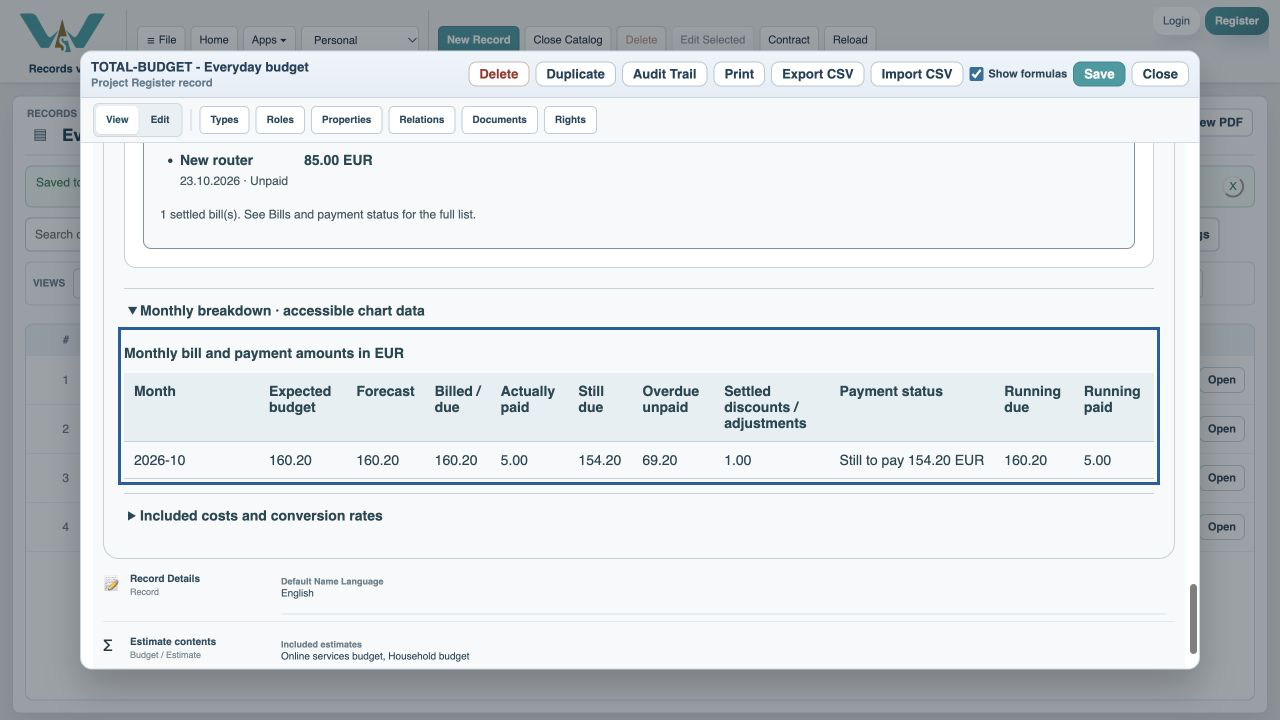
Expand Monthly breakdown to compare exact monthly values without relying on color.
Inspect conversion rates
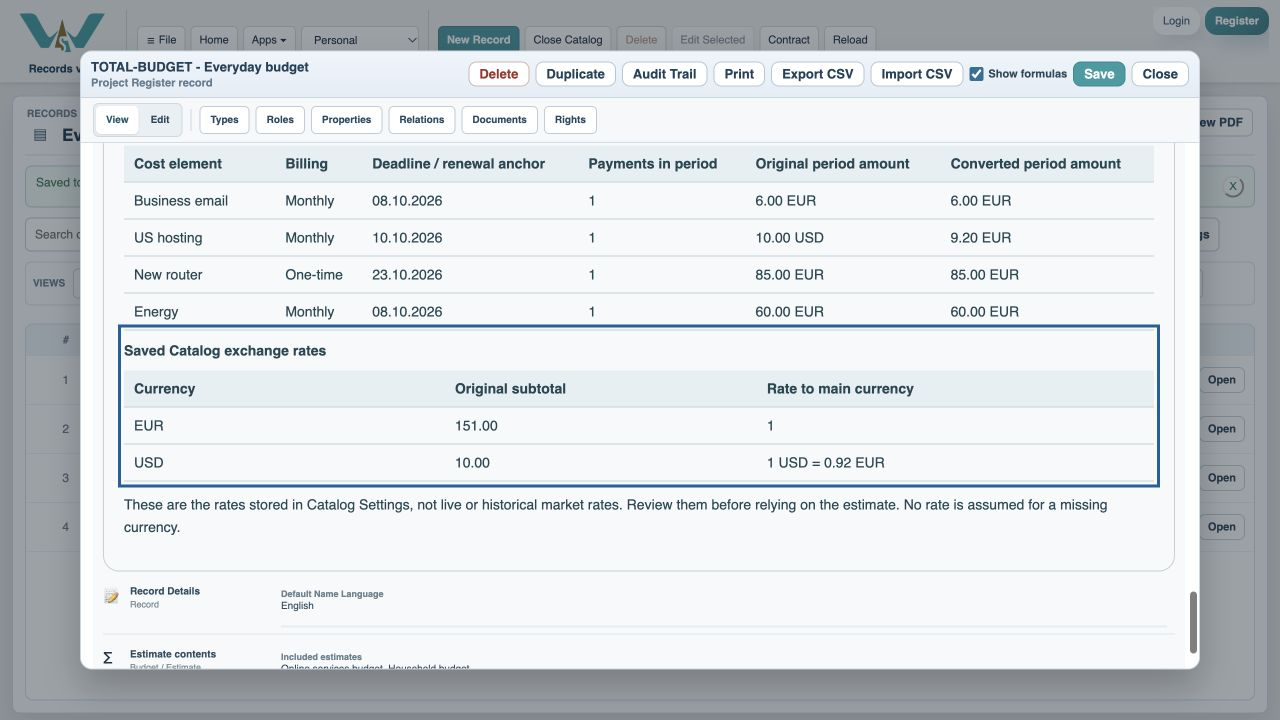
Expand Included costs and conversion rates. Confirm the saved rates and any warning.
Try a different chart
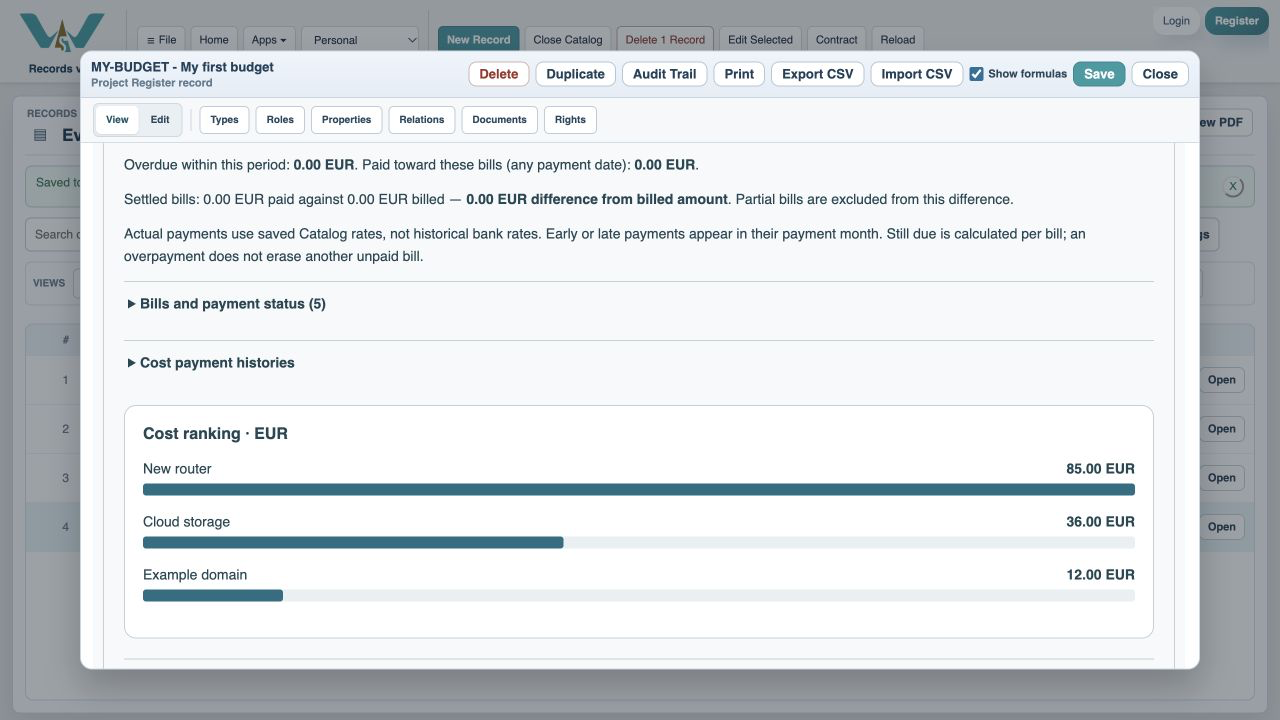
Select Ranked bars to compare the largest costs in the period.
Prefer a table?
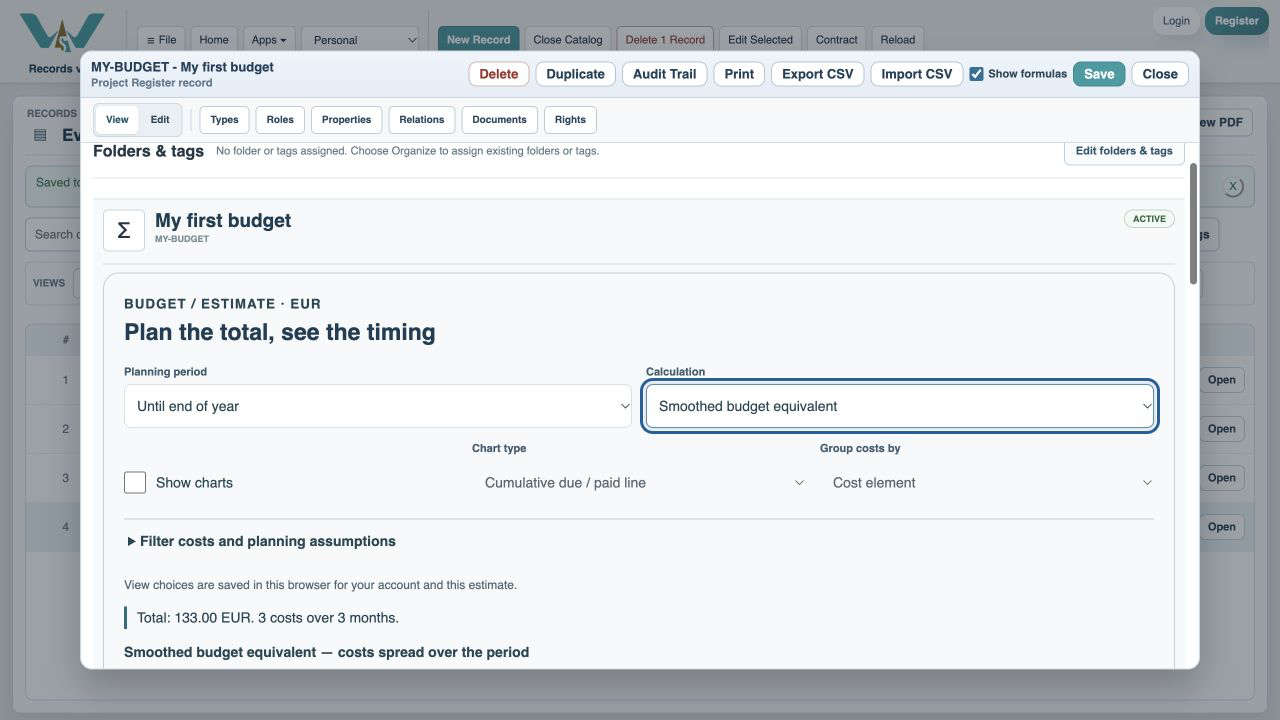
Uncheck Show charts. Monthly values remain available.
Enable JavaScript to use reading progress and usefulness ratings.