
Record a partial payment and settle a discounted bill
Use complete.ca. Business email has a 6 EUR monthly bill. Record 2 EUR, then settle with another 3 EUR and an agreed 1 EUR discount.
These guides use fictional practice data and generic EUR amounts. The screenshots show the October 2026 interface. Adapt example dates and planning periods if practicing later. Recording bills and payments does not transfer money.
Before you start
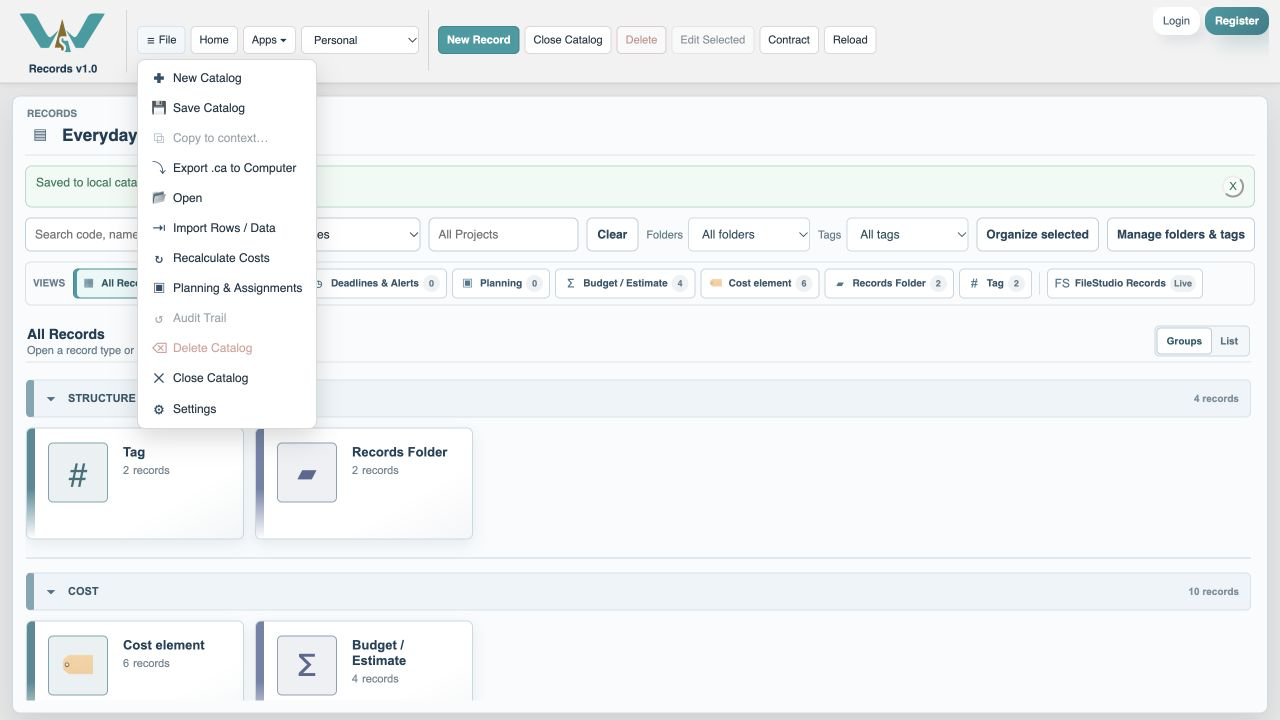
Download complete.ca below, then use File → Open → Computer → Choose .ca file. Work in the separate practice Catalog; save any existing work first.
Code is optional. Use it only if a short reference helps you; you can leave it blank. Number formats can vary with settings.
Online saving requires your usual signed-in account and edit access. Keep computer-only practice by exporting the complete Catalog.
Open Everyday budget
In Budget / Estimate, open Everyday budget and choose This month. The demonstration month is October 2026.
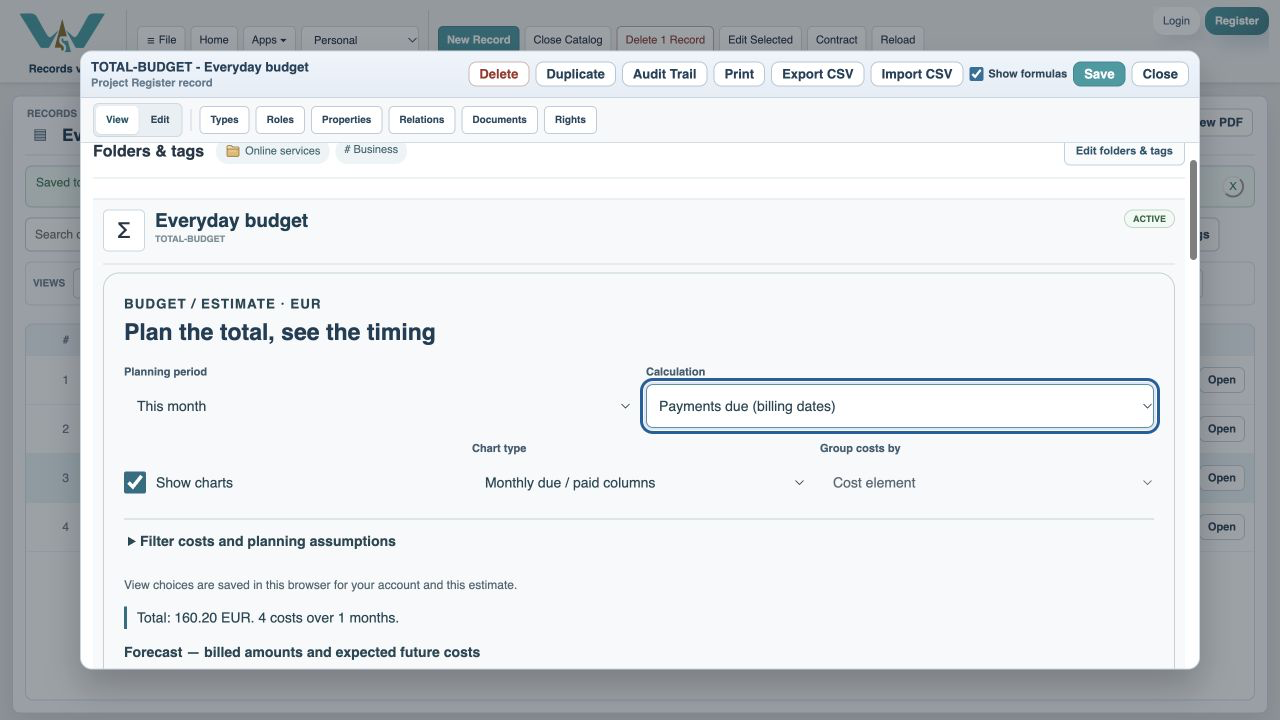
Expand Bills and payment status
Find Business email, due 8 October.
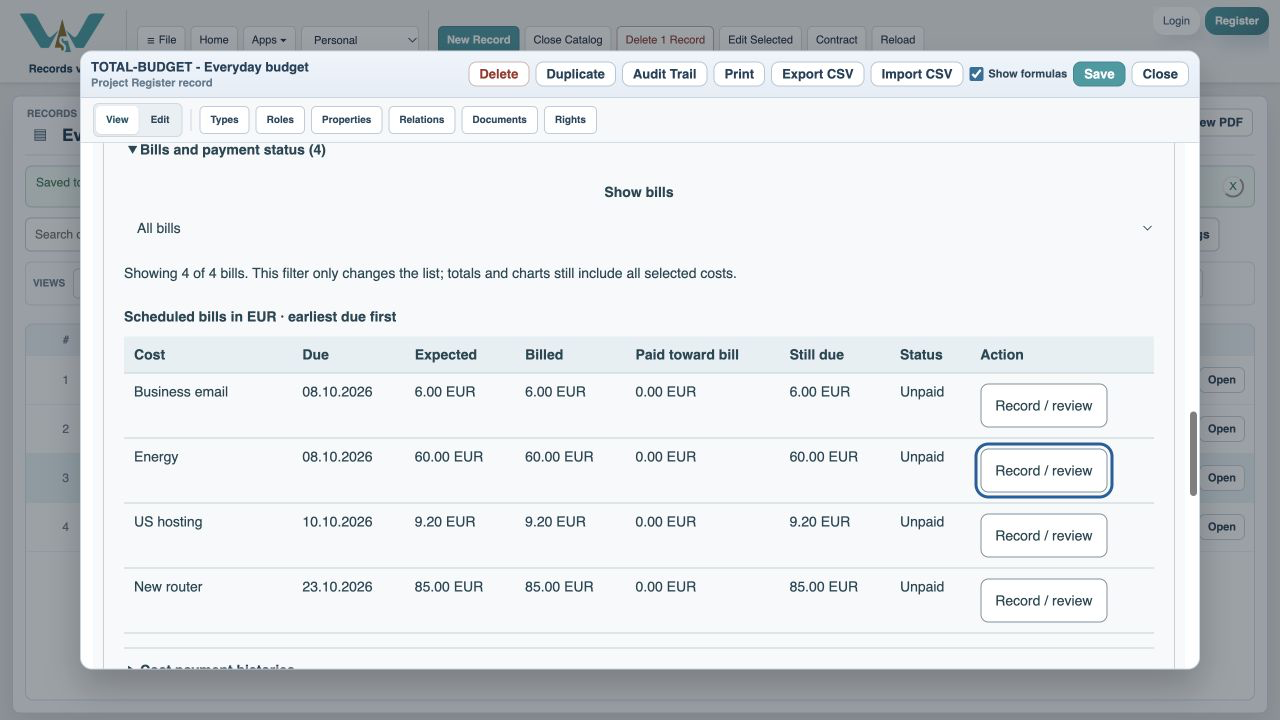
Open the bill’s payments
Choose Record / review on the Business email row.
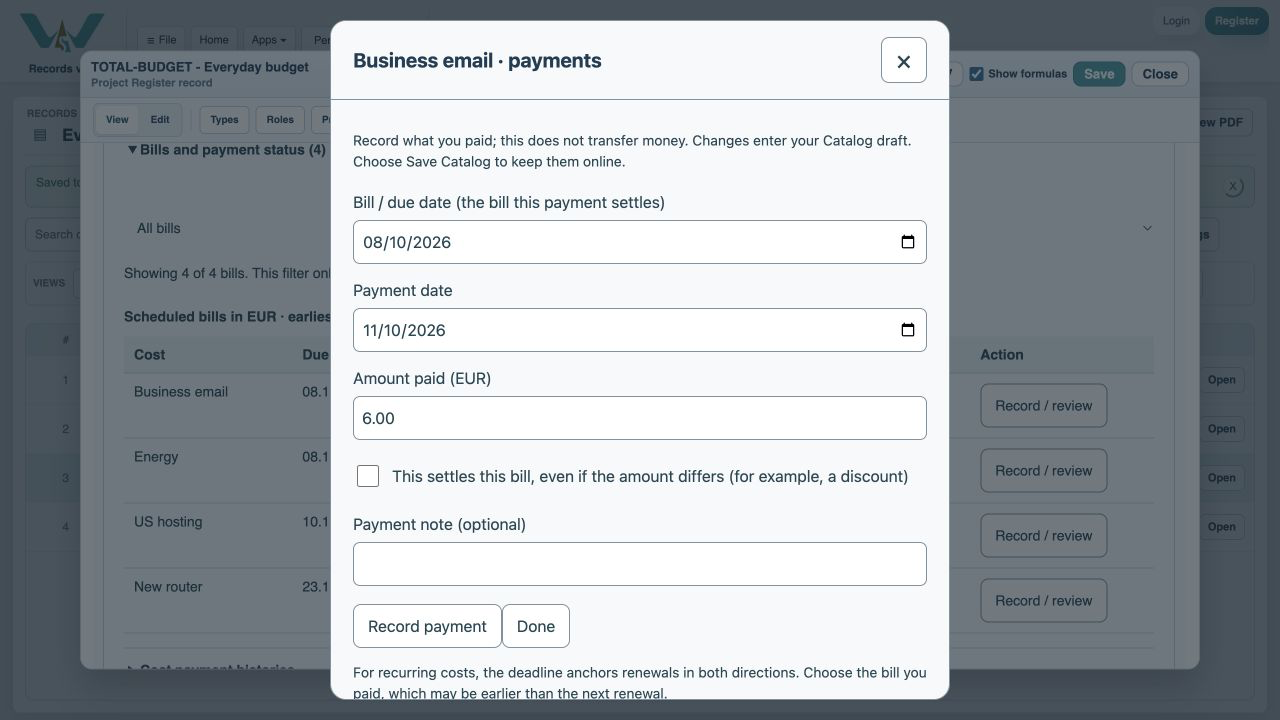
Enter the payment date
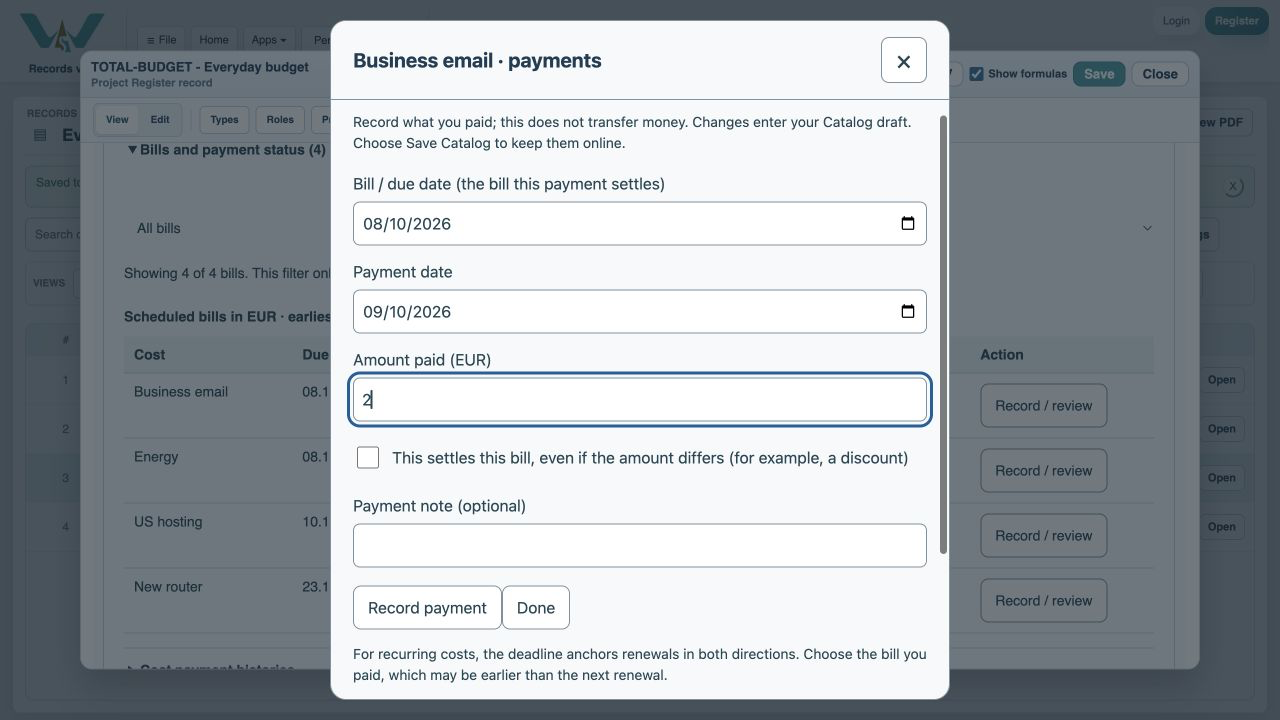
Set Payment date to 9 October 2026.
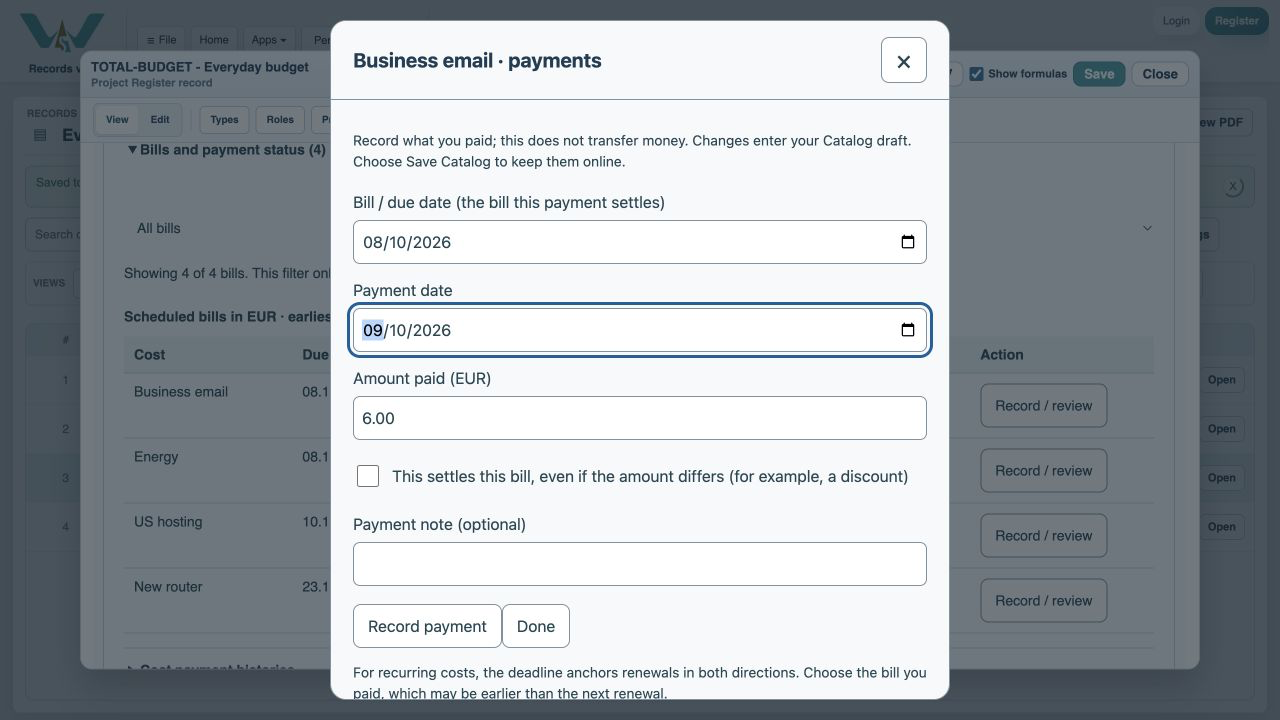
Enter the first amount
Type 2. Leave This settles this bill unchecked.
Record the partial payment
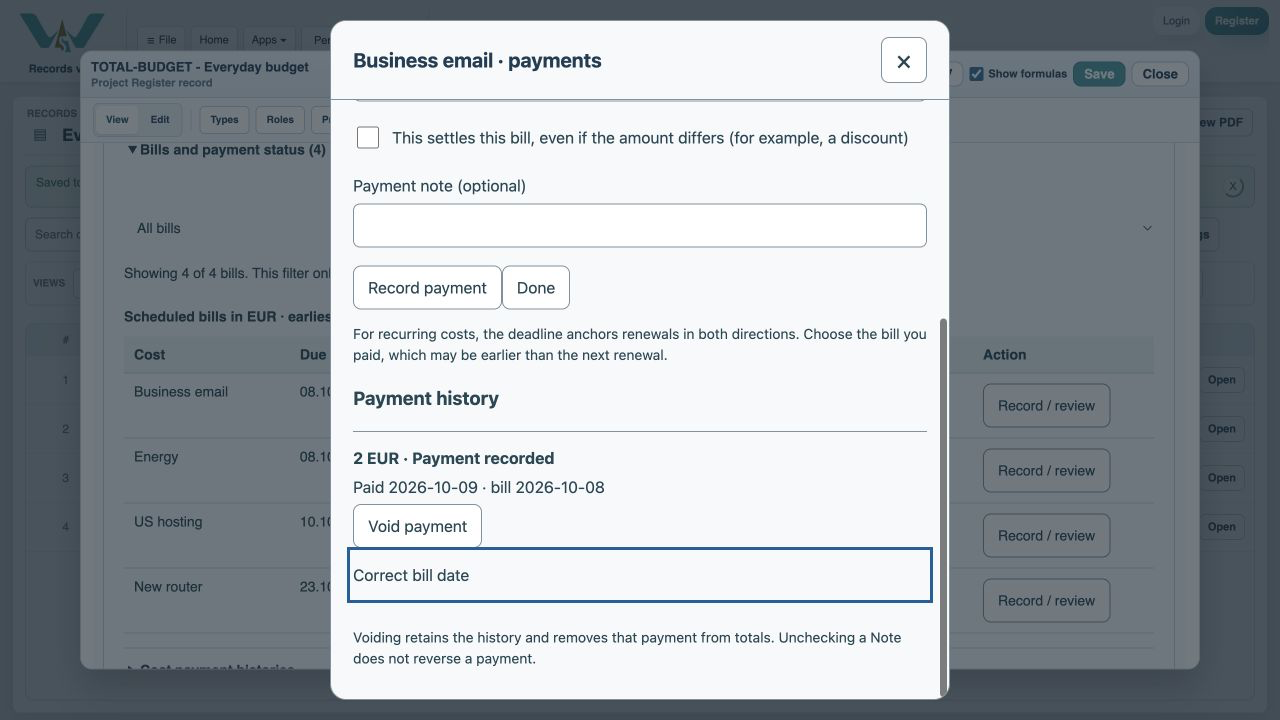
Choose Record payment. History retains the entry and 4 EUR remains.
Return to the bill list
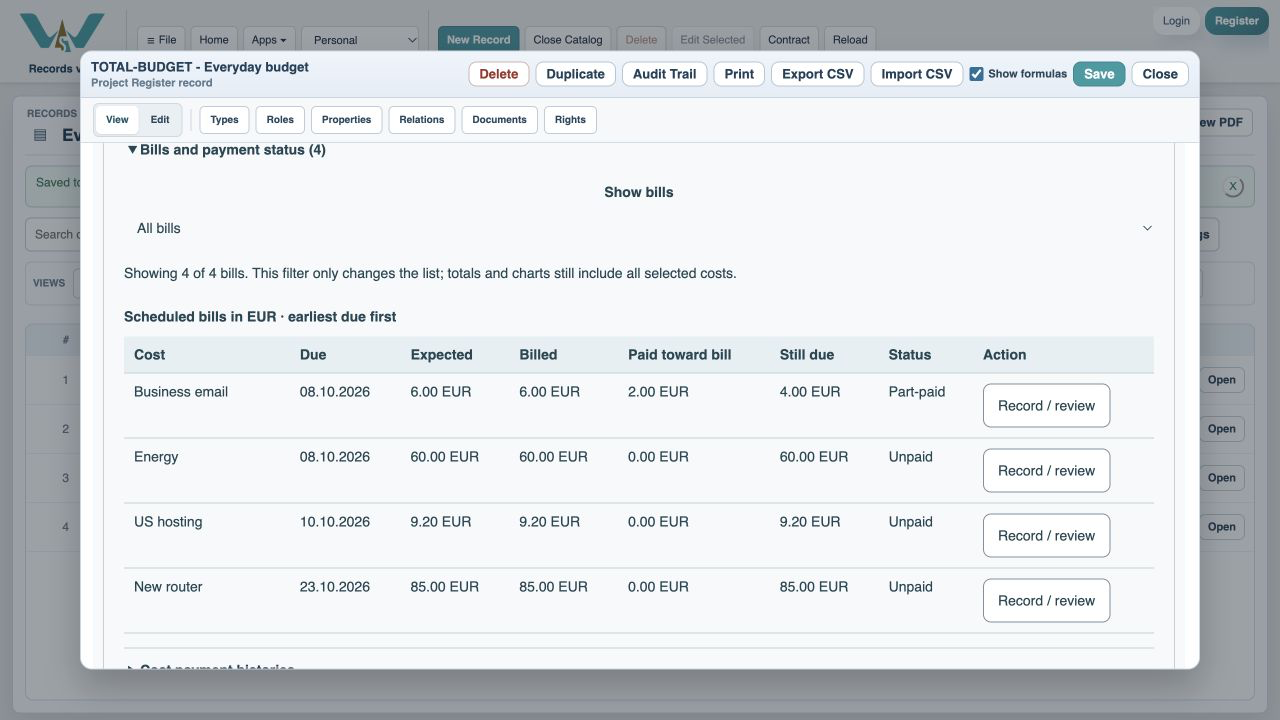
Choose Done. The bill is Part-paid.
Enter the final payment
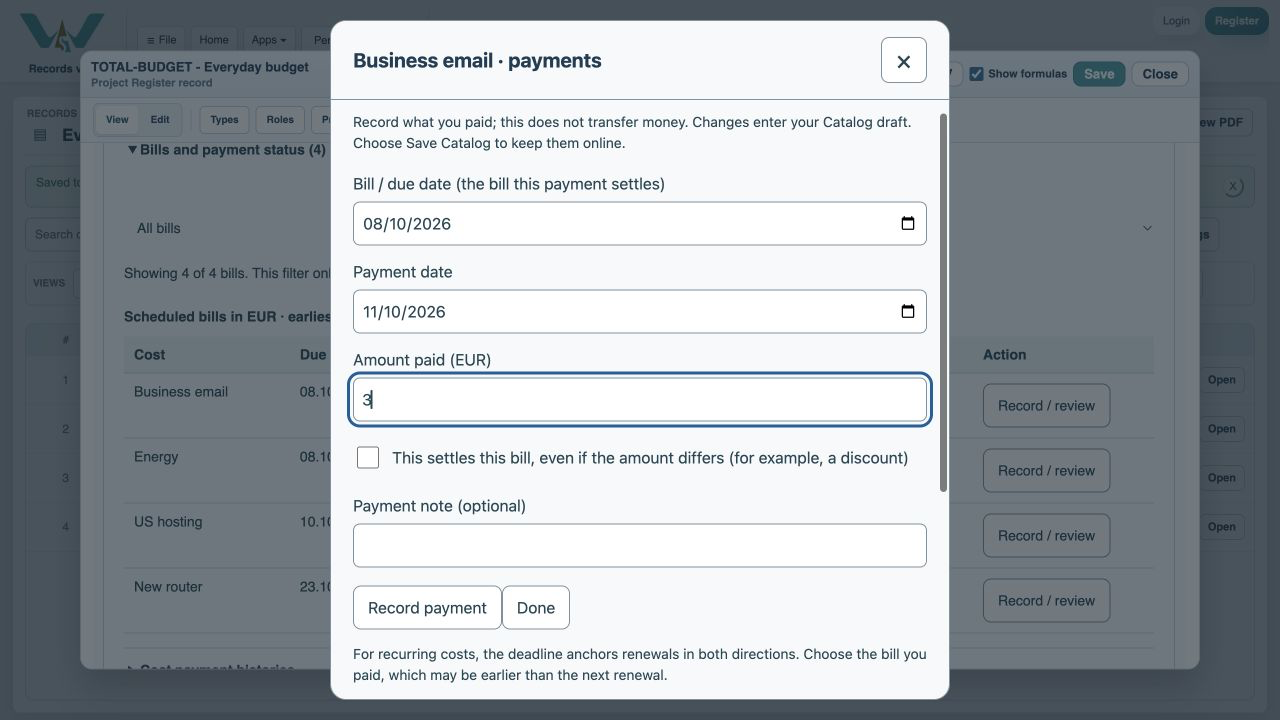
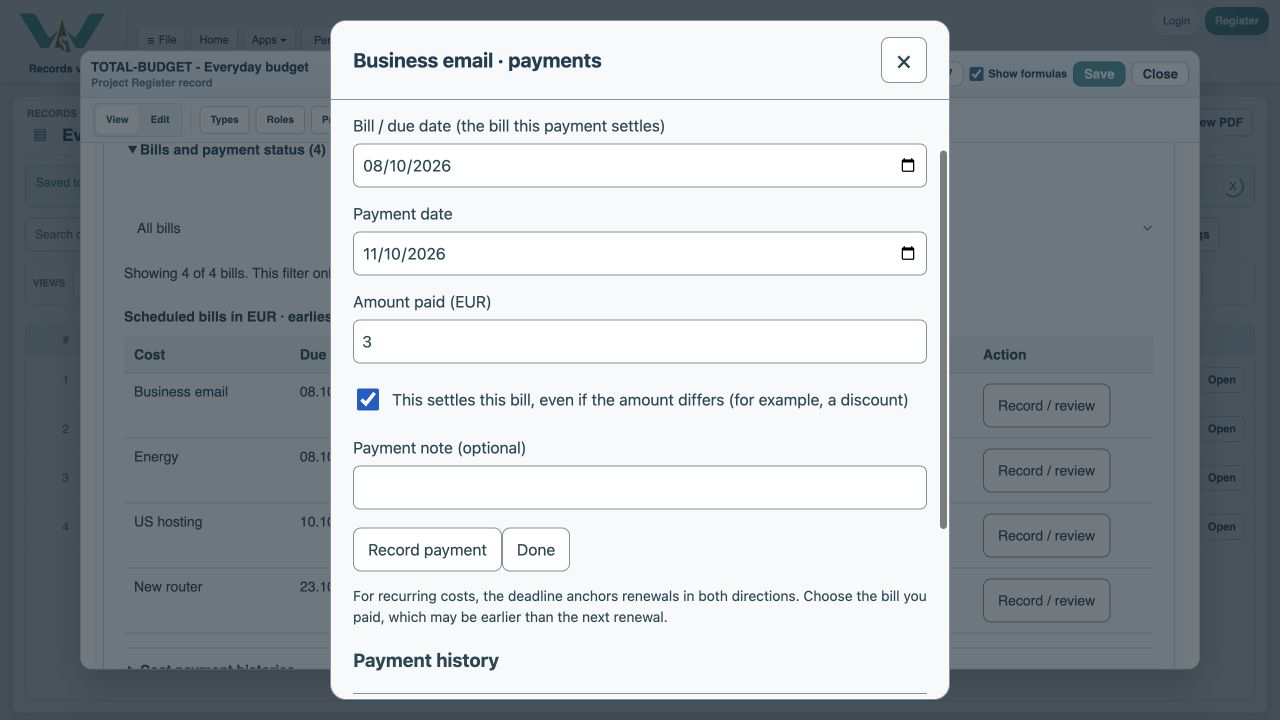
Open Record / review again and type 3 as the amount paid. Use the actual payment date.
Confirm the agreed settlement
Check This settles this bill only because the supplier agreed no further payment is owed.
Explain the reduction
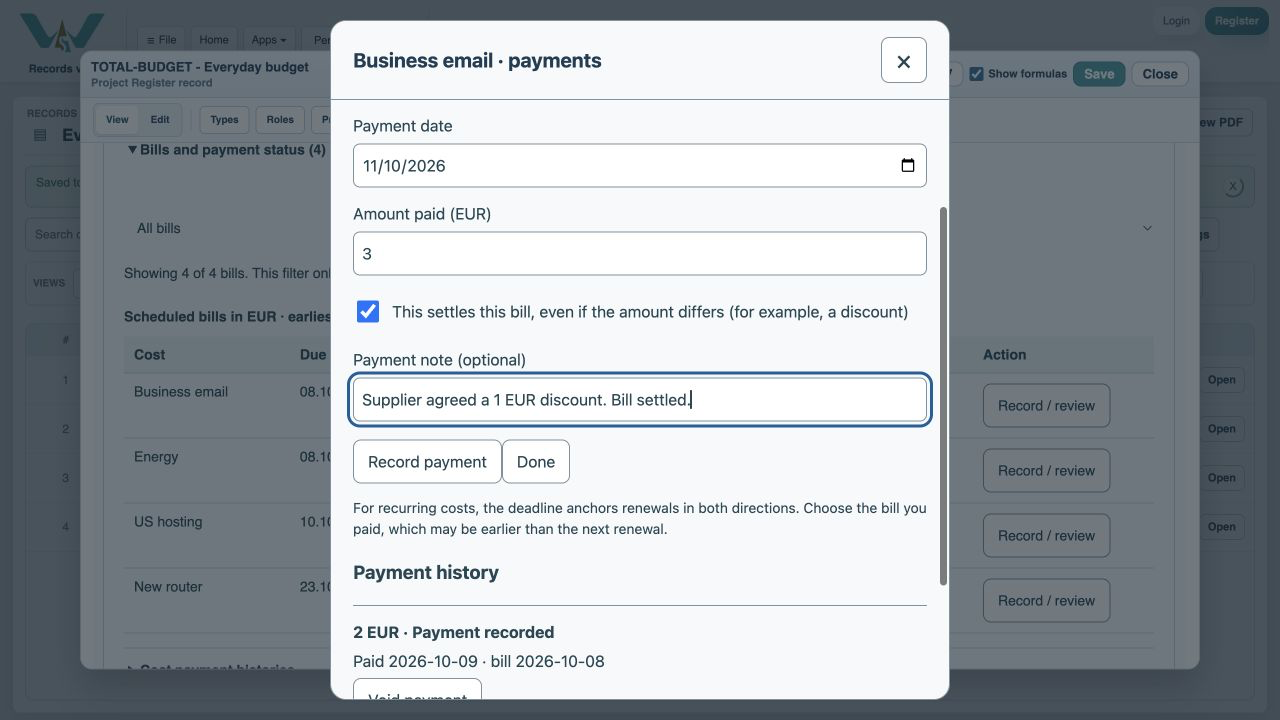
Enter Agreed 1 EUR discount in Payment note.
Record the final payment
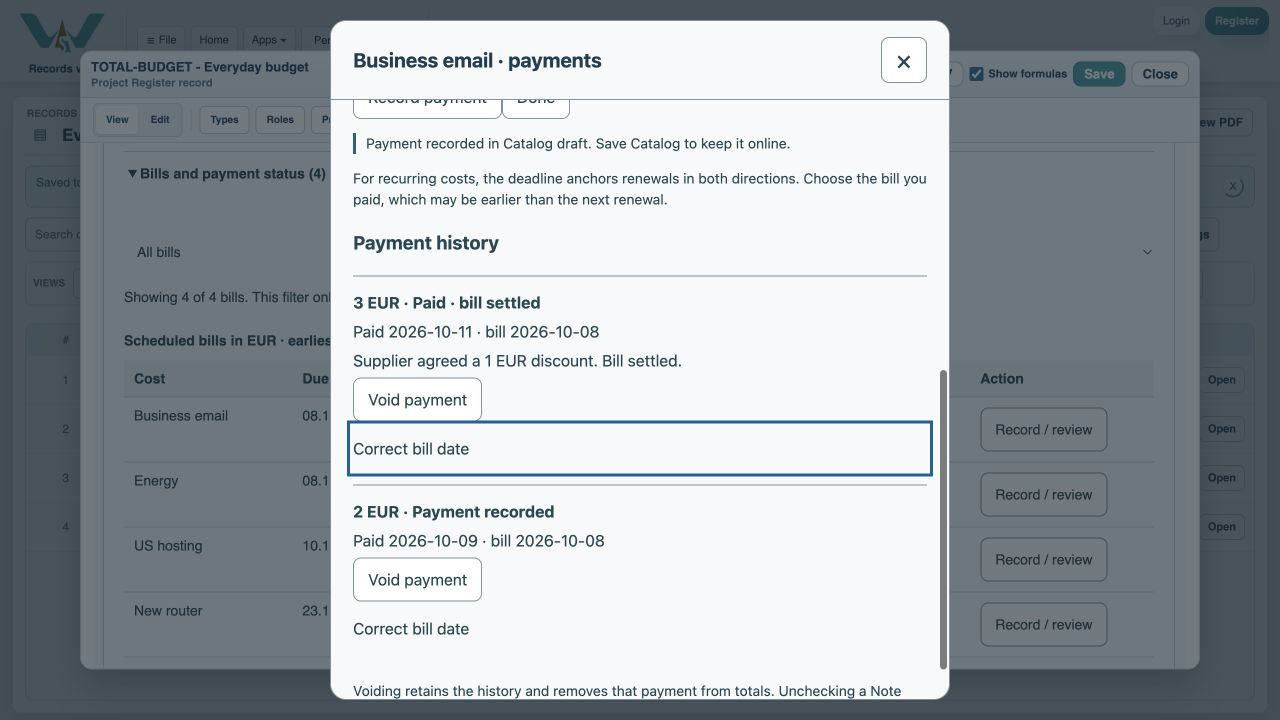
Choose Record payment. Both entries stay in the history.
Check the result
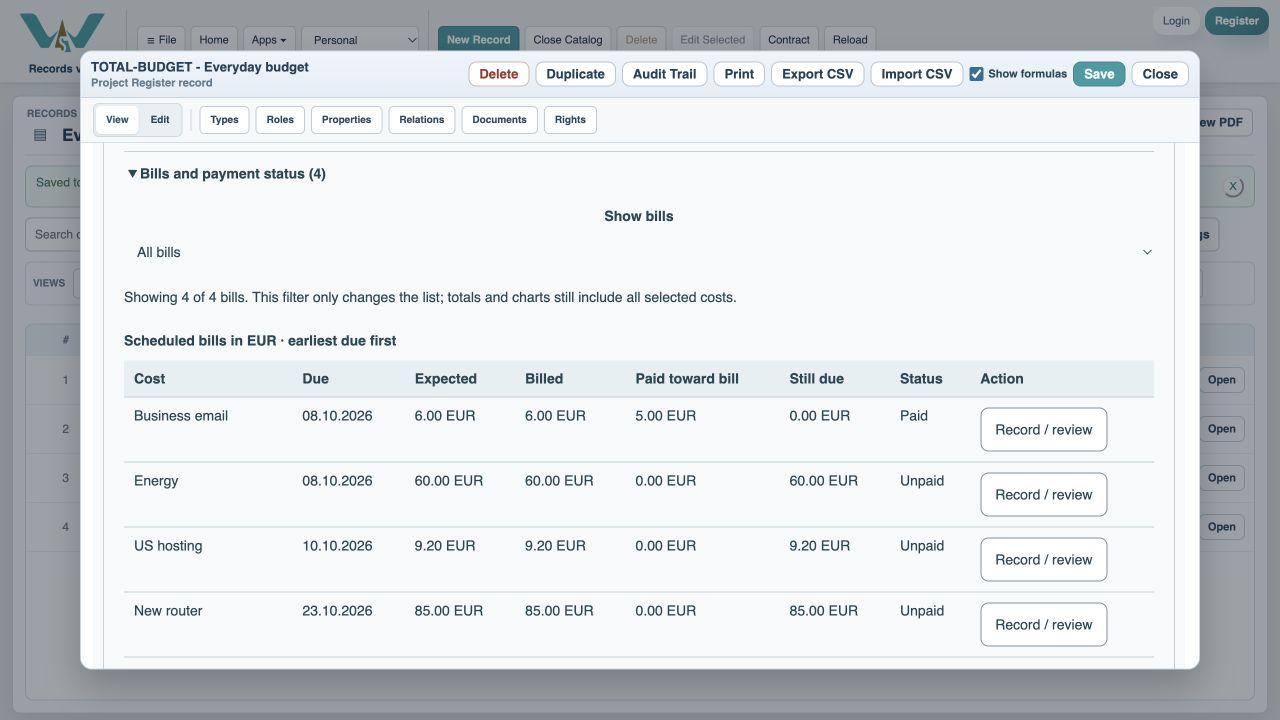
Choose Done. The bill is Paid with 5 EUR paid against 6 EUR billed and nothing left.
Save Catalog
Keep the payment history online with File → Save Catalog, or export the complete practice file from All Records.
Enable JavaScript to use reading progress and usefulness ratings.