
Create and Manage Alerts and Deadlines
Create a dated Deadline or open-ended Alert, assign it, set reminders, review outcomes, and edit one occurrence or a full repeating series.
Open Planning & Assignments
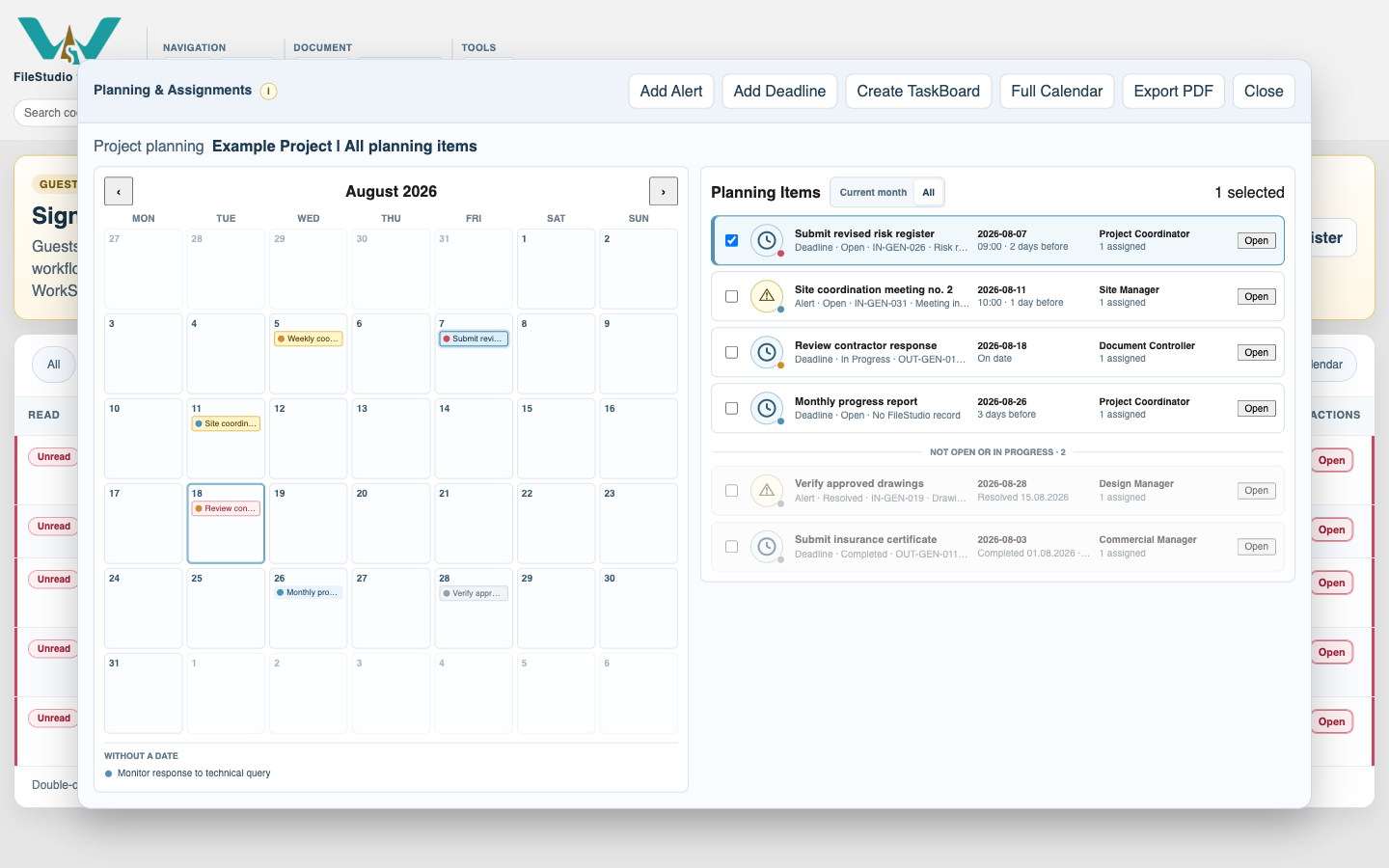
Open the File menu and choose Planning & Assignments. Use Add Alert or Add Deadline. You can also start from a record's planning action when the source record already exists.
Enter the schedule and source
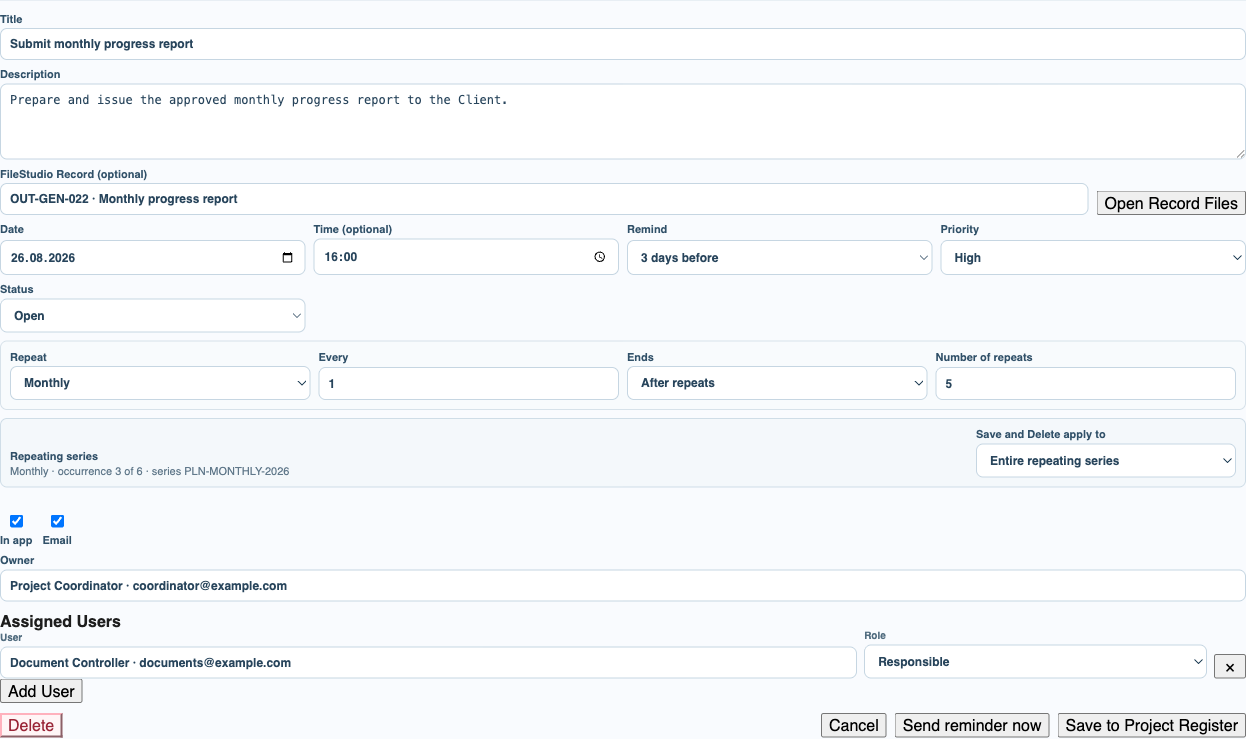
Add a clear title and description. A Deadline requires a date; an Alert may stay without one. Add an optional time, reminder, priority, and FileStudio source record.
Choose the people and channels
Set the Owner, add Assigned Users with roles, and choose In app and Email. Send reminder now is for an immediate email; scheduled email reminders use the platform cron runner.
Create or edit a repeating series
Choose Daily, Weekly, Monthly, or Yearly, then set Every and the repeat count or expiry date. When reopening an occurrence, select This occurrence or Entire repeating series before Save or Delete.
Record the real completion result
When work finishes, choose Completed for a Deadline or Resolved for an Alert. Enter the actual date, or search for a Completion Record and choose Add so FileStudio can propose that record's date. Repeat search and Add when several separately registered documents completed the same item. Add an explanation for missed or cancelled work.
Review calendar, list, and READ indicator
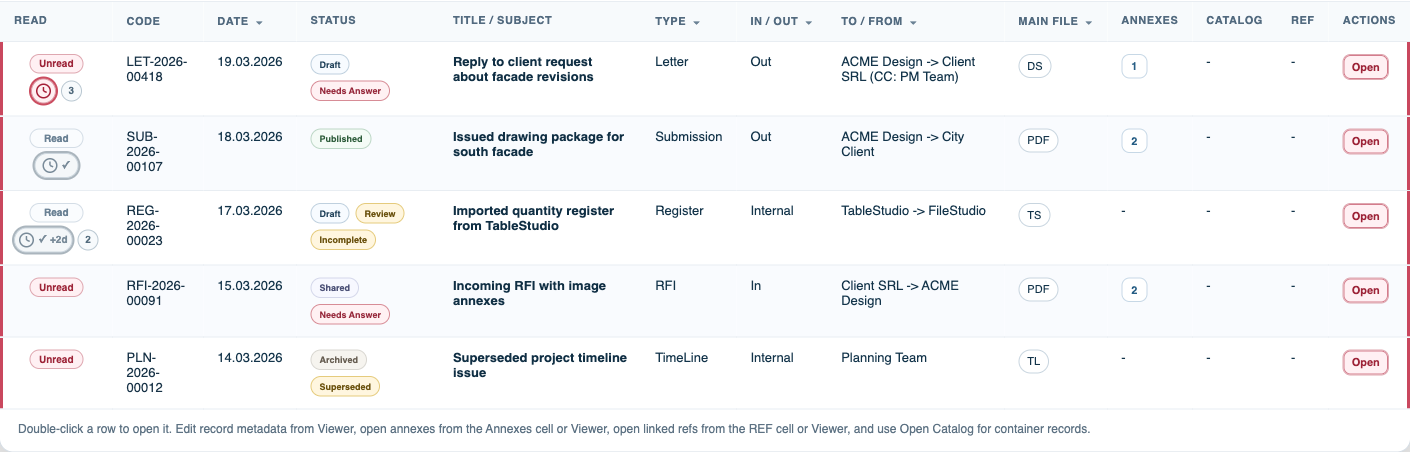
Confirm the item appears in the calendar and Planning Items list. The READ column shows the planning clock, grey completion check, early or late day result, and a separate count when several items are linked.
Enable JavaScript to use reading progress and usefulness ratings.